


Looking to make your brand videos more dynamic, polished, and memorable? One highly effective way to elevate your content is by incorporating animated icons, motion symbols, and micro-animations. These elements might be small in size, but they can have a huge impact on how your brand is perceived and remembered.
In today’s fast-paced digital landscape, attention spans are shorter than ever. Viewers often scroll past content that doesn’t immediately capture their interest. That’s where animated icons come in. With just a few well-designed animated touches such as logo stings, kinetic typography, bullet point reveals, and animated transitions you can draw the viewer’s eye, guide their attention, and reinforce your core brand message without saying a word.
Used strategically, these elements add energy and clarity to your videos. They help communicate complex information in a visually engaging way and keep your brand feeling fresh and modern. Think of them as visual signposts that not only support your content but also strengthen your identity. Whether you’re explaining a product feature, walking through a process, or simply building a vibe, animated icons make your content easier to understand and more fun to watch.
In this comprehensive guide, we’ll walk you through how to use animated icons and motion graphics effectively what they are, why they matter, and how they can be tailored to reflect your unique brand personality. You’ll discover creative ways to incorporate them into different types of videos, from explainer and promotional videos to social media snippets and internal communications. By the end, you’ll see just how much value these small animations can bring to your video content strategy.
Why Animation Works for Branding

There’s a reason animated visuals are everywhere in modern marketing they work. Research shows that the human brain processes visuals an astonishing 60,000 times faster than text. That means even a short, simple animation like a logo reveal, a spinning icon, or a swipe transition can communicate your brand identity far more quickly and effectively than written content alone. Think about the last time you saw a brand’s animated logo at the start or end of a video. You likely remembered it. Why? Because motion grabs attention. It stands out in a sea of static content and engages the viewer on a sensory level. When an icon moves, bounces, or transforms, it not only draws the eye it tells a story. And stories are what people remember.
Animation also helps with brand consistency. Using the same motion style, colour palette, and transitions across all your content whether it’s a YouTube video, social media reel, or internal training clip creates a seamless, professional feel. It gives your brand a recognisable rhythm and personality, reinforcing familiarity every time your audience sees your content.
But perhaps most importantly, animation adds emotional impact. Movement can convey tone and mood more effectively than static design. A smooth glide might feel sleek and high-end, while a playful bounce adds fun and friendliness. These subtle cues shape how your audience feels about your brand without requiring a single line of dialogue or paragraph of explanation.
In short, animation is a powerful visual shortcut. It gets your message across quickly, keeps viewers interested, and strengthens your brand presence at every touchpoint.
1. Animated Logo Intros (Stings)
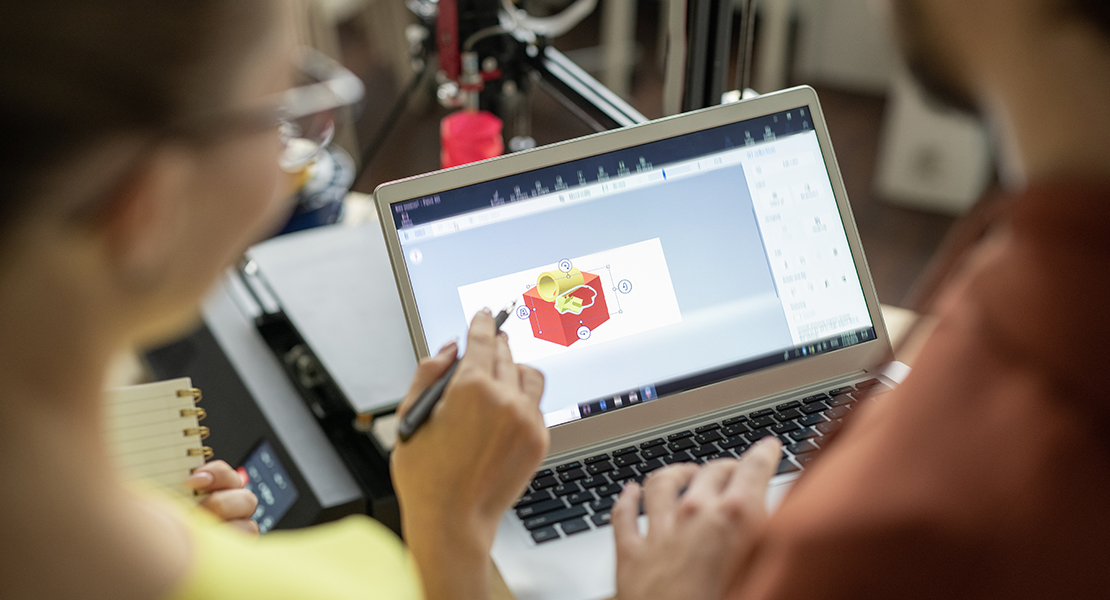
Animated logo stings are brief, eye-catching animations that showcase your brand’s logo at the start or end of a video. While they usually last just 2 to 5 seconds, their impact can be surprisingly powerful. These animations serve as digital “signatures” for your content instantly identifying who you are and leaving a lasting impression on your viewers.
Here’s why they matter:
- They help establish visual identity instantly. Your logo is one of the most recognisable elements of your brand. Animating it makes it stand out even more. With just a few frames of motion, you can express your brand’s personality whether that’s bold and modern, elegant and refined, or fun and quirky.
- They reinforce brand consistency across platforms. Whether someone watches your video on YouTube, Instagram, LinkedIn, or your website, a consistent animated intro or outro strengthens recognition. It creates a familiar rhythm that tells your audience: “This is us.”
- They offer a polished, professional touch. Let’s face it raw, unbranded video often feels unfinished. Adding a logo sting instantly elevates your production quality, helping your videos look like they came from a trusted and established brand.
A well-crafted logo sting should be short, clean, and aligned with your visual identity. It might include subtle animation like a fade-in, a zoom effect, or particles forming the logo. Or it could involve more dynamic movements, like a swirl or a reveal synced with a musical cue. The key is to make sure the animation style reflects your brand’s tone don’t overdo it with effects that feel out of place or overly dramatic unless that’s exactly what your brand is going for.
Ultimately, animated logo intros are a small investment that deliver big returns. They set the tone for your video, enhance brand recall, and give your audience a sense of professionalism and pride in your content right from the first frame.
2. Animated Bullet Points and List Reveals
Let’s face it static text can get boring fast. Especially in explainer videos or corporate presentations, where lists and bullet points are essential, simply placing everything on screen at once can overwhelm viewers and cause their attention to drift. That’s where animated bullet points and list reveals come in. By using motion to unveil key points, you can keep your content visually engaging and your audience actively tuned in.
Here’s how to make them work:
- Slide-ins or pop-ups draw attention to key features. Rather than presenting a full list all at once, animate each point to enter with a slide, fade, bounce, or pop effect. This technique helps pace your delivery, keeps viewers focused on one idea at a time, and creates a sense of flow that mimics natural speech or narration.
- Icon + text pairings improve clarity and comprehension. Pairing short lines of text with matching animated icons helps reinforce your message visually. For example, a shield icon next to the word “security,” or a stopwatch beside “fast delivery,” adds context and reduces cognitive load especially useful for international audiences or viewers watching without sound.
- Pacing becomes tighter, and viewer attention stays locked in. Animations guide the eye and signal transitions, giving your video a more structured, professional feel. You’re not just listing information you’re orchestrating how that information is received.
Animated lists are more than a stylistic upgrade they’re a chance to turn basic information into brand-driven storytelling. The font choice, animation style, iconography, and timing can all reflect your visual identity. A tech brand might opt for quick, clean slide-ins; a creative agency might use playful bounces or hand-drawn effects.
In essence, motion-driven bullet points transform what could be dry or forgettable into something vibrant and memorable. They allow you to break down complex topics into digestible segments, while reinforcing your brand personality through movement and design.
3. Branded Transitions
Transitions are often treated as an afterthought in video editing but they’re actually a golden opportunity to reinforce your brand’s visual identity. Even something as simple as a wipe, slide, or fade can become a recognisable part of your brand’s storytelling if designed intentionally. When transitions reflect your brand’s style, colours, or shapes, they do more than just move the video along they create continuity, polish, and professionalism.
Here’s how to make transitions truly work for your brand:
- Use signature colours, angles, or shapes. If your brand’s visual identity includes specific colours or graphic elements like diagonal lines, rounded corners, or geometric patterns integrate them into your transitions. For example, instead of a basic wipe, try a diagonal sweep using your brand’s primary colour. This adds personality and makes each transition feel like an intentional design choice rather than a default setting.
- Custom transitions can mimic elements of your logo. Want to go a step further? Create transitions inspired by your actual logo. If your logo contains a circular element, try building a radial wipe animation around it. If it’s built from layered rectangles, use those shapes as animated masks between scenes. These little touches build brand cohesion in subtle, clever ways.
- Maintain consistency across videos and campaigns. One of the biggest advantages of branded transitions is how easily they unify your video content. When viewers recognise your unique transition style whether in an ad, a how-to video, or a case study they associate it with your brand. This kind of visual familiarity strengthens brand recall and builds trust over time.
Branded transitions are powerful precisely because they’re subtle. They don’t shout for attention, but they add a connective thread that ties your video content together. And in a world full of templated animations, having your own signature transitions can be a key differentiator.
Whether you’re creating one video or a whole campaign, branded transitions show that you’ve thought through every detail and that level of care reflects positively on your brand as a whole.
4. Animated Lower Thirds
Lower thirds those text banners that usually appear in the bottom third of the screen may seem purely functional, but they’re actually a fantastic opportunity to showcase your brand subtly and stylishly. They’re often used to introduce speakers, clarify topics, or present key information during a video. With a bit of animation and thoughtful design, lower thirds can do all that while reinforcing your visual identity.
Here’s how to maximise their impact:
- Incorporate brand colours and fonts. Consistency is key when it comes to brand recognition. By designing your lower thirds using your official brand palette and typography, you create a seamless connection between your visual identity and the content being presented. When viewers repeatedly see the same style across videos, they begin to associate it with your brand even if they don’t consciously realise it.
- Add subtle animations for elegance and flow. A lower third that fades or slides in smoothly feels more polished than one that simply appears on screen. Motion here doesn’t need to be flashy a gentle wipe, drop-down, or fade-in can make the difference between amateur and professional. The goal is to draw attention without distracting from what’s being said or shown.
- Include icons or mini logos if space allows. To reinforce branding further, consider placing a small icon, brand mark, or watermark within the lower third. This is particularly effective when introducing team members, experts, or departments think of it as a digital business card that communicates both identity and professionalism.
Animated lower thirds offer a subtle but powerful way to elevate your video’s overall look. They help keep your content organised, ensure key names and messages are communicated clearly, and add a visual rhythm that holds the viewer’s attention. And when they’re consistently designed across all your videos, they quietly reinforce your brand’s credibility and attention to detail.
In short, lower thirds aren’t just about labelling they’re about branding with purpose, wrapped in functionality.
5. Call-to-Action Animations
A strong call-to-action (CTA) is one of the most important parts of any video especially when you’re trying to generate leads, build an audience, or encourage engagement. But even the most carefully worded CTA can fall flat if it doesn’t grab attention. That’s where animation steps in. By adding subtle motion to your CTA elements, you can guide the viewer’s eye without being pushy or distracting.
Here’s how to animate CTAs effectively and on-brand:
- Animate CTAs like “Subscribe,” “Download,” or “Book a Demo.” Whether you’re creating a YouTube tutorial, an explainer video, or a product showcase, your CTA should be easy to spot and visually distinct. A short animation like a gentle bounce, swipe, or fade-in can make a button or message stand out without interrupting the viewer’s experience.
- Use icons, arrows, and pulsing effects to attract attention. Motion can be used to highlight direction and intention. For example, a downward arrow can reinforce a “Download Now” message, while a soft pulsing border around a “Get Started” button can create a sense of urgency. Animated icons next to CTAs can also reinforce the action think of a calendar symbol next to “Book a Consultation” or a play icon beside “Watch Demo.”
- Keep the motion gentle and brand-aligned. It’s important not to go overboard. Too much movement can feel aggressive or salesy, turning viewers off. Instead, use smooth transitions, consistent timing, and animation styles that match your brand’s overall tone. A tech brand might use sleek slide-ins, while a lifestyle brand might opt for soft fades or organic motion curves.
A well-executed CTA animation feels like a natural part of the viewing journey it guides the viewer toward action without breaking immersion. And when done right, it can significantly increase conversions, click-throughs, and user interaction.
Ultimately, a good CTA animation is about balance: enough motion to catch the eye, but subtle enough to keep the focus on the message. It’s an elegant nudge that supports your brand’s goals while staying aligned with its voice and visual style.
FAQ
1. Are animated icons only suitable for big brands with large budgets?
Not at all. With the wide availability of motion graphic templates and freelance talent, even small businesses can incorporate high-quality animated icons into their videos. The key is to start simple consistent use of colour, style, and subtle animations can make a big impact without requiring a huge investment.
2. Will adding animations slow down my video load times or affect performance?
If animations are optimised properly (using compressed file formats like .json for Lottie animations or exporting at efficient frame rates), they typically have minimal impact on load times. Always test your videos across platforms to ensure smooth playback.
3. How do I make sure my animations align with my brand identity?
Start by referencing your brand guidelines colours, fonts, tone, and logo usage. Then, ensure your animations reflect that identity. For example, a corporate finance brand may use minimal, clean motion, while a youth-oriented fashion brand might favour bold, dynamic animations.
4. Can I use animated icons in live-action videos or are they only for animated explainers?
You can absolutely use them in live-action videos. Animated overlays like lower thirds, transitions, or icons that appear beside people or products can enhance clarity, reinforce branding, and keep viewers engaged across all video styles.
5. Do I need special software or skills to create animated icons?
While professional animation software like Adobe After Effects offers the most flexibility, there are user-friendly platforms like Canva Pro, Vyond, or LottieFiles that let marketers create animated elements with little technical knowledge. You can also work with a video production team to ensure consistency and quality.
Final Thoughts: Small Animations, Big Brand Impact
If you’re looking to elevate your brand through video, don’t overlook the power of animated details. From subtle transitions to fully branded stings, these small additions can have a big impact. You can contact our animation company in London to take your content to the next level we specialise in bringing brands to life through motion.
