


Augmented reality (AR) isn’t just a flashy gimmick or a tool reserved for big-budget tech giants anymore. In recent years, it has evolved into a practical, accessible, and highly effective way for brands of all sizes to enhance their marketing efforts especially through video. Whether you’re a small business looking to stand out or a larger company hoping to push creative boundaries, AR offers exciting opportunities to engage your audience in a whole new way.
From interactive overlays that respond to user movement, to virtual “try-on” experiences that let customers see how a product fits into their life, AR has the power to transform traditional video into something far more immersive. You can bring product demos to life, allow viewers to interact with your brand in real-time, or even create playful elements that make your campaign more memorable and shareable.
Of course, if you’re just starting out, AR might feel like uncharted territory. You might be asking yourself:
- How do I even go about adding AR to a video?
- Is this going to be expensive or complicated?
- What kind of content works best with AR?
- And most importantly, is it actually worth the effort?
If these questions are on your mind, you’re not alone and you’re in the right place. In this guide, we’ll break down exactly how to integrate augmented reality into your video marketing campaigns. From planning and choosing the right AR tools to developing content and launching your campaign, we’ll take you through the entire process step by step, so you can create standout experiences that leave a lasting impression on your audience.
What Is AR in Video?
Before we go deeper, let’s clarify what we mean by augmented reality or AR in the context of video.
AR is a technology that overlays digital elements such as animations, text, graphics, or 3D objects onto the real world when viewed through a screen, like a smartphone or tablet. It blends virtual content with your actual surroundings to create a more engaging and interactive experience.
In video marketing, AR can be used in several creative ways, including:
- Letting users scan your video with their phone to unlock extra layers of content like behind-the-scenes clips, product specs, or promotional offers.
- Adding interactive hotspots that viewers can tap to learn more, visit a link, or take an action without leaving the video.
- Creating branded AR filters for platforms like Instagram, TikTok, or Snapchat that users can apply to their own videos turning your audience into content creators.
- Allowing customers to project 3D product models into their environment, so they can see how something fits or looks in real life before buying.
Unlike virtual reality, which immerses viewers in a fully artificial environment, AR doesn’t replace the real world it enhances it. That’s what makes it such a powerful tool for video marketers looking to build more dynamic, memorable experiences.
Why Use AR in Your Campaigns?
You might be wondering is AR just a trendy gimmick, or does it actually add value to your marketing? The answer is clear: when done right, AR can deliver real, measurable benefits that go far beyond the “wow” factor.
Here’s why more brands are starting to integrate AR into their video campaigns:
- More Engagement:
AR makes your content interactive, which naturally encourages people to spend more time with it. Viewers don’t just watch they explore. This increased engagement can lead to stronger brand awareness and a deeper connection with your message. - Higher Conversions:
Virtual try-ons and product visualisation tools let customers see how something looks or fits before they buy. This builds confidence and reduces hesitation, which can translate into more purchases and fewer returns. - Stronger Recall:
Because AR is still relatively new and highly interactive, it sticks in people’s minds. Viewers are more likely to remember your brand and your message after experiencing an AR-powered video compared to a standard one. - Better Data:
Unlike traditional video, AR lets you track how users interact with different elements what they click, how long they engage, and where their attention goes. This kind of behavioural data gives you valuable insights to refine your content and strategy.
In short, AR isn’t just fun it’s functional. It turns passive viewers into active participants and adds a new dimension to your video campaigns that’s hard to ignore.
1. Set Clear Objectives
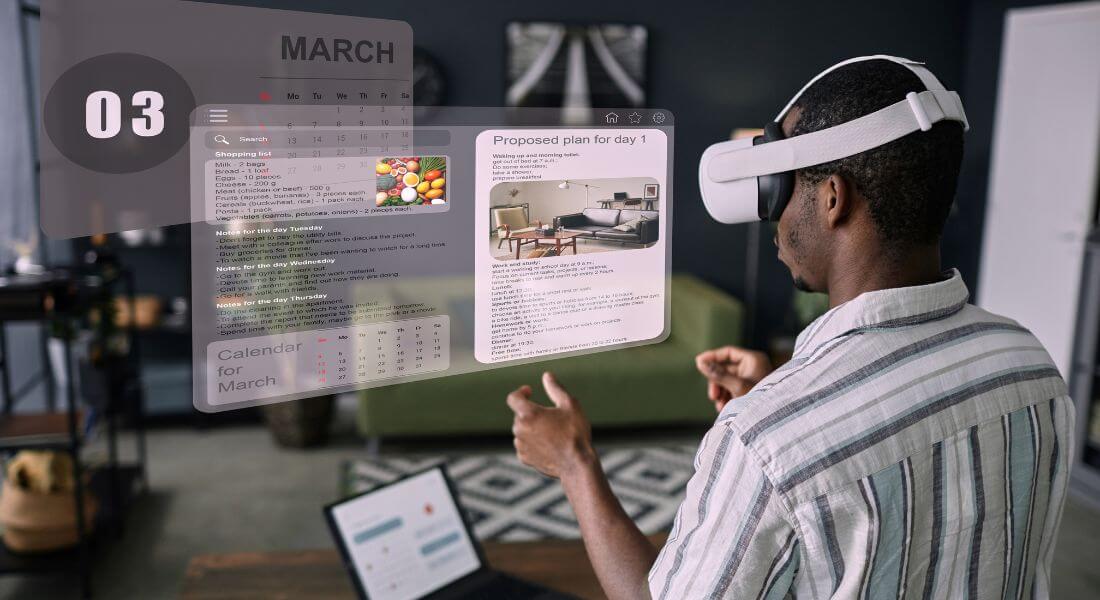
Before diving into production or experimenting with AR tools, it’s essential to get clear on your goals. Ask yourself: What do I actually want AR to achieve in this campaign? The more specific you are, the easier it will be to design a focused experience and measure whether it worked.
Here are a few common AR objectives to consider:
- Boost product understanding:
Let customers view your product in their own space using AR ideal for items like furniture, home décor, or accessories where size, fit, or placement matters. - Drive social shares:
Design a playful or eye-catching AR filter for platforms like Instagram or TikTok that encourages users to interact with your brand and share their own videos. - Increase dwell time:
Add interactive or hidden AR elements that reward viewers for exploring your content longer like behind-the-scenes info, gamified features, or bonus content. - Improve lead generation:
Use AR-driven calls-to-action that link directly to sign-up forms, product pages, or promotions so users can take the next step right from the experience.
When your goals are clear, it becomes much easier to choose the right AR tools, shape your content, and track what success looks like.
2. Decide What Type of AR to Use
There are a few main approaches to integrating AR into your video campaigns:
- Marker-Based AR
The viewer scans a specific image (like your logo or a product label) with their phone to unlock AR content. - Markerless AR
Your video triggers AR overlays that appear in the real-world environment without a specific marker. - Social Media AR Filters
Platforms like Instagram and Snapchat let you create branded filters and effects. - Web AR
Viewers can access AR content via a link or QR code no app download required. - App-Based AR
For more complex experiences, you can build a custom app.
3. Choose the Right AR Platform
There are many platforms to help you build and host AR experiences:
- Spark AR: Best for Facebook and Instagram filters.
- Snap Lens Studio: For Snapchat lenses.
- 8th Wall: Popular for Web AR experiences accessible via browsers.
- Zappar: Ideal for scannable AR campaigns.
- ARKit / ARCore: For custom mobile apps on iOS and Android.
Compare features, pricing, and compatibility with your target devices.
4. Plan the AR Elements

Once you know your platform, decide what you want the AR layer to do.
Some ideas:
- Interactive Hotspots
Tap to see extra product info or videos. - 3D Models
Rotate or scale products in real space. - Call-to-Action Buttons
Add clickable buttons to drive traffic. - Animations and Effects
Use motion graphics to grab attention. - Custom Filters
Overlay branded elements onto selfies or surroundings.
5. Create or Source Your 3D Assets

For most AR video campaigns especially those involving product visualisation or interactive experiences you’ll need 3D assets to bring your content to life. These models are what users will see and interact with in the augmented environment, so they need to look good and perform well.
You have a few options when it comes to getting these assets:
- Create them from scratch:
If you want something custom or branded, working with a professional 3D designer or agency is the way to go. This allows you full creative control and ensures the asset fits perfectly with your campaign’s goals. - Use existing libraries:
Many AR development platforms like Spark AR, Unity, or 8thWall offer libraries of free or paid 3D assets that you can use or modify. These are great for prototyping or when you don’t have the time or budget to create from scratch. - Scan real products:
Photogrammetry tools can turn a series of high-quality photos into 3D models. This method is especially useful for creating realistic representations of physical products you already have.
Whichever method you choose, it’s important to optimise your assets for mobile performance. Large or complex files can cause slow load times or lag, which will frustrate users and weaken the experience. Aim for a balance between visual quality and lightweight design to ensure smooth interactions across devices.
6. Film with AR in Mind
When incorporating AR into your video campaign, it’s important to approach the shoot with AR integration in mind from the start. Unlike traditional filming, you’re not just capturing visuals you’re also creating a canvas for interactive elements.
Here are some key tips to keep in mind during filming:
- Leave clear space for overlays:
Avoid cluttered or overly detailed backgrounds where possible. AR graphics need visual breathing room to stand out and be easily noticed. - Use markers or reference points:
Place physical markers on set (which can be removed in post-production) to guide where AR elements will appear. This helps ensure everything aligns properly when layered later. - Record in high resolution:
Sharp, high-quality footage is especially important if your AR relies on scannable elements like QR codes, logos, or specific physical features. Blurry footage can ruin the interaction. - Keep lighting consistent:
Drastic lighting changes can make AR objects look out of place or artificial. Try to maintain even, balanced lighting throughout your scenes to help digital elements blend in smoothly.
By treating your set as both a real and virtual space, you’ll create a stronger foundation for immersive AR experiences that feel integrated not forced.
7. Develop the AR Layer
Once your video is shot and your 3D assets are ready, it’s time to build the actual AR experience. This is where everything comes together your visuals, interactions, and technical elements using the AR platform or software you’ve chosen.
Here’s how to approach this step:
- Import your assets:
Bring your 3D models, graphics, or animations into the platform’s workspace. Make sure the file formats are compatible and optimised for performance. - Position them relative to the video:
Align your AR elements with key points in the video so they appear naturally in the viewer’s environment. You might anchor objects to specific visual cues or time them to appear at certain moments. - Set interaction triggers:
Define how users will engage with your AR layer. Will they tap to reveal info? Swipe to rotate an object? Hover to animate something? Choose interactions that match your campaign goals and audience behaviour. - Add animation or effects:
Animations and transitions can bring your AR layer to life. Even subtle movement can make objects feel more realistic and engaging. - Test extensively on different devices:
Mobile performance can vary widely between devices, so it’s crucial to test your AR experience on multiple phones and screen sizes to ensure everything works smoothly and looks as intended.
A well-developed AR layer should feel intuitive, responsive, and polished enhancing the viewer experience without overwhelming it.
8. Test and Optimise
Testing is a crucial step in any AR video campaign. Unlike standard videos, AR experiences rely on device sensors, user interaction, and environmental factors all of which can vary. That means thorough testing is essential to ensure everything works as expected across different devices and scenarios.
Here’s what to check during the testing phase:
- Tracking accuracy on multiple devices:
Test your AR layer on a range of smartphones and tablets both iOS and Android. Make sure digital elements track smoothly and stay anchored correctly in the viewer’s space. - Smooth interactions:
Try every interactive feature taps, swipes, animations to confirm they’re responsive and intuitive. Any delay or glitch can break the experience. - Reasonable load times:
Optimise your AR assets and files so the experience loads quickly. Slow performance can cause users to drop off before they even see your content. - Consistent branding:
Double-check that your logos, colours, fonts, and overall style match your brand guidelines and appear correctly across all devices.
Once you’ve tested thoroughly, gather feedback from a small group of users or team members. Use their insights to fix issues and refine the experience before launching it publicly.
9. Promote Your AR Experience
Even the most impressive AR video won’t get results if no one sees it. AR content doesn’t automatically attract attention you need to actively promote it and guide users on how to engage with it.
Here are some effective ways to drive engagement and visibility:
- Add clear instructions:
Let people know exactly what to do. Use simple, direct prompts like “Scan this logo with your phone to unlock the experience” or “Tap the screen to explore more.” Don’t assume users will figure it out on their own. - Use QR codes on packaging or in print ads:
Place scannable QR codes where your audience is already engaging with your brand on product packaging, brochures, posters, or event booths. This is a quick and accessible way to bridge offline materials with your digital AR experience. - Promote through email and social media:
Tease the AR experience in your newsletters or social campaigns. Include videos or GIFs that demonstrate how it works and explain what users will get out of it. - Offer incentives to interact:
Encourage users to explore the AR content by offering rewards such as exclusive discounts, early access, or bonus content for completing an action or sharing their experience.
The more visible, accessible, and rewarding you make the AR experience, the more likely people are to engage and share it with others.
10. Measure Results
After launching your AR campaign, it’s time to evaluate how well it performed. Just like any other marketing effort, tracking key metrics helps you understand what worked, what didn’t, and how to improve next time.
Start by measuring results against the goals you set at the beginning. Depending on your campaign type, useful metrics might include:
- Engagement rates:
Track how much time users spend interacting with your AR experience, how often they return, and which features they engage with most. - Click-throughs and conversions:
If your AR experience includes links to product pages, sign-up forms, or promotions, monitor how many users clicked through and completed an action. - Social shares and mentions:
Branded filters or interactive features often encourage sharing. Track how many people posted about your AR content on platforms like Instagram, TikTok, or Twitter and what they’re saying. - In-store or online sales lifts:
For product-focused campaigns, compare sales data before and after the AR launch. Look for spikes in specific items featured in the experience.
Use these insights to fine-tune future campaigns whether that means adjusting your creative, improving your user journey, or targeting a more responsive audience.
When Is AR Worth the Investment?
While augmented reality offers exciting opportunities, it’s not always the right choice for every campaign. Like any marketing tool, AR works best when it aligns with your product, audience, and business goals.
AR can be a smart investment when:
- Your product benefits from visualisation:
If you sell something that people want to see in context like furniture, fashion, beauty products, or gadgets AR can help customers visualise how it looks, fits, or functions in their real environment. - You’re trying to stand out in a crowded market:
AR can give your campaign a creative edge and make your content more memorable, especially if your competitors are still relying on traditional video. - Your audience is mobile-first and tech-savvy:
If your target customers are comfortable using their phones for more than just scrolling particularly younger, digital-native audiences AR is more likely to resonate and get used.
On the other hand, AR might not be worth it if:
- You’re working with a tight budget:
While AR tools are becoming more affordable, creating quality AR content still requires time, skill, and some financial investment. - Your audience isn’t likely to engage interactively:
If your customers prefer straightforward information or don’t typically engage with digital experiences, the extra effort might not lead to meaningful results. - Your product doesn’t need visual enhancement:
If your offering is service-based, abstract, or best explained with words rather than visuals, AR may not add much value.
In short, AR is most effective when there’s a strong visual story to tell and an audience eager to engage. It’s not about using the latest tech for the sake of it it’s about using it where it genuinely enhances the user experience.
Final Thought: Bringing Your Brand to Life with AR
Integrating AR into your video campaigns can feel complex, but it’s one of the most exciting ways to bring your brand to life. By planning carefully, choosing the right tools, and focusing on value for your audience, you can create experiences that are memorable, shareable, and genuinely useful.
If you’d like expert help designing or producing AR content, you can contact our augmented reality company in London to take your creativity to the next level.
