

Corporate training doesn’t have to mean boring slideshows, outdated manuals, or forgettable videos that employees sit through just to tick a box. In today’s fast-paced work environment, traditional training methods often fall short when it comes to capturing attention, delivering complex information, or making learning genuinely effective.
If you want your employees to retain knowledge, build confidence, and stay engaged, you need training materials that are dynamic, interactive, and highly relevant to their roles. That’s where augmented reality (AR) can make a big impact.
AR takes your training videos to the next level by layering digital content like interactive 3D models, contextual pop-ups, guided annotations, and real-time feedback over the real world or video environments. Imagine a technician learning how to repair machinery with digital arrows pointing to parts, or a customer service rep practising scenarios with virtual prompts that appear as they speak. This isn’t science fiction; it’s happening now, and it’s changing how organisations train their teams.
By blending real-world visuals with immersive overlays, AR helps make training more intuitive and memorable. Learners are no longer passive viewers they become active participants in the learning process.
In this guide, I’ll walk you step by step through:
- How AR can completely transform your training videos
- What you need to consider before integrating AR into your training strategy
- And practical tips to help you get the most out of this powerful, future-facing technology.
Whether you’re training new hires, upskilling your workforce, or rolling out complex procedures across teams, AR can help you do it better, faster, and more effectively.
What Makes AR Different?
Let’s start with the basics: Augmented reality (AR) overlays digital elements like images, animations, instructions, or text onto the real-world environment around the user. But what makes this so powerful in a corporate training context is how seamlessly AR blends learning content with the learner’s surroundings.
In traditional training videos, employees are passive viewers. They watch, listen, and maybe take notes. But with AR, they interact. They explore. They engage with the material in a way that’s tactile, visual, and intuitive.
Here’s how that works in practice:
- Learners can point their smartphone, tablet, or AR-enabled headset at a video screen or physical object and see dynamic, interactive content pop up like labelled diagrams, workflow tips, or hazard warnings.
- They can manipulate 3D models zooming in, rotating, and examining every angle of a product, machine, or tool to gain a deeper understanding of how it works.
- They receive real-time instructions or feedback, right in their field of view. There’s no need to pause the video, flip through manuals, or hunt for extra context the answers are embedded directly in the experience.
- They learn by doing, not just by watching. AR bridges the gap between knowledge and action, allowing employees to rehearse skills, test their understanding, or solve problems in simulated environments before applying them in real life.
This kind of immersive learning not only increases focus but also dramatically improves retention. Instead of passively consuming content, employees experience it making it more likely to stick in their memory and be applied on the job.
In short, AR transforms corporate training from something people have to endure into something they can truly benefit from and even enjoy.
Why Use AR in Training Videos?
So, why are so many forward-thinking companies investing in augmented reality for employee training? Because it works. AR doesn’t just make your videos look cool it drives real learning outcomes. Here are some of the biggest advantages:
- Better Engagement
AR transforms static video into an interactive experience. When learners can tap, explore, and manipulate content, they stay focused for longer and are far more likely to absorb the material. - Faster Learning
People naturally understand visual and spatial information more quickly than written instructions. With AR, they can see how something works and interact with it directly, speeding up the learning process. - Higher Retention
Studies have shown that immersive experiences like AR help reinforce memory. Because learners are more engaged and actively involved, they’re better able to retain knowledge over the long term. - Safe Practice
AR gives employees a chance to rehearse complex or hazardous procedures virtually before doing them in real life. This lowers the risk of error and builds confidence without the pressure of real-world consequences. - Consistent Training
Whether your team is in the same office or spread across the globe, AR ensures everyone gets the same high-quality, standardised training experience accessible anytime, anywhere.
By combining the emotional impact of video with the hands-on benefits of simulation, AR creates a learning environment that’s not only more effective, but also more enjoyable.
1. Define Clear Objectives
Before jumping into AR tools or creative ideas, take a step back and focus on what you actually want to achieve. Defining clear, specific training objectives is the foundation for a successful AR experience and it ensures that every element you create serves a real purpose.
Ask yourself:
- What skills or knowledge are you trying to teach?
Are you onboarding new hires, improving technical skills, or preparing staff for client-facing roles? Your training goals should be tied to measurable outcomes. - What pain points exist in your current training?
Are learners disengaged? Do they struggle to retain information? Is there confusion around certain procedures or processes? Identifying these gaps will help you design an AR solution that actually solves real problems. - How will AR make the process better?
AR should be more than a novelty. Think about how it can improve learning outcomes whether through interactive visualisations, step-by-step walkthroughs, or hands-on simulations.
Here are a few examples of how clearly defined goals can shape your AR training strategy:
- Use 3D models to help engineers visualise complex machinery, reducing reliance on static diagrams or manuals.
- Create product demos that allow sales teams to explore and present features confidently, no matter where they are.
- Build step-by-step AR overlays to guide employees through safety procedures, making the instructions more intuitive and easier to follow.
With clear objectives in place, you’ll be able to choose the right AR tools, structure your video content effectively, and ultimately deliver training that’s targeted, engaging, and impactful.
2. Decide on Your AR Format
There are different ways AR can be integrated into training videos:
- Marker-Based AR
Learners scan a printed image or screen frame to launch an AR experience. - Markerless AR
AR content appears in real-world space without needing a specific target. - QR Code Activation
Viewers scan a code displayed in the video to open AR content on their device. - Web AR
Users access AR directly in their browser no app downloads required. - App-Based AR
A custom app delivers the AR experience alongside training materials.
Each has pros and cons. For example, app-based AR gives you more control but requires installation. Web AR is simpler to access but can be less robust.
3. Plan Your AR Elements
Next, decide what types of AR content will make your training more effective.
Here are some popular examples:
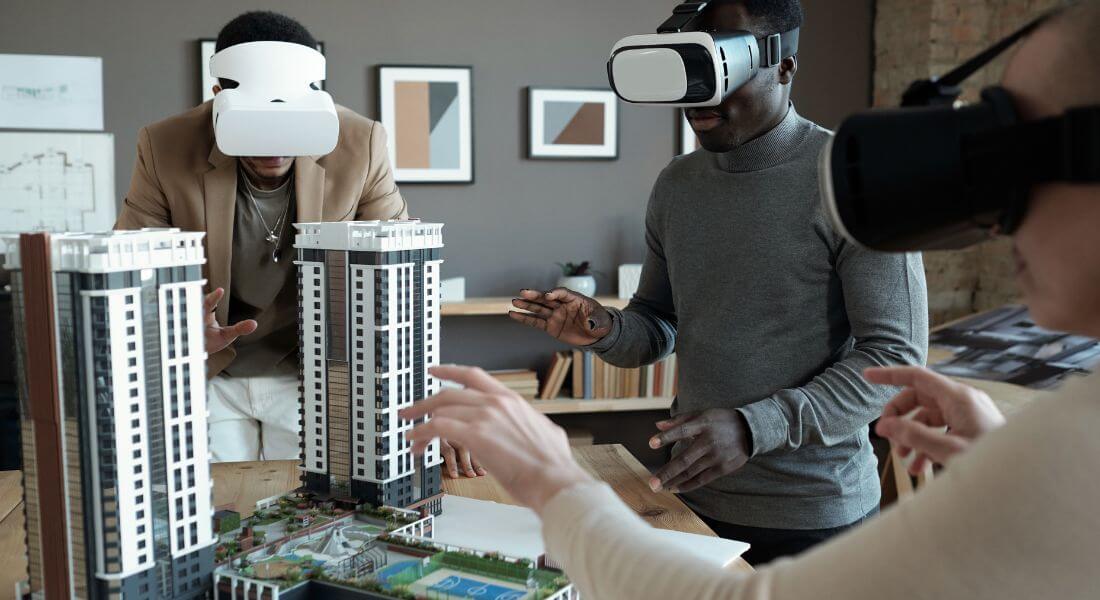
- 3D Models
Let learners rotate and zoom in on equipment, products, or environments. - Step-by-Step Guides
Overlay instructions as users follow along in real time. - Interactive Hotspots
Clickable areas that reveal additional text, videos, or quizzes. - Animations
Demonstrate processes that are hard to explain with static images. - Knowledge Checks
Embed questions and instant feedback to reinforce learning.
Start with one or two core elements and build from there.
4. Choose the Right AR Platform
There are many AR development tools out there, including:
- Zappar: Great for marker-based AR and branded training materials.
- 8th Wall: Powerful for Web AR with no app required.
- ARKit / ARCore: Ideal for creating custom app experiences.
- Unity: Advanced 3D capabilities for complex scenarios.
Your choice depends on budget, technical resources, and the devices your team will use.
5. Create or Source 3D Assets

Most AR training relies on 3D visuals.
Options:
- Create custom models
Hire a 3D designer to build models of your products, tools, or workspaces. - Use libraries
Many platforms offer pre-made assets for common objects. - Scan real objects
Photogrammetry software can turn photos into 3D models.
Be sure your assets are optimised huge file sizes will slow performance.
6. Film Your Video with AR in Mind
When recording your training video, plan ahead so AR content fits naturally.
Tips:
- Leave space in the frame where AR overlays will appear.
- Use consistent lighting so colours don’t clash.
- Avoid distracting backgrounds.
- Consider adding markers or visual cues to guide learners.
A little planning at this stage makes integration much smoother.
7. Develop the AR Layer
Using your chosen platform:
- Import 3D assets and place them relative to the video content.
- Add interactivity define how users tap, swipe, or zoom.
- Build animations or transitions.
- Test different scenarios to ensure the AR lines up perfectly.
This is where your training comes to life.
8. Pilot the Experience
Before rolling out your AR training programme company-wide, it’s crucial to test it in a controlled, small-scale environment. A pilot helps you identify technical issues, usability concerns, and content gaps without the pressure of a full launch.
Here’s what to focus on during your pilot phase:
- Test across multiple devices
Make sure the AR experience works smoothly on different smartphones, tablets, and headsets that your team might use. Variations in screen size, operating systems, and processing power can affect the performance. - Gather real feedback from learners
Ask a small group of employees to try the AR training and share their honest impressions. Was the experience intuitive? Did the technology feel accessible? Did the training content feel relevant and helpful? - Identify and address any issues
Look out for glitches, confusing instructions, or parts where learners struggled to interact with the AR elements. This is the perfect time to make refinements whether that’s improving content clarity, adjusting pacing, or simplifying the user interface.
Taking time to pilot and iterate helps ensure a smoother, more successful rollout. It also shows your team that you value their input, which increases buy-in and overall adoption once the full experience goes live.
9. Launch and Support
Once your AR training experience is tested and refined, it’s time to roll it out to your broader team. But a successful launch requires more than just flipping the switch it’s about setting learners up for a smooth, stress-free experience.
Here’s how to do it:
- Provide clear access instructions
Make it easy for learners to get started. Share direct links to download any required apps, offer QR codes they can scan, and include step-by-step guides on how to launch the AR content. The fewer barriers, the better the adoption. - Clarify device compatibility
Clearly list which devices are supported. Whether your AR training works on iOS, Android, or specific tablets or headsets, transparency upfront helps avoid frustration and tech support headaches later. - Offer technical support options
Let learners know who to contact if they run into issues whether it’s your internal IT team or a dedicated support line. Quick access to help builds confidence and reduces drop-off. - Include short video walkthroughs
Create a brief tutorial showing exactly how to use the AR features. Seeing the process visually just like they’ll experience the training helps learners feel comfortable with the technology before they dive in.
By providing thoughtful support and guidance, you increase the chances that employees will not only try the AR training, but actually enjoy it and come away with valuable knowledge they can apply right away.
10. Measure and Improve
Finally, once your AR training videos are up and running, it’s essential to evaluate how well they’re working. Without measurement, you can’t know what’s effective or what needs improvement.
Here are three key areas to track:
- Engagement
Look at usage data: How many employees interacted with the AR elements? How long did they engage with the content? Were there drop-off points or hotspots of interest? High engagement is often a sign that the experience is resonating with your learners. - Knowledge Retention
Compare pre- and post-training assessments. Are learners scoring higher than they did with traditional training videos? Are they applying what they’ve learned more effectively on the job? This data shows whether AR is truly helping people understand and retain information better. - Learner Satisfaction
Collect feedback through surveys or informal check-ins. Did learners find the AR experience useful? Easy to navigate? Enjoyable? Their input can help you refine both the content and delivery for future modules.
By analysing these insights, you can make smart, data-driven improvements to your training programme whether that means tweaking the AR experience, adjusting the pacing, or adding new interactive features. Over time, this iterative approach ensures your AR training becomes more impactful, efficient, and aligned with your team’s needs.
When Is AR Worth It?
There’s no denying that augmented reality can dramatically improve training outcomes but that doesn’t mean it’s the right fit for every situation. Like any tool, AR delivers the best results when applied strategically.
AR is worth considering when:
- You’re teaching visual or spatial concepts.
If your training involves machinery, physical tasks, processes, or environments that are easier to understand visually, AR helps employees grasp them more quickly by offering an immersive, hands-on experience. - Engagement with traditional materials is low.
If your current training videos, PDFs, or presentations aren’t holding learners’ attention or worse, they’re being skipped entirely AR can inject new life into the material and capture focus through interactivity. - You want to standardise training across locations.
Rolling out consistent, high-quality training to teams across different sites or time zones can be tricky. AR ensures every employee receives the same experience, no matter where they are or when they complete the training.
However, AR may not be necessary if:
- The content is simple and doesn’t benefit from interactivity.
For straightforward topics like policy updates, compliance overviews, or short instructional videos AR might add complexity without much return on investment. - Your audience lacks access to compatible devices.
If your team doesn’t have access to smartphones, tablets, or AR headsets or if your workplace has strict device policies rolling out AR could become more of a barrier than a benefit. - Your budget is extremely limited.
While AR is becoming more accessible, it still requires upfront investment in content creation, platforms, and testing. If you’re working with minimal resources, it may be more practical to start with simpler upgrades to your existing training.
In short, AR is an incredible tool but like all technology, it delivers the best value when aligned with your learning objectives, audience needs, and practical constraints.
Final Thought: Bringing Learning to Life with AR
AR is no longer just a novelty it’s a proven way to boost engagement, deepen understanding, and make training memorable. When you blend clear video content with interactive AR elements, you create learning experiences that stick. If you’d like help designing or producing AR training videos, you can contact our augmented reality agency in London to take your creativity to the next level.
