


Live streaming has become one of the most impactful ways to connect with your audience in real time. Whether you’re hosting a product launch, running a Q&A session, or showcasing behind-the-scenes content, it offers an unmatched sense of immediacy and interaction that pre-recorded videos simply can’t replicate.
It’s personal. It’s authentic. It creates space for genuine conversations and real-time feedback. And when executed smoothly, it can significantly boost engagement, strengthen brand loyalty, and even drive sales or sign-ups on the spot.
But as powerful as live streaming can be, it’s just as vulnerable to going off the rails. From buffering issues and poor sound quality to awkward silences and connectivity failures just a few missteps can make your stream feel amateurish and leave your viewers frustrated or tuning out altogether.
The good news? These common mistakes are almost always preventable. With the right preparation, tools, and mindset, you can avoid the usual hiccups and create a live experience that feels seamless, polished, and professional.
In this guide, I’ll walk you through seven of the most common live streaming pitfalls and more importantly, how to avoid them completely. Whether you’re a first-timer or looking to elevate your current streaming setup, this will help you deliver a broadcast that keeps your viewers engaged from start to finish.
1. Relying on Weak Internet
The Mistake:
Assuming your home or office Wi-Fi is strong enough to handle the demands of a live broadcast without testing it first.
The Problem:
Live streaming requires a steady and fast internet connection. When your connection isn’t strong or stable enough, several frustrating issues can occur:
- Buffering that interrupts your stream mid-sentence
- Lag that creates awkward delays between audio and video
- Pixelated or blurry visuals that reduce the overall quality of your broadcast
- Complete stream drops that abruptly end the session and lose your audience
Even a momentary lapse in internet stability can cause your stream to freeze or crash something that’s especially damaging if you’re running a professional event or trying to build trust with your audience.
How to Fix It:
To ensure your live stream runs smoothly, you need to prioritise your internet setup just as much as your camera or lighting:
- Use a wired Ethernet connection whenever possible. It offers a more stable and consistent signal compared to Wi-Fi.
- Test your internet speed in advance using an online tool like Speedtest. For Full HD (1080p) streaming, you should aim for a minimum of 5 Mbps upload speed ideally more to account for fluctuations.
- Limit other bandwidth usage during your stream. Make sure no one else is downloading large files or streaming video on the same network.
- Close unnecessary apps and browser tabs on your device that may be consuming bandwidth in the background.
- Prepare a backup internet option such as a 4G or 5G mobile hotspot, so you’re not left stranded if your main connection fails.
- Consider prioritising your streaming device on your router if you have access to Quality of Service (QoS) settings, giving your stream priority over other connected devices.
By treating your internet connection as a critical component of your live setup not an afterthought you’ll drastically reduce the chances of losing your audience due to technical disruptions.
2. Poor Framing and Camera Angles

The Mistake:
Positioning your camera without giving much thought to framing whether it’s too low, too high, too far, or pointed at the wrong angle.
The Problem:
Bad camera placement can instantly make your live stream look amateurish, no matter how great your content is. Poor framing creates a disconnect between you and your audience and makes the stream visually unappealing. Common issues include:
- Awkward or unflattering angles that make you look distorted or disengaged
- Too much headroom or cutting off your head entirely
- A distracting background or cluttered space behind you
- Lack of eye contact, which can make you seem distant or uninterested
When your camera angle feels unnatural, it distracts from your message and reduces your credibility especially in a professional or business context.
How to Fix It:
Framing and camera placement are easy to improve with a few thoughtful adjustments:
- Raise your camera to eye level so your audience feels like you’re speaking directly to them. You can use a tripod, adjustable mount, or even a stack of books to achieve the right height.
- Position yourself at a comfortable distance You should be framed from about the chest up for most talking-head shots. Avoid having your face take up the entire frame or appearing too distant.
- Leave some headroom ideally 10–15% of the frame above your head. This prevents the shot from feeling cramped or unbalanced.
- Centre yourself thoughtfully or use the rule of thirds. This technique involves placing your eyes along the top third of the frame to create a more visually pleasing composition.
- Avoid extreme angles Shooting from below can be unflattering, while looking down into the camera can make you seem distant or dismissive.
- Look directly into the camera lens when speaking, rather than at your screen or your own image. This helps you maintain eye contact and build a stronger connection with your audience.
- Preview your framing before going live to make any final tweaks. A test recording or using your platform’s preview mode can help ensure everything looks professional.
A well-framed shot doesn’t just look better it makes you feel more present, confident, and engaging to your viewers. With minimal effort, you can dramatically improve the visual quality of your stream and keep your audience focused on your message.
3. Ignoring Audio Quality

The Mistake:
Using your built-in laptop or camera microphone and assuming it’s “good enough” for a live stream.
The Problem:
Viewers are surprisingly forgiving of average video quality but if your audio is poor, they’ll tune out fast. Sound is one of the most important elements of any broadcast, and yet it’s often the most overlooked. Common audio issues include:
- Tinny, muffled, or echoey sound that’s hard to listen to
- Background noise like fans, typing, or street traffic distracting from your voice
- Low or fluctuating volume that makes it hard to follow your message
- Audio lag or echo that creates confusion and disrupts the experience
Even with high-definition visuals, poor sound quality can make your stream feel unprofessional and frustrating to watch. If people can’t clearly hear and understand you, they won’t stick around no matter how compelling your content is.
How to Fix It:
Upgrading your audio setup doesn’t have to be expensive or complicated. Here’s how to dramatically improve sound quality:
- Invest in an external microphone A basic USB condenser mic or a lavalier (clip-on) mic offers significantly better clarity than built-in mics and is easy to set up.
- Test your audio levels before going live Use your streaming platform’s preview or a recording tool to make sure you’re loud and clear without peaking or distortion.
- Use headphones or in-ear monitors to prevent audio feedback and echo, especially if you’re engaging in two-way conversations or screen sharing.
- Choose a quiet, controlled environment for streaming. A room with carpets, curtains, and soft furniture will naturally reduce echo and improve clarity.
- Position the microphone correctly not too far from your mouth, but also not so close that you hear popping sounds from hard consonants.
- Mute notifications and other devices that might create unexpected background sounds during your stream.
- Consider using noise-reduction software or built-in filters on platforms like OBS or StreamYard to cut out ambient hums and clicks.
Remember, great audio doesn’t just make your stream sound better it makes you sound more credible and engaging. A simple mic upgrade and a few smart choices can turn a flat, frustrating audio experience into one that holds your audience’s attention from start to finish.
4. Bad Lighting
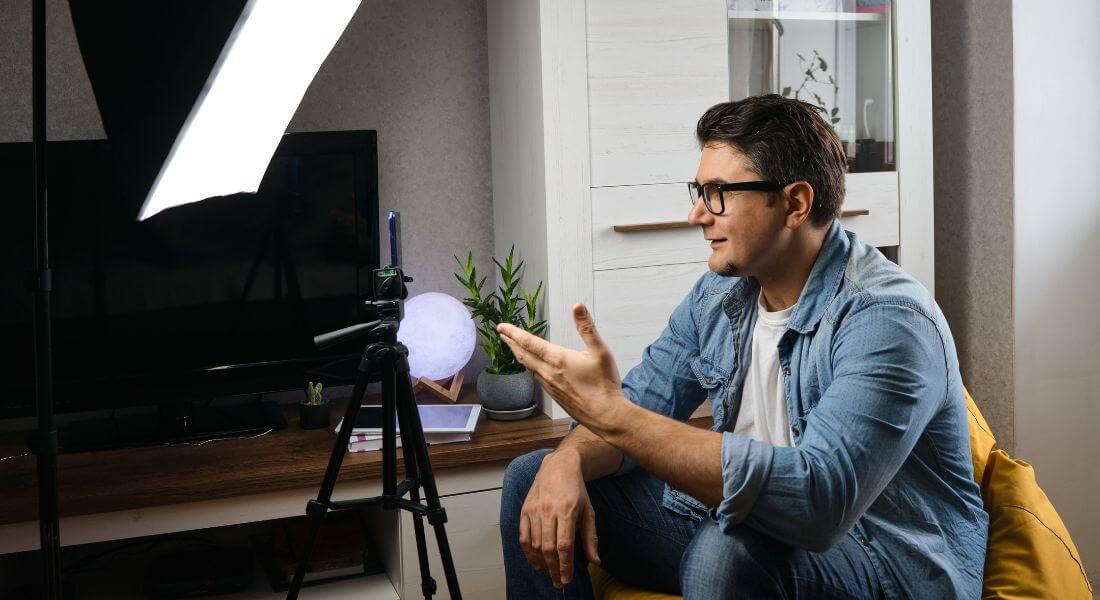
The Mistake:
Relying on whatever lighting happens to be in the room whether it’s sitting in front of a bright window or directly beneath harsh overhead lights without considering how it affects your appearance on camera.
The Problem:
Lighting can completely change the way you appear to your audience. When it’s poorly set up, even the best camera won’t help. Common lighting issues include:
- Appearing as a dark silhouette when sitting with your back to a window or bright light source
- Harsh shadows across your face, making you look tired or unevenly lit
- Washed-out or overly bright skin tones from direct overhead lighting
- Inconsistent lighting that changes as the sun moves or lights flicker
Poor lighting doesn’t just affect how you look it impacts how your message is received. Distracting shadows or extreme contrasts can make your stream feel low-quality, no matter how strong your content is.
How to Fix It:
Good lighting doesn’t require a full studio setup. A few thoughtful choices can make a huge difference:
- Face a natural light source, such as a window, to get soft, even lighting across your face. Morning or late afternoon light tends to work best.
- Avoid sitting with a window or bright light behind you, as this causes your face to fall into shadow while the background is overexposed.
- Use a ring light or LED panel if you’re streaming regularly. These provide consistent, adjustable lighting that keeps your face well-lit, even in low-light rooms.
- Soften harsh lights by bouncing them off a wall or ceiling, or using a diffuser. This reduces sharp shadows and creates a more flattering appearance.
- Position your lights at eye level and slightly to the side to add dimension without casting strange shadows.
- Check your lighting setup before going live Use your camera’s preview mode or record a short clip to make sure everything looks balanced.
- Maintain consistent lighting throughout your stream If relying on natural light, be aware of how it changes with time or weather, and adjust accordingly.
Well-lit streams look more professional, help your facial expressions come through clearly, and create a more inviting atmosphere for viewers. When your audience can see you clearly and comfortably, they’re more likely to engage and stay.
5. Skipping Rehearsals
The Mistake:
Going live without doing a full run-through of your setup, assuming everything will function smoothly when the moment arrives.
The Problem:
Even if you’ve done dozens of streams, every broadcast comes with its own unique variables new content, different devices, or changes in software. Skipping rehearsals can lead to:
- Awkward pauses while you fumble between slides, switch scenes, or find files
- Missing or incorrectly loaded assets like presentations, videos, or lower-thirds
- Technical malfunctions that could have been prevented with a simple test
- Poor time management, leading to rushed delivery or overrunning your slot
When your stream lacks flow or encounters technical glitches, it chips away at your professionalism and can make viewers lose interest quickly.
How to Fix It:
Rehearsing might feel like extra work, but it’s essential for delivering a polished and confident live stream. Here’s how to prepare:
- Do a full technical rehearsal before going live. This includes testing your camera, microphone, lighting, internet connection, streaming software, and any media you plan to use.
- Run through the entire flow of your stream transitions between segments, switching slides, playing video clips, and using overlays or banners so you’re comfortable with each step.
- Practice with the actual setup and environment you’ll be using during the live event. Conditions can vary between different rooms or devices.
- Time your segments to make sure your content fits within the planned duration. This helps avoid rushing at the end or running out of things to say.
- Have a backup plan for key components such as duplicate files, a second camera, or an extra mic just in case something fails.
- Record a private stream or test video and watch it back to catch any issues with quality, timing, or presentation that you might miss in real-time.
- Get feedback from a team member or friend if possible, especially if you’re doing a formal presentation or launch.
Rehearsals aren’t just about avoiding technical problems they help you feel confident, relaxed, and in control. And that energy will shine through to your audience, keeping them more engaged and impressed by your professionalism.
6. No Audience Engagement
The Mistake:
Delivering your live stream like a one-way presentation talking at the camera without acknowledging or involving your audience.
The Problem:
Live streaming isn’t just about broadcasting information it’s about creating a shared, interactive experience. When you ignore your viewers or fail to make them feel seen, it leads to:
- A passive experience where viewers feel like spectators instead of participants
- Missed opportunities to build rapport, trust, and community
- Lower engagement rates, fewer comments, and reduced overall watch time
People join live streams not just for the content, but for the chance to interact with you in real time. If you don’t take advantage of that, your stream might as well be a pre-recorded video.
How to Fix It:
Building audience engagement doesn’t have to be complicated it just requires intention and a little planning:
- Greet viewers by name as they join or comment. This creates an instant sense of connection and shows you’re paying attention.
- Ask questions during your stream to invite interaction. You can say things like “Where’s everyone tuning in from today?” or “What do you think about this idea?”
- Use polls, emoji reactions, or chat prompts to make it easy for viewers to participate, especially if your platform supports built-in engagement tools.
- Acknowledge and respond to comments in real time, either by reading them aloud or replying in the chat. This makes viewers feel heard and encourages others to join in.
- Plan interactive segments into your stream, like live Q&As, shoutouts, giveaways, or audience challenges to keep people involved.
- Create moments that invite feedback, such as asking viewers to vote on the next topic, provide suggestions, or share their own experiences.
- Have a moderator or co-host if possible, to help manage comments and keep the conversation flowing while you focus on delivering content.
Remember, the more you interact with your viewers, the more invested they become. Engagement isn’t just a bonus it’s what turns casual viewers into loyal followers.
7. Not Having a Backup Plan
The Mistake:
Assuming your equipment, software, and internet will work perfectly and not preparing for anything to go wrong.
The Problem:
Live streaming is unpredictable by nature. No matter how experienced you are or how carefully you’ve prepared, technical hiccups can still happen. Without a backup plan, you risk:
- Panicking or freezing if something suddenly fails mid-stream
- Abruptly ending the session, disappointing your audience and damaging your credibility
- Losing important content or moments because you weren’t recording elsewhere
Viewers are generally understanding if issues arise but they expect you to handle them calmly and professionally. That’s only possible if you’ve planned ahead.
How to Fix It:
Having a simple, reliable backup plan can help you recover quickly from most common streaming failures:
- Use a secondary device to record your stream locally, whether it’s your phone, tablet, or a separate camera. This ensures you don’t lose everything if your live feed cuts out.
- Keep a backup microphone or audio source within reach. If your main mic fails or has issues, you can quickly switch without skipping a beat.
- Print out your script or key talking points, so you’re not completely reliant on your device. This is especially helpful if your software or teleprompter crashes.
- Have an extra set of cables, batteries, and charging equipment for all your gear to avoid last-minute power issues.
- Familiarise yourself with your encoder or streaming software settings, so you know how to restart the stream or troubleshoot basic problems on the fly.
- Know how to switch to another platform quickly (e.g., jumping from OBS to StreamYard, or from YouTube Live to Instagram Live) in case your main platform fails.
- Have a colleague or moderator on standby, either to assist with tech support or to communicate with your audience if you need a few moments to fix something.
Backup plans are like insurance: you hope you never need them, but when you do, they can save your stream and your reputation. Preparing for the unexpected is a mark of a true professional.
Bonus: Quick Recap Checklist
Use this checklist as a final pre-stream rundown to make sure everything’s in place for a smooth and professional live broadcast:
- Use a wired internet connection for stability, and have a backup option like a mobile hotspot ready.
- Position your camera at eye level to ensure a natural, flattering angle that builds connection with your audience.
- Use an external microphone to deliver clear, high-quality audio that keeps viewers listening.
- Check your lighting and framing before going live make sure your face is well lit, your background is tidy, and you’re properly centred.
- Rehearse your entire stream in advance, including all technical elements, timing, and transitions.
- Engage your audience actively by welcoming them, asking questions, and responding to comments in real time.
- Prepare for the unexpected with backup equipment, printed notes, and a quick-recovery plan if anything goes wrong.
Following this simple checklist can help you go live with confidence and keep your viewers coming back for more.
Final Thoughts: The Key to Confident Live Streaming
Live streaming doesn’t have to be perfect but it does need to be prepared. By steering clear of these common pitfalls, you can create seamless, high-quality broadcasts that capture attention, build credibility, and keep your audience engaged. If you’re looking for expert support with planning, setup, or production, our live streaming company is here to help elevate your content and ensure your next stream runs flawlessly.
