

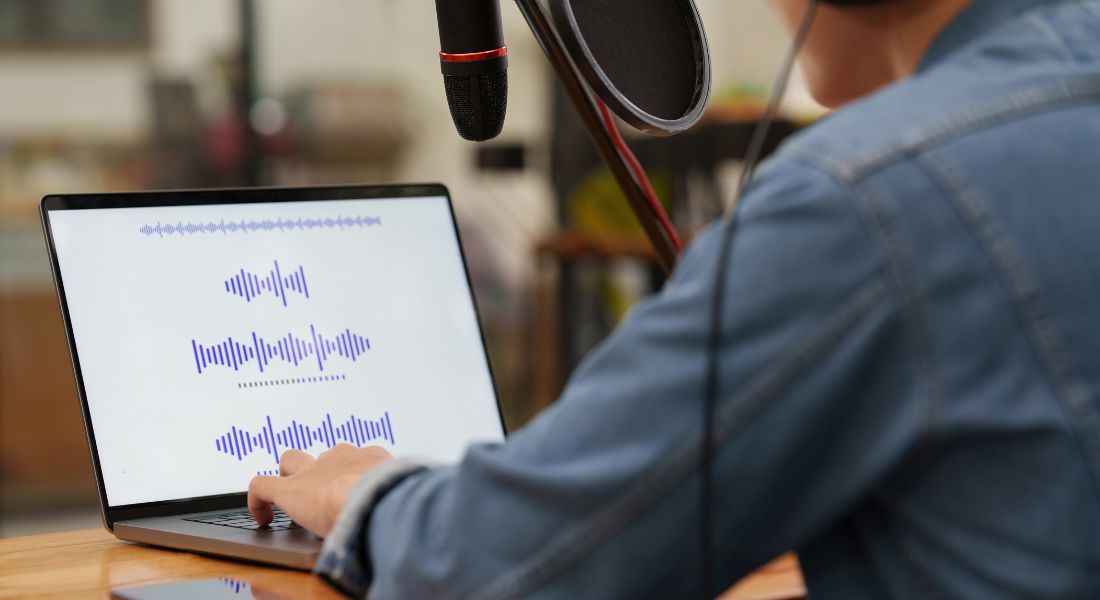
Imagine creating a full-length video series, online course, or explainer video without ever needing to record your voice again. Sounds futuristic, right? Thanks to rapid advances in AI, that future is already here. With AI voice cloning tools like ElevenLabs, Resemble AI, and others, you can now replicate your own voice with remarkable accuracy and use it to generate natural-sounding narration from simple text input.
These platforms analyse a few minutes of your recorded speech, then create a digital voice model that sounds almost identical to your real voice tone, accent, and all. Once your voice is cloned, you can type out your scripts and generate voiceovers in your own voice without stepping in front of a microphone. No need for retakes, no worrying about background noise, and no waiting for a quiet room to record.
Voice cloning not only saves you hours of recording time but also brings a high level of consistency to your content across platforms whether you’re making YouTube videos, social media content, training modules, or client presentations. It also makes updating content quicker and easier: just edit the script and regenerate the audio.
In this guide, I’ll walk you through:
- How AI voice cloning works behind the scenes
- The step-by-step setup process
- Practical use cases for voice cloning in video production
- Situations where you should not use a cloned voice
- And tips for keeping your content ethical and trustworthy when using this tech
Whether you’re a content creator, marketer, educator, or business owner, this guide will help you decide whether AI voice cloning is right for your workflow and how to get started the smart way.
Why Clone Your Voice for Video Content?

Whether you’re a solo content creator, a YouTuber, a course instructor, or part of a fast-growing marketing team, AI voice cloning can be a game-changer for your production workflow. It’s more than just a cool trick it’s a practical tool that helps you work faster, stay consistent, and reach more people. Here’s how:
Save Time on Recording and Edits
One of the biggest advantages of cloning your voice is the sheer amount of time it saves. Instead of re-recording your voice every time you need to make a video, fix a line, or adjust the tone, you can simply type in the updated text and let the AI generate the new audio instantly. This is especially useful if you’re producing content at scale or under tight deadlines think weekly YouTube videos, training modules, or internal communications.
Maintain Brand Consistency Across Projects
Your voice is part of your brand identity. By cloning it, you ensure that your videos, tutorials, and explainer content sound the same every time, no matter when or where they’re produced. This is ideal for businesses that want to establish a consistent audio tone across product walkthroughs, onboarding videos, or branded intros and outros. No more mismatched tones from different voice actors or re-recordings.
Scale Content Creation Efficiently
With a cloned voice, you’re no longer tied to a microphone or recording setup. That means you can work from anywhere your home, office, or even on the go without needing professional equipment or ideal recording conditions. This enables you to produce more content in less time, expand into new formats (like podcasts or audiobooks), and focus more on storytelling and strategy than production logistics.
Localise Your Voice in Multiple Languages
Want to reach international audiences without hiring multiple voice actors? Some AI tools (like Resemble AI) allow you to translate and synthesise your cloned voice in other languages, preserving your unique tone and vocal characteristics. That means your viewers in Spain, Germany, or Japan could hear you explain things in their native language in your voice.
Improve Accessibility and Inclusivity
Voice cloning can also enhance accessibility. For example, you can generate audio versions of on-screen text for those who prefer to listen rather than read. You can also create narrated versions of silent videos or use your cloned voice to generate real-time audio captions. This is especially helpful for educational content, corporate training, or accessibility-first platforms.
AI voice cloning doesn’t just make your life easier it opens the door to smarter, more inclusive, and more consistent content creation. In the next section, we’ll explore how the technology works under the hood.
What You’ll Need to Get Started
Getting started with AI voice cloning is surprisingly simple, even if you’ve never worked with audio tools before. Most platforms are designed to be beginner-friendly and offer step-by-step guidance. That said, to produce a high-quality cloned voice that actually sounds like you, there are a few things you’ll need to prepare in advance:
A Clean Audio Recording of Your Voice

Most AI voice cloning platforms require an audio sample of your natural speaking voice. This doesn’t have to be recorded in a professional studio, but it does need to be clear, free from background noise, and recorded using a decent microphone. Typically, you’ll need anywhere from 3 to 10 minutes of continuous speech. Some platforms let you read a pre-written script, while others accept custom recordings from your own content, such as a podcast or webinar.
A Matching Script or Transcript
To help the AI model accurately learn your pronunciation, tone, rhythm, and speaking style, you’ll often need to provide the written script that matches your recorded audio. This allows the system to align text with speech and fine-tune the voice clone. If you’re using existing content (like a podcast episode), you may need to transcribe it first some tools even offer automatic transcription as part of the setup.
An Account on a Voice Cloning Platform
You’ll also need to sign up for an AI voice platform. There are several on the market, but the most popular and accessible options include:
- ElevenLabs – known for its realistic tone and expressiveness
- Resemble AI – strong in multilingual support and real-time voice generation
- Play.ht – offers voice cloning plus a large selection of pre-built AI voices
Each platform has slightly different requirements and features, so it’s worth exploring their pricing, terms of use, and data privacy policies before uploading your samples.
Once you have your materials ready your voice recording, script, and platform of choice you’re ready to begin the cloning process. In the next section, we’ll walk through how to create and use your cloned voice step by step, using two of the most popular tools: ElevenLabs and Resemble AI.
Option 1: Cloning Your Voice with ElevenLabs
ElevenLabs is one of the most popular AI voice cloning platforms, known for its impressively realistic voice synthesis and ability to convey emotion. Whether you’re creating YouTube narration, explainer videos, or podcast content, it’s a solid choice for creators who want to sound natural without recording every line manually. Here’s how to get started:
Step 1: Create an Account
Visit elevenlabs.io and sign up for a free or paid plan depending on your needs. After logging in, navigate to the “VoiceLab” section, which is where you can upload and manage your custom voice models. The free plan allows for basic voice cloning, but to unlock more advanced features (like multilingual support or emotion control), you may need a paid subscription.
Step 2: Upload Your Voice Sample
Next, you’ll need to upload a clean audio recording of yourself speaking.
- Ideally, record your voice in a quiet room with minimal background noise.
- Use a USB or podcast-quality microphone for the best results your phone mic may work, but a better mic will improve clarity.
- The audio should be at least 1 minute long, but longer clips (up to 10 minutes) help produce more accurate results.
Step 3: Type and Generate Speech
Once ElevenLabs has processed your audio usually within a few minutes you can start generating audio clips in your cloned voice.
- Head to the Text-to-Speech tab.
- Enter your script or dialogue into the text box.
- Choose your cloned voice from the dropdown list and click “Generate.”
The system will produce a downloadable audio file of your script spoken in your digital voice, ready to use in your video projects.
Step 4: Fine-Tune for Emotion, Speed, and Clarity
One of ElevenLabs’ standout features is its ability to adjust vocal delivery using sliders for stability, clarity, and style exaggeration.
Want your voice to sound more energetic for an ad? Or calmer for a tutorial? You can easily adjust:
- Pitch and intonation
- Speaking speed
- Emotional tone (e.g., upbeat, excited, or neutral)
These settings let you customise the delivery of each line, helping your AI voice feel more human and more in sync with your content’s tone.
Using ElevenLabs is a quick and powerful way to scale your video narration while keeping your voice consistent and professional. Up next, we’ll walk through how to do something similar using Resemble AI, which offers more options for real-time use and multilingual output.
Option 2: Cloning with Resemble AI
Resemble AI is another powerful tool for voice cloning, particularly useful if you’re looking to add emotional nuance, real-time voice generation, or even multilingual narration to your content. It’s designed for both casual creators and enterprise-level projects and includes extra verification steps for ethical voice use. Here’s how to get started:
Step 1: Sign Up for an Account
Head over to resemble.ai and create your account. They offer both free trials and paid plans, depending on how many voice samples and output minutes you need. Once inside the dashboard, you’ll be guided through the onboarding steps to get started with voice cloning.
Step 2: Choose “Clone Your Voice”
Once you’re logged in, navigate to the “Clone Your Voice” option. Resemble gives you two ways to provide your voice samples:
- Record live using your computer’s microphone directly in the browser. The interface provides prompts for you to read aloud.
- Upload pre-recorded audio files if you already have clean, high-quality recordings available (like from a podcast or training session).
The more varied and natural your recordings are, the more lifelike your cloned voice will be.
Step 3: Complete Voice Verification
To ensure ethical use, Resemble includes a voice verification step. You’ll likely be asked to read a few specific phrases provided by the platform to confirm that you are the rightful owner of the voice being cloned. This step helps prevent misuse and ensures the model is trained on verified, high-quality data.
Depending on your recording clarity, this verification process may take a few minutes to complete before your voice becomes available for use.
Step 4: Generate Audio with Emotional Control
Once your voice model is ready, you can start creating voiceover clips by typing or pasting in your script. Resemble offers some standout features here:
- Emotion and intonation controls let you adjust how your voice sounds whether calm, excited, sad, or dramatic.
- You can choose between MP3 or WAV export formats, ideal for use in both lightweight and high-fidelity production settings.
- Resemble also includes tools to sync audio with video timelines, making it easy to match voiceovers to visuals without needing a separate editing app.
Additionally, Resemble’s multilingual support allows you to translate your script and generate it in other languages still in your cloned voice.
Resemble AI is especially useful for creators who need more emotional range in their narration, or who want to scale up multilingual and accessible content without switching voices. While it’s slightly more complex than other tools, the flexibility it offers can be a major asset for video producers, educators, and marketers alike.
Where to Use Your AI Voice in Videos

Once your AI voice is ready, the possibilities for using it in video content are broad and surprisingly practical. Whether you’re aiming to save time, maintain consistency, or scale production across multiple channels, your cloned voice can slot seamlessly into a wide range of formats. Here are some smart and effective ways to put it to work:
Narrating Explainer Videos
Explainer videos are one of the best places to use your AI-generated voice. Instead of recording voiceovers for every product demo or service overview, you can simply write your script and let the AI do the talking literally. This is especially useful if you regularly update product features or workflows and want to stay current without booking time in a recording booth.
Reading YouTube Intros, Outros, and CTAs
Keeping your YouTube branding consistent can be a challenge when recording conditions vary. With voice cloning, you can use your digital voice to deliver your intro line, subscribe call-to-action, or channel outro in the exact same tone, every time. You can even batch-create reusable clips that plug into different videos on demand.
Automating Tutorial Content or Walkthroughs
Got a step-by-step guide to share? Instead of recording hours of instructions manually, write the tutorial text and use your cloned voice to narrate it. This works particularly well for software walkthroughs, internal training videos, and e-learning courses, where clarity and consistency are key. Plus, it makes last-minute script changes a breeze.
Updating Script Sections Without Re-Recording
Ever had to re-record a single line because of a small change? With voice cloning, you can simply tweak the script and regenerate the audio no need to match tone, background noise, or mic settings. This is incredibly helpful for revisions, legal disclaimers, price changes, or new product names that need to be slotted into existing content.
Producing Consistent Brand Content Across Teams
If your company produces content through multiple departments or agencies, a cloned voice ensures your brand voice stays consistent. From marketing videos and onboarding guides to customer support videos, using a cloned voice model avoids the need to train multiple people or hire multiple voice actors keeping your tone unified across all campaigns.
These are just a few of the many ways voice cloning can become part of your video creation toolkit. It’s not just about convenience it’s about creating high-quality, consistent, scalable content without the friction of repeated voice recording sessions.
Integrating Your AI Voice into Video Projects
Once you’ve generated your voiceover:
- Export the audio (MP3 or WAV)
- Import it into your editing software (Adobe Premiere Pro, Final Cut Pro, DaVinci Resolve)
- Sync with visuals – You can trim, time-stretch, or add music underneath
- Add subtitles – Most platforms now auto-generate these from your script
It’s as seamless as using any standard voiceover just without the retakes.
Ethical and Legal Considerations
Voice cloning can be powerful, but it also comes with responsibilities:
- Always use your own voice (or get consent if using someone else’s)
- Avoid misleading edits or impersonations
- Be transparent when using AI-generated speech especially in marketing or ads
- Check platform terms around licensing and usage rights
Using AI ethically builds trust with your audience.
When Not to Use Voice Cloning
There are a few cases where traditional voiceover is better:
- Emotionally sensitive content
- Personal storytelling or interviews
- Live or interactive recordings
- When vocal authenticity is key
Think of AI voice as a tool not a replacement.
Final Thought: Bringing AI Voice Cloning into Your Video Workflow
Voice cloning with tools like ElevenLabs and Resemble AI gives creators a serious edge. You can maintain brand consistency, cut production time, and scale up your content creation without sacrificing sound quality.
Partner with our video production company in London to create high-impact content that stands out. From AI voiceovers to editing and post-production, we help brands deliver fast, high-quality video with maximum efficiency.
