


Music can make or break a marketing video. I’ve seen perfectly edited visuals fall flat because the background track felt wrong, killing the mood and leaving viewers disengaged. On the flip side, a well-matched soundtrack can elevate a basic video into something memorable, emotional, and share-worthy, helping it stand out in a crowded feed.
If you’re creating a video for your brand, the right music isn’t just decoration it’s a strategic choice. It helps reinforce your message, set the tone, and influence how viewers feel and react as they watch. A light, upbeat track can create a sense of positivity and approachability for your brand, while a cinematic score can add weight and drama to your storytelling, making your message more impactful.
But choosing the right track can be tricky, especially with the endless number of options (and copyright laws) to navigate. Should you go for something instrumental or lyrical? Should you choose a popular track that people recognise, or is it better to use royalty-free music to avoid copyright strikes? And what about platforms like YouTube and Instagram that can flag or mute your video if your music isn’t properly licensed?
The good news is, you don’t have to rely on guesswork. In this guide, I’ll walk you through how to choose the perfect music for your video, no matter your niche or budget. We’ll explore royalty-free and licensed music options, tone-matching tips to align your music with your visuals, copyright dos and don’ts to keep your video safe, and even some AI tools that can recommend or generate music for your projects.
Music is one of the most powerful tools in your video marketing toolkit. Let’s make sure you’re using it strategically to strengthen your message, engage your audience, and boost the shareability of your content.
Let’s get into it.
Why Music Matters in Marketing Videos

Let’s start with the basics why is music such a big deal in your marketing videos?
Because music does far more than just fill silence in the background. It sets the emotional backdrop for your story and guides how your viewers feel while they’re watching. It can transform a straightforward corporate explainer into something that feels friendly, warm, and approachable when paired with upbeat acoustic music. Swap that with tense, cinematic strings, and suddenly the same video feels dramatic, urgent, and intense. That’s the power music holds in your content.
Here’s what music actually does for your videos:
- Sets the mood: Music can make your video feel exciting, calm, inspirational, quirky, nostalgic, or futuristic depending on the style you choose. It acts as an invisible narrator that signals how your audience should feel about what they’re seeing.
- Creates pacing: A fast beat can inject energy and urgency into your video, while slower rhythms give viewers space to absorb information and reflect. This pacing guides your audience’s attention and can help keep them engaged throughout.
- Drives emotion: Music triggers emotional responses faster and often more effectively than visuals alone. It can add warmth to a testimonial, elevate the suspense of a product launch teaser, or create joy in a brand story.
- Improves retention: People remember information better when it’s tied to a sound or melody. A catchy jingle or consistent audio branding can help your message stick long after the video ends, reinforcing your brand identity.
Step 1: Define Your Video’s Purpose and Audience
Before you start browsing music libraries, take a step back and ask yourself two essential questions:
- What is the goal of this video?
- Who is the audience I want to connect with?
A product launch video aimed at Generation Z will need a completely different energy and tone compared to a corporate investor video. Are you trying to inform, inspire, persuade, or build trust? The style of music you choose should reflect the emotional goal and tone of your message.
Let’s explore some common types of video content and the kind of music that best suits each one:
- Explainer Videos aim to communicate clearly and build a sense of trust with the viewer. These work best with light, neutral music think acoustic instruments and a calm, steady rhythm.
- Product Demos are designed to highlight how a product works and showcase its features. For these, modern, upbeat music helps keep things engaging and professional without distracting from the demonstration.
- Brand Story Videos focus on building an emotional connection with the audience. They often use cinematic or ambient music to support storytelling and create a more immersive experience.
- Social Media Ads need to grab attention immediately. Bold, energetic, and punchy tracks with a strong beat are ideal for stopping the scroll and creating instant impact.
- Testimonials are all about authenticity and relatability. Warm, natural music such as soft piano or acoustic guitar reinforces the honest and personal tone.
- Event Recap Videos aim to highlight the excitement and energy of a live experience. Indie rock, electronic beats, or anything with a vibrant rhythm can help bring the energy of the event to life on screen.
Understanding the goal of your video and the type of audience you want to engage will instantly help you narrow down your music choices and set the right tone.
Step 2: Match the Music to Your Message
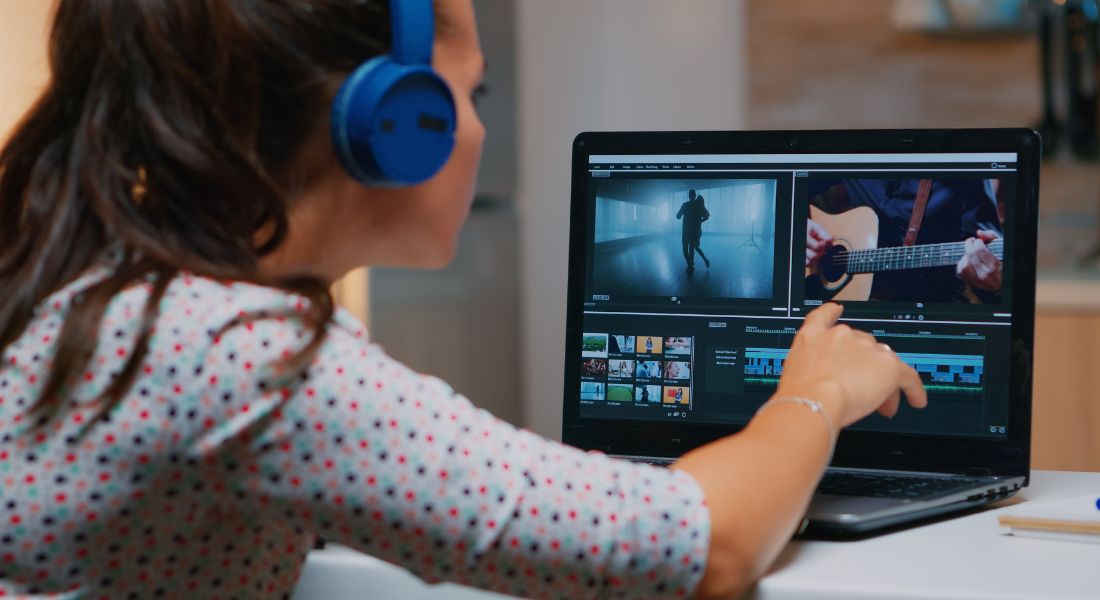
Once you’ve clearly defined the goal of your video and identified your target audience, the next step is to choose music that enhances your story not distracts from it. The right track can elevate your visuals, reinforce your message, and evoke precisely the emotions you want your audience to feel. But the wrong music can just as easily create confusion, weaken your impact, or even cause viewers to disengage altogether.
To avoid this, always consider how the music fits into the overall structure and tone of the video. Ask yourself the following:
- Is the music actively supporting the visuals, or is it distracting attention away from them?
Music should play a supporting role, adding atmosphere and rhythm without overwhelming the voiceover, dialogue, or key visuals. - Does the emotional tone of the track align with the feelings I want my audience to experience?
Whether you’re aiming to spark excitement, build trust, or evoke reflection, your soundtrack should amplify that emotional intention. - Are there natural moments in the video like transitions, key messages, or reveals where the music should shift, swell, or soften?
Well-timed changes in the track’s tempo or intensity can heighten storytelling and help guide the viewer’s emotional journey.
To help simplify the process, I like to divide music choices into three broad emotional tones. These categories act as useful filters when searching through sound libraries and making decisions that align with your video’s purpose.
1. Uplifting and Energetic
This style is ideal for product launches, promotional campaigns, social media ads, or any video where the goal is to inject energy and excitement. These tracks often feature rhythmic hand claps, fast-paced guitar riffs, catchy hooks, and bright, punchy pop synths. They’re designed to grab attention and keep momentum high perfect when you want your audience to feel inspired, motivated, or ready to take action.
Use this tone when your visuals are quick-cut, upbeat, and dynamic. It’s especially effective in content designed for younger audiences or consumer-facing messages where enthusiasm is key.
2. Calm and Inspiring
These tracks suit content that’s longer in format, reflective in tone, or centred around storytelling. Whether you’re sharing a founder’s journey, a community story, or educational material, calm and inspiring music provides emotional space. It avoids overpowering your message and instead helps to create a sense of openness and trust.Common instruments in this category include soft piano melodies, ambient soundscapes, gentle acoustic guitar, and atmospheric pads. This type of music works particularly well when your visuals are slow-moving or when you want the viewer to truly listen, reflect, or absorb important information.
It’s a great fit for documentaries, testimonials, explainer videos, or cause-driven storytelling where a quiet confidence or sense of humanity is essential.
3. Serious and Professional
This tone is typically used in business-to-business (B2B) content, financial explainers, healthcare communications, and corporate messaging where a sense of authority, professionalism, or discretion is required. Music in this category is more subdued, often featuring low-key synths, minimal piano chords, restrained strings, and slower tempos.These tracks are crafted to avoid emotional manipulation and instead support clarity, precision, and credibility. They allow space for technical or sensitive information to land without distraction and help establish the speaker or brand as trustworthy and competent.
Use this tone when your video needs to build confidence with serious decision-makers, stakeholders, or industry professionals.
Step 3: Use Royalty-Free and Licensed Music (Legally)
This step is not just important it’s absolutely essential. Using music without the correct permissions can lead to serious consequences for your project or brand. Just because a track is available online or sounds perfect for your video doesn’t automatically mean you have the right to use it.
1. Royalty-Free Music Libraries
Royalty-free doesn’t mean free of cost it simply means you pay once (or subscribe) and then have permission to use the music without paying royalties each time the content is used or broadcast. These libraries are among the safest and most convenient ways to access a broad range of music styles for commercial or creative projects.
Below are some of the most trusted royalty-free platforms, along with what they’re best suited for:
- Artlist – Excellent for marketing campaigns, branded videos, and storytelling. Offers an all-you-can-use model with a flat-rate subscription.
- Epidemic Sound – Ideal for content creators on YouTube, TikTok, and other social platforms. Licensing is tied to specific channels through monthly or yearly plans.
- AudioJungle – Perfect for smaller or one-off projects where you only need a single track. You purchase songs individually, which is ideal for tight budgets.
- PremiumBeat – Designed for high-end commercial work, advertising, or corporate productions. Features a curated collection of polished, high-quality music.
2. Creative Commons (CC) Music
Some artists release their music under Creative Commons licences, which can be a cost-effective solution for projects with limited budgets. However, these licences come with specific requirements that you must respect.
Many Creative Commons tracks require attribution, meaning you must credit the artist clearly in your video description or credits. Some CC licences do not allow commercial use, and others prohibit remixing or editing the track.
Always review the specific terms attached to the music. Sites like Free Music Archive or ccMixter are popular sources for Creative Commons music, but the burden is on you to ensure you’re using the track in line with the licence’s conditions.
3. Public Domain Music
Music in the public domain can be used freely, as it is no longer protected by copyright. This usually includes classical works or songs whose copyrights have expired.
However, there’s an important caveat: while the composition may be in the public domain, not all recordings of that composition are. You must ensure that both the music and the specific recording you’re using are legally free to use.
Reputable sites that archive public domain music include Musopen and the Library of Congress.
What to Avoid
To protect your project and your reputation, steer clear of the following at all costs:
- Popular songs or chart hits without proper licensing. Just because it’s available on Spotify doesn’t mean it’s free to use. Commercially released music is heavily protected, and using it without permission is likely to trigger immediate content strikes or legal action.
- Ripping audio from YouTube, Spotify, or streaming platforms. Downloading and repurposing music from these sources is not only unethical but also illegal without an explicit licence from the rights holder.
- “Free” music with unclear licensing terms. If a site doesn’t clearly state how its tracks can be used, or if the usage rights are vague or incomplete, it’s best to avoid it altogether.
Step 4: Explore AI Tools That Recommend Music
If the thought of scrolling through endless libraries of music tracks feels overwhelming, you’re definitely not alone. Fortunately, artificial intelligence is now making the process much easier and far more intuitive. Several advanced tools have emerged that use AI to recommend or even create music based on your video’s content, tone, or script.
For instance, platforms like Soundraw allow you to define the mood, length, and structure of your track, then generate customisable music that fits those parameters precisely. It’s ideal when you need tailored audio to match a specific creative vision.
AIVA goes a step further by using artificial intelligence to compose entirely original pieces of music. It creates unique tracks from scratch, giving your content a sound that feels fresh and completely one-of-a-kind.
With Filmstro, you gain real-time control over elements like emotion, depth, and momentum, which lets you shape the music to fit the flow of your video exactly. This is particularly useful when editing scenes that require nuanced emotional shifts or gradual build-ups.
Then there’s Mubert, which generates royalty-free music in seconds using AI. It’s a fast, hassle-free solution for editors who need high-quality sound without repeats or licensing issues.
These tools are incredibly useful when you’re working under tight deadlines or need a track with a very specific structure or feel. Many of them allow fine-tuning of emotional intensity at different moments in the track, helping you achieve a seamless integration between sound and visuals.
Exploring these AI-driven options can save you hours of manual searching and add a professional polish to your video without the traditional licensing headaches.
Step 5: Sync Your Music with Key Moments

Once you’ve chosen your track, it’s time to line it up with your video content.
Here are my go-to tips:
- Cut on the beat: Align transitions or scene changes with the beat for a professional feel.
- Build to a climax: Match your key message or logo reveal to the musical peak.
- Lower volume under voiceover: Don’t let the music overpower your message.
- Use fade-ins and fade-outs: This helps transitions feel smooth and intentional.
If your video is longer than the music, consider looping or layering variations. If it’s shorter, cut the track at a natural pause or cadence.
Don’t be afraid to edit the music to fit your video not the other way around.
Step 6: Test the Emotional Impact
Music is emotional. What sounds “cool” to you might not resonate with your audience.
So test it.
Play your video with no sound. Then add the music. What changes?
Show it to a few colleagues or friends and ask:
- How does this video make you feel?
- Is the music distracting or complementary?
- Would you take action after watching?
Sometimes, a small tweak slower tempo, lighter instrumentation makes a huge difference.
Also, always test your video on multiple devices. A track that sounds great on your laptop may distort on mobile.
Step 7: Document and Reuse Your Best Tracks
If you’re producing content regularly, don’t reinvent the wheel every time. Keep a library of tracks that work for your brand.
Create folders or playlists by:
- Mood (happy, calm, bold)
- Use case (social ads, explainer, event)
- Duration (15s, 30s, 60s)
This makes future editing much faster and keeps your brand voice consistent across videos.
You can also layer the same theme across multiple campaigns to create brand recognition just like a sonic logo.
Bonus Tips for Specific Video Types
For Social Media (Reels, TikTok, Shorts)
- Use trending sounds only if you have permission or platform support.
- Go bold people scroll fast, so start strong.
- Keep the volume high enough to grab attention, but clear for captions.
For Corporate Videos
- Choose music that feels confident but not intrusive.
- Stick with instrumental or ambient tracks.
- Avoid vocals that clash with your narration.
For Explainers or How-To Videos
- Use a steady, neutral track that doesn’t distract.
- Sync key visuals with beat accents to keep momentum.
Final Thought: Bringing It All Together
Choosing music for your marketing video isn’t just about finding something that sounds good it’s about enhancing your message, matching your tone, and creating a consistent brand experience across every platform. From setting the emotional pace to making sure you’re on the right side of copyright law, music deserves a permanent spot in your creative process. And with today’s AI tools and high-quality royalty-free libraries, finding the perfect track has never been easier.
If you’re ready to level up your video content, you can contact our video production company in London to take your video content to the next level.
