

Planning a video production workflow can often feel overwhelming, especially when you’re juggling large-scale projects with multiple moving parts. Whether you’re creating a brand commercial, a corporate training video, or a social media campaign, the amount of coordination required from pre-production planning to final delivery can easily spiral out of control. Tight deadlines, overlapping responsibilities, and unclear communication can make even the most organised teams struggle to stay on track.
But what if there was a smarter way to manage it all?
Thanks to rapid advancements in artificial intelligence, AI agents are now making it easier than ever to simplify and optimise complex video production workflows. These intelligent digital assistants can help you break down tasks, automate repetitive processes, and generate personalised plans that fit your unique project needs. From writing first-draft scripts and storyboarding to budgeting, scheduling, and resource allocation, AI tools can take the guesswork out of production and free up your time for more creative work.
By using AI agents, you’re not just getting a productivity boost you’re getting a virtual project manager that’s available 24/7, never forgets a deadline, and always has access to the latest tools and data. Whether you’re working solo or managing a full production team, AI can help you stay on top of every detail.
In this article, we’ll show you exactly how AI agents can be integrated into every stage of your video production workflow. From ideation and planning to execution and post-production, we’ll explore how these tools can save you time, reduce stress, and help your video projects run more smoothly and successfully.
Why Use AI Agents for Video Production Planning?
AI agents are revolutionising the way creative teams operate, and video production is no exception. Traditionally, planning a video shoot involves hours sometimes days of manual coordination, back-and-forth communication, and spreadsheet wrangling. But AI is now changing that. By automating repetitive tasks and intelligently supporting decision-making, AI agents can significantly streamline the production process, making your workflow faster, smoother, and far more efficient.
Let’s break down how these intelligent tools can assist at key stages of video production planning:
1. Scriptwriting and Content Planning
Coming up with a compelling script or content outline can be one of the most time-consuming parts of any video project. AI agents can analyse your creative brief, brand voice, and target audience to produce well-structured first drafts, whether you’re working on an explainer video, testimonial, or brand promo. Some tools can even generate storyboard suggestions or visual directions to help you visualise your content early on.
Rather than facing a blank page, your team gets a strong foundation to build upon cutting down on ideation time and allowing you to focus more on creative refinement. You can then tweak tone, style, and language with human input, speeding up the entire scripting process without compromising on quality.
2. Timeline and Scheduling
Managing timelines is one of the most critical and challenging aspects of video production. You need to align crew availability, talent schedules, location bookings, and post-production timelines, often under tight deadlines. AI agents can help you generate realistic schedules based on project scope, team availability, and budget constraints.
They can flag scheduling conflicts, suggest alternative dates, and even adjust timelines in real time as things change. This level of dynamic planning ensures that deadlines are met without sacrificing production quality, and that everyone involved is always on the same page.
3. Team Role Allocation
Assigning the right people to the right tasks can make or break a project. AI agents can analyse past performance, skill sets, availability, and workload to recommend optimal role assignments for your team. For example, they might suggest your strongest editor take the lead on post-production while assigning support roles to others with complementary skills.
This ensures a balanced workload, minimises bottlenecks, and leverages your team’s talents effectively. It also helps project managers avoid human bias or guesswork, leading to smarter and more equitable collaboration.
4. Tool Selection
The sheer number of tools available for video production editing software, collaboration platforms, asset managers, motion graphics tools can be overwhelming. AI agents can analyse your project goals and recommend the most suitable tools for your specific needs, whether it’s choosing between Premiere Pro and DaVinci Resolve or deciding on the best project management platform for a remote team.
Some agents can even compare features, pricing, and compatibility with your existing workflow, helping you make informed decisions without hours of research. This not only saves time but ensures you’re equipped with the most effective resources from day one.
Step-by-Step Guide to Using AI Agents in Your Video Production Workflow
If you’ve ever felt bogged down by the sheer number of tasks involved in video production, you’re not alone. From developing creative ideas to managing schedules and coordinating team members, video production can be a complex and time-consuming process. Fortunately, AI agents can take a lot of the weight off your shoulders. Here’s how to make the most of these intelligent tools at each stage of your workflow:
Step 1: Define Your Video Project Brief
Before you can start using AI effectively, you need to define the scope and direction of your project. The more detailed your brief, the better your AI agent can assist you. Treat this step as the foundation on which your entire workflow is built.
Key elements to define:
- Purpose of the video: Are you creating a marketing promo, a product demo, a training module, or a social media teaser? Clarifying the purpose will guide tone, format, and length.
- Target audience: Who are you speaking to? Understanding your audience helps AI agents generate messaging and visual styles that resonate.
- Key message: What’s the one thing you want your viewers to remember after watching?
- Budget and resources: Outline how much you can spend, what tools you already have, and who is available to work on the project.
How AI helps at this stage:
AI tools can take this input and automatically generate a project plan outline. Some platforms even offer built-in brief templates that adapt as you answer questions, ensuring nothing is overlooked.
Tool tip: Use Notion AI, ClickUp, or Taskade to draft and organise your video project brief with dynamic AI assistance.
Step 2: Use AI for Scriptwriting
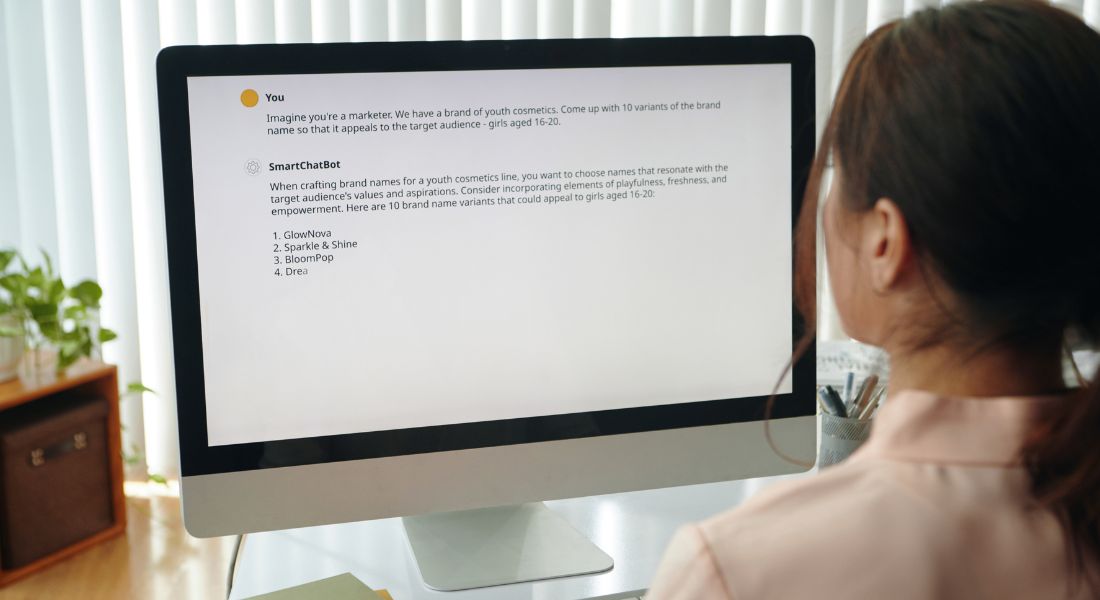
Writing a script can be one of the most creatively challenging and time-intensive parts of video production. Whether you need a captivating intro, a clear step-by-step explainer, or engaging dialogue, AI agents can help speed up the process.
How It Works:
- Feed your project brief and video type (e.g., explainer, testimonial, promo) into the AI tool.
- The AI will analyse tone, structure, and purpose to create a first-draft script tailored to your audience and message.
- You can then review and refine the script to ensure it aligns with your brand’s voice and creative goals.
Bonus features:
- Generate multiple script versions for A/B testing
- Create voiceover-ready scripts with timing estimates
- Auto-generate visual shot suggestions alongside the text
Tool recommendation:
ChatGPT and Gemini are excellent for brainstorming, drafting, and polishing scripts. For video-specific formats, Runway ML or Synthesia can even help turn scripts into video-ready outputs.
Step 3: Generate Timelines and Schedules with AI
Keeping your video project on track requires a clear timeline and well-structured schedule. Coordinating multiple people, locations, and milestones can quickly become chaotic. AI agents can simplify this dramatically by automating the scheduling process.
How It Works:
- Input your script, key production phases (pre-production, filming, post-production), and team availability.
- AI tools will break the workflow into actionable tasks, assign them to the appropriate people, and create a production calendar.
- If things change say someone gets sick or a location becomes unavailable the AI will automatically update the schedule and reassign tasks accordingly.
Bonus benefits:
- Visual Gantt charts or Kanban views for clarity
- Notifications and progress tracking to keep your team aligned
- Timeline templates that adapt based on the complexity of your shoot
Tool recommendation:
Trello, Monday.com, or ClickUp, when enhanced with AI plugins or built-in automation, can help you plan timelines, allocate resources, and make real-time adjustments as needed.
Step 4: Assign Team Roles Using AI
One of the most challenging aspects of managing a video production especially a medium or large-scale one is assigning the right people to the right roles. Delegating tasks like scriptwriting, camera operation, lighting, editing, and client communication often requires deep insight into your team’s individual skills, experience, and availability. Doing this manually can be time-consuming and prone to error. That’s where AI agents come in.
AI can streamline this process by analysing your team’s data and making smart, unbiased decisions about who should be responsible for what. Instead of relying on guesswork or outdated spreadsheets, AI can take into account multiple variables in real-time, ensuring that each team member is used effectively and no one is overwhelmed.
How It Works:
- Data Collection: Team members input their profiles into a centralised project dashboard. This can include their job role, specific skill sets (e.g., video editing, motion graphics, sound design), work history, preferred tasks, and weekly availability.
- Smart Task Matching: The AI agent then evaluates this information alongside your project needs. It matches tasks to team members based on factors such as proficiency, availability, and past performance on similar projects.
- Real-Time Monitoring and Reallocation: As the project progresses, the AI continuously monitors each person’s workload. If someone falls behind, gets sick, or is nearing burnout, the system can proactively suggest reallocating tasks to available team members or flag the need for additional support before a bottleneck occurs.
Why This Matters:
- Ensures Fair and Balanced Workload: No one ends up with too much on their plate while others sit idle. This promotes better morale and higher productivity.
- Reduces Burnout and Missed Deadlines: By actively monitoring workloads and redistributing tasks as needed, AI helps prevent common problems like employee fatigue or last-minute scrambles to meet deadlines.
- Boosts Efficiency and Team Collaboration: When everyone is working on tasks that align with their strengths, the quality of work improves and so does team satisfaction.
- Simplifies Freelancer and Contractor Onboarding: AI tools can make bringing in temporary help much easier, helping new team members get up to speed quickly by automatically identifying where they can add the most value.
- Improves Transparency and Accountability: With a clear, AI-generated view of who is responsible for what, it’s easier to track progress and identify roadblocks early on.
Tool Recommendation:
Asana, when enhanced with AI features such as Workload, Smart Assignment, and Timeline View, becomes a powerful platform for managing team roles. It allows you to visualise your team’s capacity, automatically assign tasks based on data, and make real-time adjustments without endless status meetings. Other project management platforms like ClickUp or Monday.com also offer AI-enhanced role allocation features, making them strong alternatives for more complex projects or larger teams.
Step 5: Select the Right Tools for Your Project
Choosing the right software, gear, and platforms for your production can be overwhelming especially with new tools popping up all the time. AI agents can help narrow down your options based on your project’s goals, team skill levels, and budget.
How It Works:
- Input your project needs such as animation, voiceover, editing style, or sound design.
- The AI cross-references tools on the market and recommends the best fit for your needs, complete with pricing and feature comparisons.
- Some AI agents can even integrate with these tools directly, streamlining your workflow even further.
Examples of AI tool recommendations:
- Editing & Post-Production:
- Adobe Premiere Pro, Final Cut Pro (for pro-level editing)
- Magisto or Wisecut (for AI-assisted fast editing)
- Sound Design:
- Filmstro for AI-powered music scoring
- AIVA or Boomy for custom background scores
- Animation & Motion Graphics:
- Runway ML or Animoto for quick animation generation
- Stock & Asset Selection:
- Pictory, Lumen5, or Synthesia for AI-generated video assets
Why this matters:
Using the wrong tools can slow your team down, bloat your budget, or lead to disappointing final outputs. AI removes the guesswork and keeps your tech stack lean and effective.
Frequently Asked Questions (FAQs)
1. What exactly is an AI agent in video production?
An AI agent is a software tool that uses artificial intelligence to perform tasks such as scriptwriting, scheduling, assigning team roles, or recommending production tools. It acts like a virtual assistant to streamline your workflow.
2. Can AI completely replace human input in video planning?
No. AI is best used as a support tool. It can handle repetitive or data-heavy tasks, but human creativity and decision-making are still essential for storytelling, emotional resonance, and artistic direction.
3. Do I need to be tech-savvy to use AI agents in video production?
Not necessarily. Many AI tools today are user-friendly and come with guided prompts. If you can use basic project management or writing apps, you’ll likely be comfortable using AI in your workflow.
4. Is AI useful for small video teams or solo creators?
Absolutely. AI is especially helpful for small teams and solo creators who need to manage multiple roles themselves. It can save time, automate tasks, and even provide creative input when resources are limited.
5. Can AI help with live-action video shoots?
Yes, AI agents can assist with planning live-action shoots by managing schedules, assigning crew roles, creating shot lists, and generating call sheets. However, execution on the day of the shoot still relies heavily on human coordination.
6. Which AI tools are best for beginner-level video producers?
Beginner-friendly AI tools include Magisto, Pictory, Lumen5, Synthesia, and ChatGPT. These platforms are intuitive, offer templates, and don’t require advanced editing or scripting knowledge.
7. Is my data safe when using AI production tools?
Reputable AI platforms have built-in data security and privacy protocols. However, you should always read the terms of service, especially if you’re handling sensitive client data or proprietary scripts.
8. How accurate are AI-generated timelines and task assignments?
AI-generated schedules are generally accurate and efficient, especially when provided with detailed inputs. They can also adjust dynamically if timelines shift, but human oversight is still recommended to catch exceptions.
9. Can AI help with video editing too?
Yes. AI tools like Magisto, Wisecut, and Runway ML offer automated video editing features, such as cutting scenes to music beats, removing filler words, or colour-grading footage. These tools are ideal for quick turnaround projects.
10. How can a gamification agency help with AI video workflows?
A gamification agency can help integrate AI tools into your production process, especially if you’re aiming for interactive or gamified video content. They can optimise workflows, suggest tech stacks, and even customise AI solutions for unique formats.
Final Thought: Let AI Take the Stress Out of Video Planning
Using AI agents to plan and manage your video production workflow can significantly streamline the process, saving you time and ensuring your project runs smoothly. From scriptwriting to team role assignment and timeline creation, AI can handle the heavy lifting and help you focus on the creative aspects of video production.
If you want to streamline your workflow and make smarter decisions across scripting, scheduling, team management, and tool selection, AI agents can be an invaluable part of your video production process. You can contact our video production company in London to take your video content to the next level.
