


Creating storyboards is one of the most critical early steps in the animation production process. These visual outlines serve as a blueprint for your animated video, mapping out everything from character movements and facial expressions to camera angles, background elements, and scene transitions. Whether you’re working on a marketing animation, an explainer video, a short film, or even a social media reel, storyboards help ensure your creative vision is executed smoothly.
Traditionally, the storyboarding process has been both time-consuming and labour-intensive. It involves sketching out every key scene by hand or digitally while also thinking through timing, pacing, framing, and shot composition. This often requires a skilled illustrator or storyboard artist and can stretch production timelines significantly, especially during the early concept development stages.
But thanks to advancements in artificial intelligence, creating storyboards no longer has to be a manual, slow-moving task. AI-powered tools can now assist with everything from turning scripts into sequential visual frames to helping with layout planning, transition mapping, and visual storytelling decisions. These tools not only accelerate the process but also bring a level of consistency and adaptability that makes refining and updating your storyboard much easier.
Whether you’re a solo animator, a creative agency, or part of an in-house production team, using AI to help plan your storyboards can dramatically reduce prep time without compromising on creativity or quality. It frees you up to focus more on narrative direction, tone, and emotional impact while letting technology handle the heavy lifting of visual planning.
In this comprehensive guide, we’ll walk you through the various ways AI can support storyboard development for animated videos. From generating quick visual mock-ups and experimenting with different scene layouts to automating repetitive framing tasks, we’ll explore how to integrate AI tools effectively into your pre-production workflow. The goal: to make your animation projects more efficient, more innovative, and ultimately, more enjoyable to create.
Why Use AI for Storyboarding?
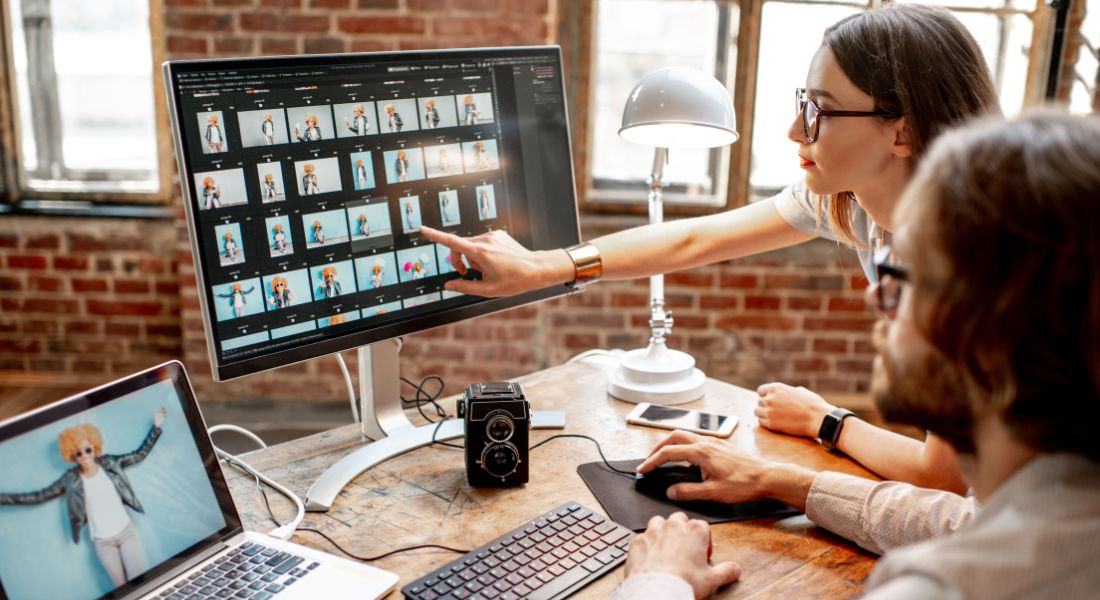
Storyboarding plays a vital role in the animation process. It’s the step where your script begins to take visual shape, helping you plan how each scene will unfold and how the story will be communicated on screen. However, traditional storyboarding methods can be tedious and time-consuming especially when working under tight deadlines or with limited resources. This is where artificial intelligence can be a real game-changer.
AI-powered tools can streamline and enhance the storyboarding process in several valuable ways. Whether you’re a professional animator or a creative team juggling multiple projects, integrating AI into your workflow can free up time, spark new ideas, and maintain consistency across scenes. Below are some key reasons why more animation teams are turning to AI for help with storyboarding:
1. Speed and Efficiency
Perhaps the most immediate and obvious benefit of using AI for storyboarding is how much time it saves. Traditional methods often require hand-sketching or designing every frame manually, which can take hours or even days, depending on the length and complexity of your script. In contrast, AI tools can analyse your script and generate a basic storyboard layout within minutes.
This speed doesn’t just make the process more convenient it also allows for faster iterations. You can test out different versions of your storyboard quickly, review them with your team or client, and make changes on the fly without starting from scratch. That kind of efficiency is invaluable in fast-paced production environments or tight schedules where every hour counts.
2. Idea Generation and Creative Inspiration
One of the most exciting aspects of using AI is its ability to assist in the creative process. Instead of starting from a blank page, you can feed your script into an AI tool that understands narrative structure, tone, and genre. From there, it can suggest scene compositions, camera angles, transitions, and even lighting styles based on the mood or intent of your script.
These suggestions can help you break out of creative ruts and explore fresh storytelling approaches. AI can prompt you to visualise scenes in new ways maybe through an overhead shot you hadn’t considered, or a clever visual metaphor that strengthens the emotional impact of the story. It becomes more than just a time-saving tool; it becomes a creative collaborator.
3. Consistency Across Scenes
Maintaining a consistent visual style throughout your storyboard is critical for ensuring a cohesive final animation. This includes things like character design proportions, background perspectives, and framing rules. When multiple people are contributing to a storyboard, or when changes are made over several revisions, it’s easy for style inconsistencies to creep in.
AI can help enforce visual consistency by applying the same rules and aesthetics across all storyboard frames once you’ve defined your stylistic preferences. Whether it’s a minimalist design, a cartoony look, or a cinematic tone, AI can replicate the style throughout the storyboard making sure everything feels unified and aligned with your original vision.
4. Flexibility and Easy Iteration
Another major advantage of AI in storyboarding is how flexible and responsive it is. Need to try out a different camera angle? Want to swap one scene layout for another? Looking to experiment with a different visual tone or pacing? AI tools make this easy to do.
You can generate multiple versions of the same scene with slight variations, explore different narrative directions, and make adjustments without having to redraw or restructure your entire storyboard manually. This level of adaptability is particularly useful during the feedback stage, where clients or collaborators may request changes that would otherwise take hours to implement.
How to Use AI to Plan Storyboards for Animated Videos
Ultimately, AI gives you more room to experiment without the stress of overcommitting time or resources. It allows you to stay agile during pre-production and helps you build a stronger foundation for the animation ahead.
1. Input Your Script into AI Tools

To begin planning your storyboard with AI, you’ll first need to provide the tool with the core context of your animation. This starts by inputting your script the foundation of your story and adding any important creative details, such as the animation style, the types of character movements you envision, and the overall tone of the piece.
The more clearly you define the intent and structure of your video, the better the AI can interpret your vision. Some tools may allow you to input the entire script at once, while others work best when you break it into individual scenes or story beats.
How It Works:
- Start by supplying the AI with key elements of your script: scene-by-scene breakdowns, specific character actions, camera directions (if relevant), and any important lines of dialogue or voiceover.
- Many AI storyboard tools will then use this information to generate a visual representation of each scene. This may include rough sketches, panel layouts, or even basic animations depending on the platform.
- The result gives you a clear visual roadmap for how your story could unfold, showing how moments are framed, paced, and transitioned from one to the next.
Example Prompt:
“Create a storyboard for a 60-second explainer animation about our new product. The tone should be professional and modern.
2. Generate Layouts and Camera Angles
Once your script is in place, the next step is visual planning deciding how each scene should look and feel. AI can help you map out the layout of each scene by recommending camera angles, shot compositions, and character positioning. This is especially valuable when working on complex animations that involve multiple characters, layered backgrounds, or dynamic movement.
Rather than relying on guesswork or manually sketching every angle, you can use AI to quickly generate a range of visual options for each moment in your storyboard.
How It Works:
- Based on your script and any style references you provide, the AI will suggest appropriate camera angles for each scene. These might include close-ups to highlight emotion or detail, wide shots to establish the environment, or over-the-shoulder views to create a sense of perspective.
- It can also recommend how to position characters and objects within the frame to emphasise specific actions or guide the viewer’s attention. For instance, placing a character off-centre for dramatic tension, or using symmetry to create a clean, corporate feel.
- Some tools even incorporate basic rules of cinematography or animation pacing to ensure the visual flow feels intentional and polished.
This stage is where your storyboard begins to take on a cinematic quality, helping you visualise not just what happens in each scene, but how it’s presented to the audience.
Example Prompt:
“For Scene 1, show the product on a clean white background using a close-up shot to highlight the texture and finish.
For Scene 2, switch to a wide shot of a person using the product at home, with soft lighting and a tidy background.
Include an over-the-shoulder angle in Scene 3 to focus on the user interacting with the app interface.”
3. Plan Transitions and Scene Flow
Transitions are more than just visual effects they play a key role in shaping the rhythm, tone, and overall cohesion of your animated video. Abrupt or poorly timed transitions can confuse the viewer or disrupt the pacing of the story, while smooth transitions help keep the narrative engaging and easy to follow. AI can support you in designing scene transitions that complement your script’s tempo and enhance the visual storytelling.
With AI, you don’t have to manually map out every fade, cut, or wipe. Instead, you can describe the desired flow, and the tool will recommend appropriate transitions based on the timing, tone, and context of your scenes.
How It Works:
- Start by giving the AI tool context on how each scene connects to the next. Mention the emotional tone, scene length, or whether the transition should feel fast and energetic or slow and thoughtful.
- The AI will then analyse the pacing and suggest suitable transitions such as quick cuts for high-energy sequences, fade-ins/outs for smoother storytelling, or motion wipes for more stylised visual changes.
- Some tools also generate animated previews, so you can see how the transitions will look in real time before finalising your storyboard.
This makes it easier to plan a storyboard that not only shows what happens but also how the viewer experiences the flow of information.
Example Prompt:
“For Scene 2, transition from a close-up of the product to a wide shot of someone using it in a home setting. Make the transition feel soft and seamless with a slow fade.
For Scene 3, use a fast horizontal wipe to match the upbeat tone of the call-to-action.”
4. Add Visual Cues and Animations
Once your basic storyboard is in place with scene layouts, camera angles, and transitions it’s time to bring more depth and emotion to your visuals. AI can assist in adding stylistic cues that guide the animation process, such as lighting, colour palettes, and even animation styles. These visual elements help set the mood for each scene and reinforce the tone of your message.
AI tools can analyse the emotional context of your script and suggest visual cues that align with your intended atmosphere. This includes everything from soft, natural lighting for a calming tone to bold colour contrasts for a high-energy effect.
How It Works:
- The AI evaluates your script and scene descriptions to determine the appropriate lighting style (e.g. bright and cheerful, dramatic with shadows, warm and inviting).
- It can also recommend colour schemes that support the emotional impact of each scene. For example, using cooler tones for a professional, clinical look or warmer hues for a friendly, welcoming feel.
- In addition, AI can suggest animation techniques, such as motion paths for moving objects, dynamic text reveals, parallax effects, or even frame-by-frame animation styles for more expressive scenes.
These suggestions help animators understand not just what needs to be shown, but how it should feel making your storyboard more than just a series of static frames.
Example Prompt:
“For Scene 1, apply bright lighting with soft shadows to create a clean, modern aesthetic that matches the brand’s tone.
In Scene 2, use smooth motion paths to guide the viewer’s eye from the product to the user’s hand.
For Scene 3, introduce darker tones and a slight vignette to create a sense of urgency during the call to action.”
5. Generate a Rough Digital Storyboard

After you’ve defined the scene layouts, chosen your camera angles, outlined transitions, and added visual cues, the next step is to bring it all together into a rough digital storyboard. This step is where your AI-assisted planning transforms into a visual document that can be shared with your team, clients, or animators. A rough storyboard doesn’t have to be highly detailed it simply needs to show the sequence of scenes, character placements, and key actions.
AI tools can help generate this storyboard quickly by compiling your inputs into a panel-by-panel layout. The result is a digital version of the traditional storyboard, but created in a fraction of the time and with far more flexibility.
How It Works:
- AI storyboard platforms like Storyboarder, Boords, or Previs Pro allow you to input prompts and script breakdowns to auto-generate a sequence of visual frames.
- These tools use your earlier inputs scene descriptions, camera directions, motion cues, and transitions to create rough sketches or placeholder visuals for each panel.
- The digital storyboard includes not just images, but also annotations, scene numbers, dialogue snippets, and transition notes making it a practical reference for the entire production team.
- Most tools are also designed for collaboration, meaning you can quickly make revisions, reorganise scenes, or replace visuals based on feedback without starting over.
This rough version is ideal for initial reviews and approvals, allowing stakeholders to visualise the flow and catch any issues before animation begins.
Example Prompt:
“Create a digital storyboard with rough sketches for Scenes 1 to 3.
Scene 1: Show a close-up of the product on a white background.
Scene 2: Wide shot of the user interacting with the product.
Scene 3: Close with a call-to-action scene using bold text and a fade transition.
Include basic character movements and notes on lighting and tone.”
Tools for AI-Powered Storyboarding
Several AI-powered tools are available to help streamline the storyboarding process and bring your animation concepts to life more efficiently. These tools vary in features and complexity, so you can choose one that fits your workflow, whether you’re a solo animator, part of a creative agency, or working in-house.
1. Storyboarder by Wonder Unit
Storyboarder is a free, open-source application designed to make the storyboarding process fast and accessible. It allows you to create digital storyboards using simple drawing tools or text-based prompts. While it doesn’t generate full illustrations automatically, it supports integration with AI sketch tools and lets you quickly visualise your scenes with rough, editable frames. It’s ideal for early-stage planning and quick iterations.
2. Boords
Boords is a user-friendly, web-based storyboard creator built for professional teams and solo creators alike. It lets you upload scripts, assign visuals to each scene, and collaborate in real time. Boords also offers AI-assisted features like automatic scene formatting and layout suggestions, helping you transform your script into a polished storyboard quickly. It’s especially useful for creative teams looking for an all-in-one pre-production platform.
3. Canva’s Storyboard Maker
Canva offers a drag-and-drop storyboard maker that includes AI-driven suggestions for layout, transitions, and visual styling. It’s a great option for users who want a highly intuitive interface without the learning curve of traditional design software. Canva’s templates and design elements can be easily customised, and the tool is well-suited for quick mock-ups, pitch decks, or visual references.
4. Runway ML
Runway ML is a powerful creative platform that combines AI and machine learning tools to support a wide range of video and animation workflows. For storyboarding, it can generate AI-assisted visuals based on text prompts, helping you translate your script into visual scenes. In addition to storyboard generation, Runway ML also offers tools for video editing, image synthesis, and motion tracking making it a versatile option for more advanced creative projects.
Final Thought: Bringing Your Storyboards to Life with AI
Using AI to plan your animated storyboards can save you valuable time while ensuring that your project stays on track. By automating the process of visualising your script, planning camera angles, and creating scene transitions, AI tools help streamline the pre-production phase. Whether you’re working on a short film, commercial, or social media animation, AI can assist you in creating professional-quality storyboards in less time.
You can contact our animation company in London to take your video content to the next level. Whether you need AI-assisted storyboarding or professional help with animation production, we’re here to bring your ideas to life.
