


Interactive videos are changing the way we engage with content online. Unlike traditional videos, where viewers passively watch, interactive videos let audiences participate. Viewers can click on elements, choose different paths, answer quizzes, or explore extra content.
This active participation creates a more immersive experience. It helps viewers remember the content better and encourages them to spend more time interacting with your message. Interactive videos are especially effective for education, marketing, and storytelling.
If you’ve ever wondered how to make an interactive video yourself, you’re in the right place. Creating one may seem complex, but with the right tools and guidance, it’s manageable. Each step can be customised to suit your goals and audience.
You’ll need to choose software that allows clickable elements, branching paths, and quizzes. Planning your content carefully ensures a smooth and engaging experience. Testing your video before sharing is essential to make sure all features work correctly.
In this guide, I’ll walk you through the process. You’ll learn which tools to use, how to design interactive features, and best practices for engagement. By the end, you’ll know how to create an interactive video that captivates viewers and delivers a dynamic, memorable experience.
Understanding Interactive Videos
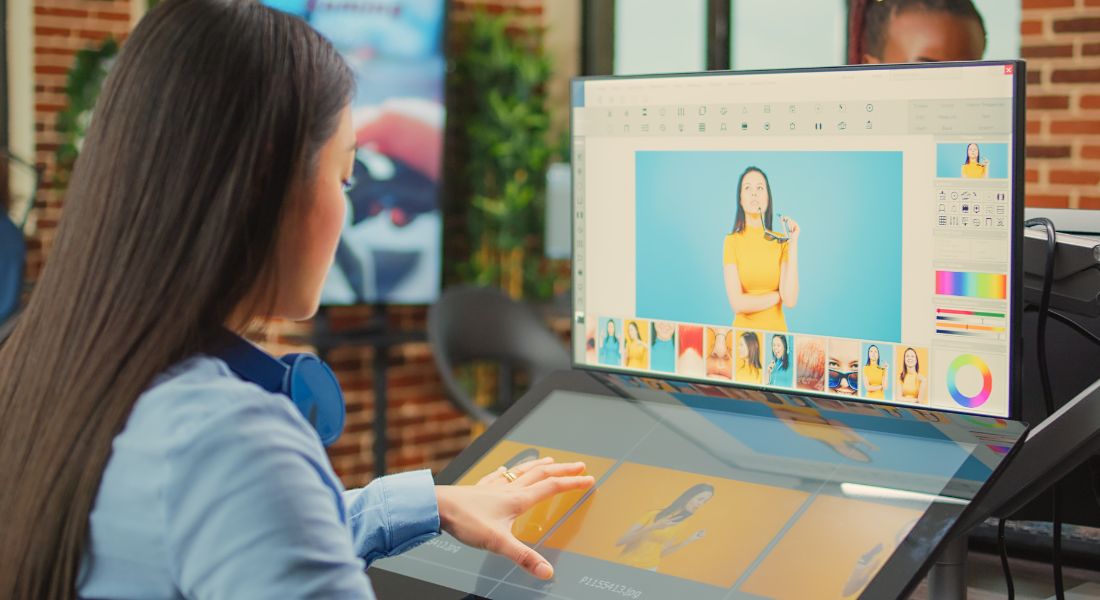
So, what exactly is an interactive video? Simply put, it’s a video that gives your viewers control over what they see or do next. Unlike traditional videos, interactive ones invite your audience to take action, which makes the experience more engaging and memorable.
You’ll often find interactive videos in marketing campaigns, online courses, or training modules. They use elements like clickable hotspots, branching storylines, embedded quizzes, and polls to keep viewers involved. Each feature is designed to make the audience feel like they’re part of the story rather than just passive watchers.
The biggest advantage of interactive videos is higher engagement. People tend to retain information better when they actively participate instead of just observing. This makes them ideal for educational content, lead generation, product demos, or any scenario where capturing attention is crucial.
Another benefit is that interactive videos can provide insights into viewer behaviour. By tracking clicks, quiz responses, or choices, you can see what interests your audience most. This data allows you to refine your content and create even more effective, personalised experiences.
Overall, interactive videos transform viewing into an experience. They make content dynamic, memorable, and actionable, helping you connect with your audience in ways traditional videos cannot.
Planning Your Interactive Video

Before you start filming, it’s crucial to plan your interactive video carefully. Ask yourself what you want viewers to do. Are they learning something, making choices, or exploring different scenarios? Clear objectives will guide every stage of your video creation.
Scripting is an essential next step. You’ll need to plan branching paths, decide where clickable elements, questions, or polls appear, and include clear calls-to-action. Think of it like writing a “choose-your-own-adventure” story for video. Each decision point should feel natural and add value to the viewer’s experience.
Storyboarding is another step you shouldn’t skip. Mapping out your scenes visually ensures that interactive elements flow seamlessly from one moment to the next. It also helps spot potential issues before filming, saving time and avoiding costly mistakes during production.
Planning ahead also allows you to consider pacing and timing. You want viewers to have enough time to interact without feeling rushed or losing interest. By combining clear objectives, thoughtful scripting, and detailed storyboarding, you set the foundation for an engaging, professional interactive video.
Proper planning ensures your final video is not only visually appealing but also highly interactive, guiding viewers through an experience that is both fun and meaningful.
Choosing the Right Tools
Once you have a clear plan, the next step is to choose the right tools for creating your interactive video. There are many beginner-friendly options available, each suited to different purposes. H5P is ideal for education-focused videos, Eko is great for branching storylines and storytelling, and Vizia makes it easy to embed quizzes and polls.
Each platform has its advantages and limitations. H5P is free and simple to use but may lack advanced features needed for marketing campaigns. Eko provides powerful storytelling tools, though it can have a steeper learning curve for beginners. Vizia excels at adding quizzes quickly but offers less flexibility for complex branching paths.
Pricing is another important factor to consider. Some tools are completely free with basic features, while others require monthly subscriptions for full functionality. It’s a good idea to experiment with free versions first to see which tool feels intuitive and meets your project’s needs.
Additionally, think about your long-term goals. If you plan to create multiple interactive videos, investing in a more robust platform might save time and effort in the future. Choosing the right software sets the foundation for a smooth, professional, and engaging interactive video experience.
Filming Your Video
Now let’s talk about filming. Lighting, camera angles, and audio quality are just as important in interactive videos as in traditional ones. Poor lighting or unclear audio can distract viewers and reduce overall engagement, no matter how good your interactive elements are.
You also need to plan your shots with interactive features in mind. Leave space for clickable buttons, pop-ups, or text overlays so they don’t obscure important visuals. If your video includes multiple branching paths, ensure each shot works seamlessly across all possible viewer choices to avoid confusion.
Camera movement and framing matter too. Close-ups are great for emphasizing key actions, while wider shots can give context for interactive decisions. Consistency in style and visual quality helps maintain immersion and keeps viewers focused on the content.
Keeping viewers engaged throughout is essential. Shorter, well-paced scenes with clear instructions encourage interaction and prevent drop-offs. Using visually appealing backgrounds, props, or graphics can make the experience more enjoyable. The smoother and more intuitive the video, the more likely your audience is to click, explore, and participate.
Careful attention to filming details ensures your interactive video is both professional and engaging, giving viewers a polished, enjoyable, and immersive experience from start to finish.
Adding Interactive Elements
Adding interactivity is where your video truly comes to life. Start with hotspots clickable areas that let viewers jump to another scene, explore more information, or learn about a product. These elements make the experience dynamic and give viewers control over what they see next.
Quizzes and polls are another great way to engage your audience. They can test knowledge, encourage participation, or collect valuable feedback. Embedding these features at the right points in your video keeps viewers actively involved and increases retention.
Branching paths require careful planning. Map out all possible choices clearly and ensure each decision leads to a logical, engaging next scene. Testing is critical; broken links or dead ends can frustrate viewers and reduce the effectiveness of your interactive video.
Make your clickable elements intuitive and easy to use. Use clear labels, arrows, or buttons, and avoid overwhelming your audience with too many options at once. Simplicity often works best, especially for first-time viewers who may not be familiar with interactive videos.
When implemented thoughtfully, interactive elements transform a regular video into an immersive, personalised experience. They guide viewers through the content while keeping engagement high, making your video memorable and effective.
Editing and Publishing

Editing interactive videos requires software that can handle overlays, multiple layers, and branching timelines. Professional tools like Adobe Premiere Pro and Final Cut Pro offer powerful editing capabilities for complex projects. For beginners or simpler videos, tools like Camtasia or iMovie can also work effectively.
After editing, the next step is embedding interactive elements. Most interactive video platforms provide user-friendly, drag-and-drop interfaces, allowing you to add quizzes, clickable hotspots, branching paths, and polls without needing to code. Proper placement and testing of these elements ensure they function smoothly and enhance viewer engagement.
Once your video is ready, it’s time to publish. You can host your interactive video on your website, learning management systems, or social media platforms that support interactive features. Some platforms may limit certain functionalities, so it’s important to choose one that fully supports all the elements you’ve added.
Tracking engagement is also important. Many interactive video platforms provide analytics to show how viewers interact with your content, which choices they make, and how long they stay engaged. This data can help you improve future videos and better understand your audience.
By carefully editing, embedding interactivity, and choosing the right publishing platform, you can create a professional, engaging, and fully interactive video experience.
Measuring Success
Creating an interactive video is only half the battle. You also need to measure how well it performs to ensure your content is engaging and effective. Key metrics include click-through rates, completion rates, and engagement time, which reveal how viewers interact with your video and which elements capture their attention.
A/B testing is a powerful way to optimise your interactive video. By testing different paths, questions, or call-to-action buttons, you can see which options resonate most with your audience. You can also experiment with the timing of interactive elements to find the best moments to prompt viewer interaction.
Tracking viewer behaviour helps you make informed adjustments. For example, if viewers consistently skip a particular segment, you can revise that part to make it more engaging. Similarly, analysing which choices or paths are most popular can inform future content planning.
Regularly reviewing and refining your interactive videos ensures that each iteration performs better than the last. By using metrics and insights to guide improvements, you’ll create videos that not only hold attention but also drive meaningful engagement and results.
Examples of Successful Interactive Videos
Looking at successful interactive video examples can spark your creativity and show what’s possible. Companies like Netflix and BuzzFeed have experimented with branching storylines, quizzes, and decision-based narratives that keep viewers engaged from start to finish. Studying these examples can help you understand how interactivity can be integrated seamlessly into storytelling.
In marketing, interactive videos are often used to showcase products in 360-degree views. Viewers can click on specific features to learn more, creating a personalised experience that encourages exploration. These videos not only inform but also drive engagement and can boost conversion rates when used strategically.
Educational videos also benefit from interactive elements. Embedded quizzes or polls test comprehension immediately, ensuring learners stay focused and retain information. Interactive features can turn passive learning into an active experience, making lessons more memorable and enjoyable.
The takeaway is simple: interactivity drives engagement. Even small additions, like clickable tips, pop-ups, or polls, can make a video more compelling and immersive. By observing what works in successful campaigns, you can adapt ideas to your own interactive videos, making them both engaging and effective.
Frequently Asked Questions:
1. What is an interactive video?
An interactive video is a type of video that allows viewers to actively participate rather than just watch passively. Viewers can click on hotspots, choose different story paths, answer embedded quizzes or polls, and explore additional information. For example, a training video might let learners select which module they want to study next, while a marketing video could let customers click to learn more about specific product features. This active participation makes the experience more engaging and memorable.
2. Why should I create an interactive video?
Creating an interactive video can significantly boost viewer engagement because it turns passive watching into active participation. Interactive videos help audiences retain information better, as research shows that people remember content more effectively when they interact with it. For businesses, interactive videos also provide valuable insights into viewer behaviour, allowing content to be tailored to audience preferences. A product demo with clickable features, for instance, can show which aspects attract the most interest and guide marketing strategies.
3. What tools can I use to make interactive videos?
There are many tools available depending on your needs and experience level. H5P is ideal for education-focused content and offers quizzes, hotspots, and branching paths. Eko is great for narrative-driven videos with multiple branching storylines. Vizia allows for quick embedding of polls and quizzes, making it simple to add interactivity. Advanced tools like Adobe Premiere Pro or Final Cut Pro offer more complex editing capabilities, layered timelines, and interactive overlays. Beginners can experiment with free or trial versions to find the tool that works best for their project.
4. Do interactive videos work on all platforms?
Most interactive videos are compatible with websites and learning management systems, but some social media platforms may have limitations. For example, Instagram or TikTok may not support branching paths or advanced clickable elements. It’s important to test your video on the intended platform to ensure all interactive features function correctly and viewers can access the full experience without issues.
5. How long should an interactive video be?
The ideal length of an interactive video depends on the content and the audience, but shorter, well-paced videos generally work best. Segments of two to five minutes keep viewers engaged while allowing time for interaction with quizzes, polls, or branching paths. Breaking longer content into smaller segments also prevents viewers from feeling overwhelmed and encourages them to explore all interactive features.
6. Can I track how viewers interact with my video?
Yes, most interactive video platforms provide analytics that allow you to track viewer engagement in detail. You can see which elements are clicked most often, how users navigate branching paths, quiz performance, and total engagement time. This data helps creators understand what content resonates with viewers, which choices are most popular, and how to improve future videos for better interaction and retention.
7. Do I need coding skills to make an interactive video?
No coding skills are required to create an interactive video. Modern platforms use drag-and-drop interfaces, making it easy to add clickable hotspots, quizzes, branching paths, and polls without writing any code. Some advanced tools offer optional coding features for greater customization, but beginners can produce professional-quality interactive videos entirely through the platform’s built-in tools.
8. What type of content works best for interactive videos?
Interactive videos are particularly effective for education, marketing, and storytelling. Educational content benefits from embedded quizzes and branching scenarios, helping learners retain information. Marketing videos can use interactive elements to showcase products and guide viewers to make purchases. Story-driven content, such as “choose-your-own-adventure” narratives, keeps audiences engaged by letting them influence the story. Even surveys and feedback forms can be turned into interactive video content to collect data while keeping viewers interested.
9. How do I test my interactive video?
Testing is crucial to ensure a seamless experience. You should preview your video on multiple devices, including desktops, tablets, and mobile phones, as well as on different browsers to make sure all clickable elements, branching paths, and quizzes work properly. Asking a small group of users to interact with the video and provide feedback can also reveal usability issues, confusing instructions, or pacing problems. This helps refine the video before it reaches a wider audience.
10. Can interactive videos increase conversion rates?
Interactive videos can improve conversion rates by engaging viewers actively and guiding them through personalized experiences. For instance, a fashion brand might create a video where viewers click on different outfits and are taken directly to the product page. This hands-on interaction keeps audiences interested, encourages exploration, and increases the likelihood of purchases or sign-ups. By turning passive viewers into active participants, interactive videos can drive better engagement and measurable business results.
Final Thought: Bringing Your Interactive Videos to Life
Creating an interactive video may seem challenging at first, but with careful planning, the right tools, and attention to detail, it’s completely achievable. From scripting and storyboarding to filming, adding clickable elements, and measuring engagement, each step contributes to crafting an immersive, memorable experience. Interactive videos not only capture attention and boost retention, but they also provide valuable insights into viewer behaviour, helping you refine your content and connect with your audience more effectively. Whether you are creating educational lessons, marketing campaigns, or storytelling content, embracing interactivity transforms ordinary videos into dynamic experiences. You can contact us to take your interactive videos company to the next level and create engaging, results-driven video content that truly stands out.
