


Have you ever watched a video online and noticed yourself clicking on a button, link, or hotspot right inside the video? If so, you’ve experienced a clickable video. These types of videos take your viewing experience from passive to active. Instead of just sitting back and watching, you can make choices, explore extra content, or even take action without leaving the video player.
Clickable videos aren’t just fun they’re powerful. If you’re creating content for your brand, teaching online, or producing videos for marketing, they can completely change the way your audience interacts with your content. With clickable videos, you can guide viewers to your website, collect feedback, let them shop directly from the video, or even create a choose-your-own-adventure style experience. Basically, you can turn a normal video into a fully interactive journey for anyone watching.
The best part? You don’t need to be a coding wizard to make them. With today’s tools, you can easily add buttons, links, and hotspots to your videos, even if you’ve never touched HTML or JavaScript. This means that whether you’re a small business owner looking to engage your audience, an educator creating interactive lessons, or a content creator experimenting with new formats, you can make clickable videos that really work.
In this guide, I’ll walk you through everything you need to know to create your own clickable video. We’ll start by helping you plan your interactions and figure out what kind of clickable elements you need. Then, I’ll show you how to design those elements so they’re clear and engaging for anyone watching. After that, we’ll explore the best tools you can use to build your interactive video, followed by tips on publishing it so people actually click and engage. By the end, you’ll know exactly how to make a clickable video that not only looks great but also drives real interaction and results.
What Is a Clickable Video?
A clickable video is a video that lets you, the viewer, actively interact with what’s happening on screen. Instead of just pressing play and watching passively, you can engage with the video in multiple ways. For example, you might:
- Click buttons or hotspots to learn more about a topic or product.
- Answer polls, quizzes, or surveys right in the video.
- Jump to different sections of the story based on your choices.
- Shop for products directly without leaving the video player.
- Follow embedded links to explore more content or take action.
For you as a creator, this kind of interactivity is incredibly powerful. It’s not just about making your video fun it’s about capturing attention, keeping viewers engaged, and guiding them toward actions that matter, whether that’s learning something new, signing up for a newsletter, or making a purchase. Clickable videos give you the ability to turn passive viewers into active participants, creating a much more memorable and effective experience.
Why Create Clickable Videos?
Adding interactivity to your videos isn’t just a fun gimmick it actually delivers real results. When you make your videos clickable, you’re giving your viewers a reason to stay engaged, explore more, and take action. Here’s why you should consider it:
- Boost engagement: When your viewers can click, choose, or interact, they stick around longer. You’re turning passive watchers into active participants.
- Increase conversions: By adding clickable calls-to-action (CTAs), you can guide people directly to sign-up forms, landing pages, or product purchases. You’re essentially turning your video into a mini sales engine.
- Gather insights: Interactive elements let you see exactly what your audience is interested in. You can track clicks, choices, and engagement patterns to better understand your viewers.
- Stand out from the crowd: With so much video content online, adding clickable features makes your videos memorable. You’re not just another scrollable post you’re offering an experience.
Whether you’re a marketer trying to drive sales, a teacher looking to make lessons more engaging, or an entrepreneur building your brand, clickable videos give you a competitive edge. You’re not just sharing content you’re creating a dynamic experience that your audience will remember and interact with.
Step 1: Plan Your Interactive Video
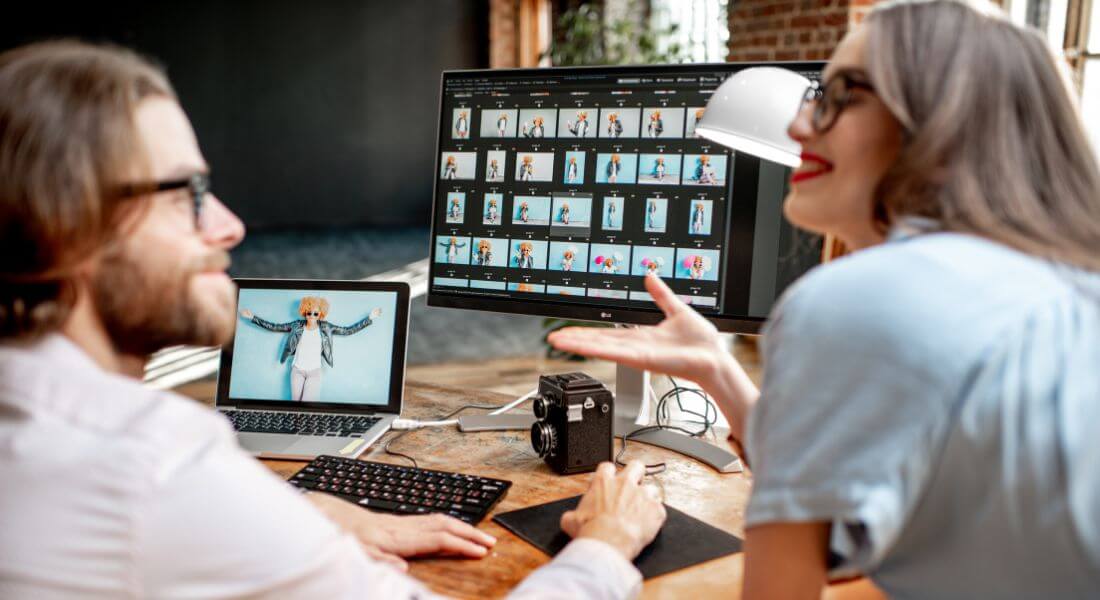
Before you dive into editing, it’s crucial to have a clear plan. Ask yourself:
- What’s the goal of this video?
- Who is your audience?
- What actions do you want viewers to take?
For example, if you’re selling a product, your goal might be to drive clicks to a purchase page. If you’re teaching, it could be testing understanding with quizzes. Take the time to map out your video journey, especially if you want to include branching paths where viewers can choose their own story. Planning upfront makes the rest of the process much smoother, and it helps you avoid confusion or missed opportunities during filming and editing.
Step 2: Choose the Type of Clickable Elements
Clickable videos come in many formats, and picking the right elements depends on what you want viewers to do. Some popular options include:
- Hotspots: Clickable areas that appear on specific parts of the screen. For instance, clicking on a handbag in a fashion video could take viewers straight to its product page. This works especially well for highlighting multiple products in a single scene.
- Buttons: Clear, visible buttons with labels like “Buy Now” or “Learn More.” Perfect for guiding viewers toward a call-to-action. Buttons can also be animated to draw more attention.
- Quizzes and Polls: Engage your audience by asking questions mid-video. Ideal for education, training, or fun campaigns. You can also use quiz results to provide personalised feedback.
- Branching Choices: Also called “choose-your-own-adventure” videos. Your viewers decide what happens next, making them feel part of the story. This approach can increase repeat viewing because people might want to explore different paths.
- Links and Overlays: Clickable text or graphics overlaid on the video to provide extra information or direct viewers to other resources. Overlays can also include icons or logos to reinforce your branding.
Decide which elements suit your content before you start creating, so your video is cohesive and intuitive. Choosing the right type of interactivity early saves time later.
Step 3: Write a Script That Supports Interactivity
Traditional video scripts are linear, but with clickable videos, you need to plan your interaction points. Ask yourself:
- Where will you place buttons or hotspots?
- What should your call-to-action say?
- Should viewers experience different outcomes based on their clicks?
Your script should clearly highlight when and where these interactions appear, so your video feels seamless and natural. Writing it this way also helps you visualise how viewers will move through your content and ensures nothing feels forced or confusing.
Step 4: Film or Select Your Video Content
You can either use footage you’ve already filmed or shoot new content. The key is to leave space for clickable elements.
For example, if you plan to add a button in the bottom corner, don’t clutter that area with important visuals. Filming with interactivity in mind makes editing later much easier and ensures a clean, professional look. You’ll also find it easier to guide viewers’ attention toward your interactive elements when the layout is clear and uncluttered.
Step 5: Pick the Right Tools and Platforms
The good news is, you don’t need coding skills to create clickable videos. Several user-friendly platforms are designed specifically for this:
- Wirewax: Great for interactive hotspots and branching paths. It also supports advanced analytics so you can see what your viewers engage with most.
- Vimeo OTT: Offers clickable overlays and CTAs, and it integrates well with marketing campaigns.
- Eko: Ideal for creating choose-your-own-path stories, making it perfect for storytelling or educational content.
- H5P: Perfect for educators adding quizzes and interactions directly into video lessons.
- Wistia: Strong analytics and marketing integration for businesses, giving you insight into both engagement and conversion.
If you’re unsure which tool is right for you, working with a professional interactive video company can save time and help you get polished results. They can also advise on best practices for engagement and technical optimisation.
Step 6: Add Your Clickable Elements
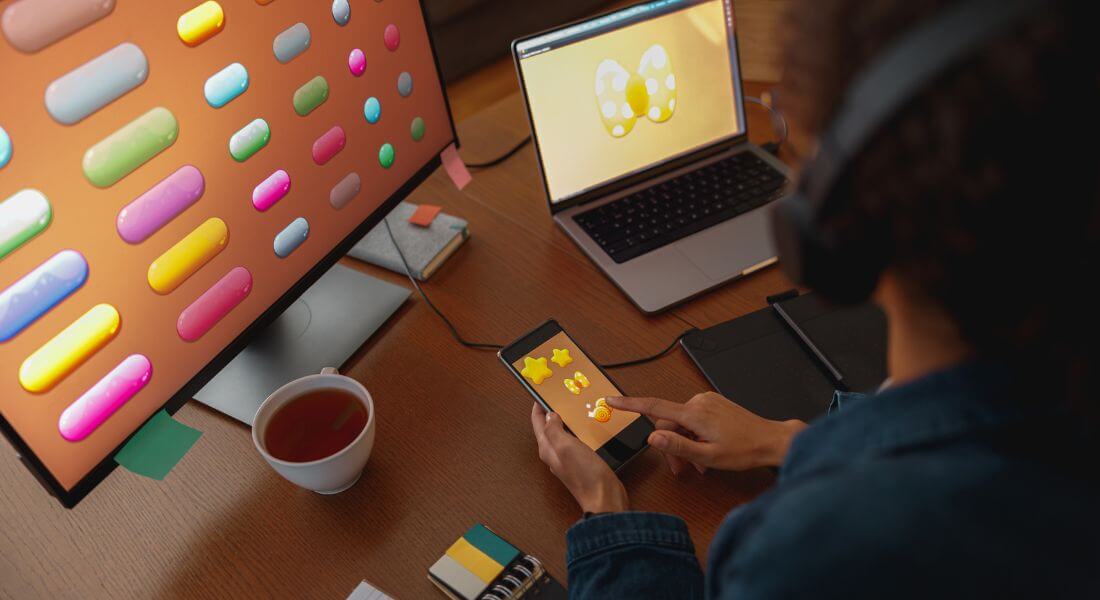
Once your video is uploaded, it’s time to make it interactive:
- Set hotspots: Choose areas viewers can click. Make sure they’re obvious but not distracting.
- Insert buttons: Add CTAs that link to your site or landing pages. Buttons should be visually consistent with your brand.
- Design branching paths: Map out choices and connect them to different outcomes. Test the paths to ensure smooth transitions.
- Overlay graphics: Use text, logos, or icons to guide clicks. Overlays can also include micro-instructions like “Click here to learn more.”
Make sure everything is clear, visible, and doesn’t distract from your main content. Your viewers should know exactly where to click without feeling overwhelmed, which will increase engagement.
Step 7: Design Effective Calls-to-Action
Your clickable video is only effective if your CTAs are strong. Here’s how to make them work:
- Use clear, action-focused wording like “Shop Now” or “Download Free Guide.” Avoid vague phrases like “Click Here.”
- Keep CTAs short and easy to understand.
- Place them at natural points in the video not too early or too late. Timing can dramatically affect engagement.
- Test different versions to see which gets the best results. Small changes in colour, wording, or position can make a big difference.
Remember, your CTA is the bridge between engagement and action. Make it count, and guide your viewers gently toward what you want them to do next.
Step 8: Test Your Video Thoroughly
Before you hit publish, test your clickable video on multiple devices and browsers. What works on a desktop might not work on mobile.
Check that:
- All buttons and links function correctly.
- Hotspots respond accurately.
- Branching paths play smoothly.
- The video loads quickly and looks professional.
A broken interactive video is worse than none at all, so don’t skip this step. Testing also helps you spot user experience issues that could frustrate viewers or reduce engagement.
Step 9: Publish and Share

Once you’re happy with your clickable video, share it widely. You can:
- Embed it on your website.
- Post it on social media.
- Include it in email campaigns.
- Add it to online training or e-learning modules.
The beauty of clickable videos is that they can work almost anywhere you share digital content. Sharing widely ensures you maximise both reach and engagement, giving your video the attention it deserves.
Step 10: Measure and Improve
After your video goes live, track how it performs. Most platforms provide analytics showing:
- How many people clicked.
- Which buttons or hotspots were most popular.
- Where viewers dropped off.
Use this data to refine your future videos. For example, if a certain button isn’t getting clicks, try changing its wording, placement, or design. Iteration is key each video you create gives you insights to make your next one even more engaging and effective.
Best Practices for Clickable Videos
To maximise success, keep these golden rules in mind:
- Don’t overwhelm viewers with too many clicks.
- Keep design clean and simple.
- Make sure CTAs are relevant to the content.
- Always optimise for mobile users.
- Keep accessibility in mind include subtitles and easy navigation.
Examples of Clickable Videos in Action
- E-commerce: A fashion retailer creates a shoppable lookbook where you can click each item of clothing to purchase instantly.
- Education: A teacher designs an online course video with quizzes at the end of each chapter.
- Marketing: A brand launches a branching storyline ad where viewers choose which character to follow.
- Corporate training: A company adds safety quizzes into training videos so employees learn actively.
These examples show how versatile clickable videos can be.
FAQs About Clickable Videos
1. What exactly is a clickable video?
A clickable video is a type of video that allows you, the viewer, to interact with what’s happening on screen instead of just watching passively. You can click on buttons, hotspots, or links, answer quizzes, or even choose different paths in the story. For creators, this means you can make your content more engaging, keep viewers’ attention for longer, and guide them toward actions that matter, whether that’s learning something new, signing up for a newsletter, or making a purchase.
2. Do I need coding skills to make a clickable video?
Not at all. These days, there are plenty of user-friendly platforms that let you add interactivity without any coding knowledge. You don’t need to know HTML, JavaScript, or any technical programming skills. With tools like Wirewax, H5P, Wistia, or Eko, all you need to do is plan where your clickable elements will go and use the platform’s intuitive interface to add them. This makes it accessible for small business owners, educators, or content creators experimenting with interactive formats.
3. What types of clickable elements can I include in my video?
Clickable videos offer a range of options depending on what you want your viewers to do. You can set hotspots on objects or sections of the screen, add buttons with clear calls-to-action like “Buy Now” or “Learn More,” include quizzes or polls to get immediate feedback, or design branching paths where viewers choose how the story progresses. You can even overlay text or graphics to link to additional resources. Choosing the right type of element will make your video feel intuitive, engaging, and purposeful.
4. How do clickable videos help increase engagement?
When your audience has the ability to click, choose, and interact, they’re actively participating in the content rather than just watching passively. This keeps them involved for longer, improves retention, and makes the experience more memorable. People are naturally curious, so giving them a reason to explore within the video increases the likelihood that they’ll complete it and follow through on any calls-to-action you include.
5. Can clickable videos drive sales or conversions?
Absolutely. Interactive videos are excellent for guiding viewers toward taking action. By placing well-designed calls-to-action within the video, you can send people directly to product pages, sign-up forms, or other conversion points. For example, a fashion retailer could make each item of clothing in a lookbook clickable, letting viewers buy instantly without leaving the video. By combining engagement with actionable steps, you can turn passive watchers into paying customers.
6. Are clickable videos suitable for education and training?
Yes, they are. Educators and trainers can use interactive videos to make lessons more engaging, adding quizzes, polls, or branching paths that allow learners to choose what they explore next. This type of interactivity not only keeps learners interested but also reinforces understanding by providing instant feedback. It turns a passive learning session into an active one, which is proven to improve retention and make the material more enjoyable to interact with.
7. How should I plan a clickable video?
Planning is crucial if you want your video to be effective. Start by defining the goal of your video—whether it’s boosting engagement, generating leads, or teaching a concept. Then map out the structure of your video, including where each interactive element will appear. Decide which type of clickable elements you’ll use and how they fit into the story. Thinking ahead in this way makes filming and editing much easier, ensures the interactions feel natural, and helps avoid cluttered visuals that could confuse viewers.
8. Which platforms are best for creating clickable videos?
There are several options depending on your needs. Wirewax is great for hotspots and branching paths, while Vimeo OTT allows clickable overlays and integrates easily with marketing campaigns. Eko is ideal if you want to create choose-your-own-path storytelling, and H5P is perfect for educators adding quizzes directly to lessons. Wistia offers robust analytics and marketing tools for businesses. Choosing the right platform depends on your goals, the type of interactivity you want, and how you plan to share your video with your audience.
9. How do I measure the success of my clickable video?
Analytics are key to understanding how well your interactive content performs. Most platforms provide detailed reports showing how many people clicked, which buttons or hotspots received the most engagement, and where viewers dropped off. You can use this information to optimise future videos. For instance, if a particular CTA isn’t performing, you can try repositioning it, changing the wording, or making it more visually prominent. Each video becomes a learning opportunity for improving engagement and conversions.
10. How can I get professional help for interactive video production?
If you want your clickable videos to look polished and deliver results, working with an expert team can save time and ensure high-quality outcomes. You can contact us to take your interactive videos company to the next level. Experienced professionals can guide you on strategy, design, and technical setup, helping you create interactive content that truly connects with your audience and achieves your objectives.
Final Thought: Take Your Clickable Videos to the Next Level
Clickable videos are more than just a trend they’re a powerful way to transform your content into an engaging, interactive experience. By giving viewers the chance to click, explore, and act within the video itself, you can boost engagement, increase conversions, and make your brand stand out. Whether you’re an educator trying to keep learners interested, a marketer aiming to drive sales, or a creator experimenting with new formats, clickable videos give you the tools to connect more deeply with your audience.
The good news is, creating them doesn’t have to be complicated. With the right planning, tools, and creativity, you can design interactive content that feels seamless and enjoyable to watch. You can contact us to take your interactive videos company to the next level.
