


If you’ve ever watched a great video and thought, “I wish I could make something like that,” you’re already halfway to becoming a creator. The truth is video making isn’t reserved for professionals anymore. With the right mindset, basic tools, and a few creative strategies, anyone can get started.
Whether you want to make YouTube tutorials, business content, or short social clips, this step-by-step guide will walk you through everything a beginner needs to know. We’ll cover gear, planning, shooting, editing, and common mistakes to avoid all in plain, practical language.
Why Video Making Is Worth Learning
Video has become the most powerful medium for communication online. Whether you’re a brand, freelancer, or student, learning to make videos gives you a voice in the digital world.
Here’s why it’s worth your time:
- People retain 95% of a message when they watch it in a video, compared to 10% when reading text.
- Platforms like Instagram, TikTok, and YouTube now prioritise video content.
- You don’t need expensive equipment a smartphone can do wonders.
Video making lets you tell stories, educate, entertain, and even earn income from your creativity.
Step 1: Understand Your Purpose
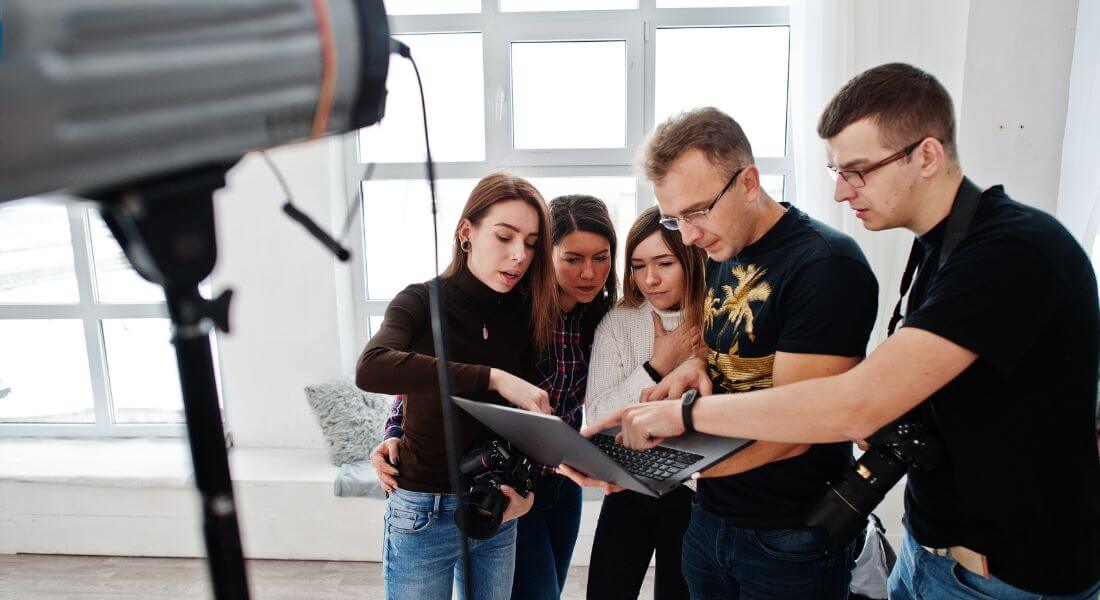
Before you press record, decide why you’re making videos. Clarity of purpose is the foundation of great content.
Ask yourself:
- Do I want to educate, entertain, or inspire?
- Who am I speaking to?
- What do I want viewers to do after watching?
For example:
- A small business may create videos to attract customers.
- A content creator may focus on building a loyal audience.
- A teacher may aim to explain complex topics simply.
Knowing your purpose will shape everything from the tone of your script to the platforms you post on.
Step 2: Choose a Video Type
There are countless styles of video, but as a beginner, it’s best to start simple.
Here are some easy types to try:
- Talking Head Videos – You speaking directly to the camera. Great for introductions, tutorials, or opinions.
- Product Demos or Reviews – Show and explain how a product works.
- Explainers or Educational Videos – Use visuals, animations, or examples to teach something.
- Vlogs – Document your day, journey, or creative process.
- Social Media Reels or Shorts – Bite-sized, entertaining, and great for building consistency.
Pick a format that feels natural for you and stick with it until you get comfortable.
Step 3: Get the Right Equipment (Without Overspending)
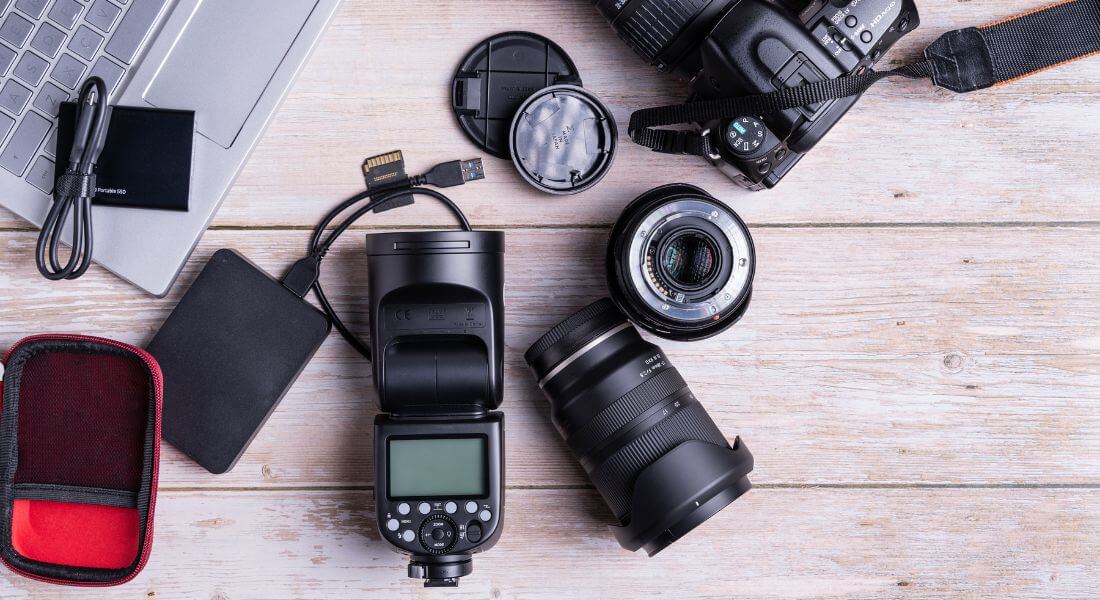
The biggest myth about video making is that you need fancy gear. You don’t.
In fact, your smartphone is a great starting point many popular creators use it for their first 50+ videos.
Here’s what you’ll need at the beginner level:
1. Camera
Start with your phone or a basic DSLR/mirrorless camera. Popular beginner cameras include:
- Canon M50 Mark II
- Sony ZV-E10
- Panasonic Lumix G7
If you’re using a phone, shoot in 1080p or 4K for crisp footage.
2. Tripod or Stand
A shaky video can ruin even the best idea. Invest in an affordable tripod or mini stand to keep your shots steady.
3. Microphone
Sound quality matters more than visuals. Viewers can forgive slightly grainy video, but not poor audio.
Budget-friendly microphones:
- Lavalier mic (clip-on) – for clear voice recordings.
- Shotgun mic – for directional sound if you’re filming in open spaces.
4. Lighting
Natural light is your best friend. Shoot near a window or outdoors during the golden hour (morning or evening).
If you’re filming indoors often, a ring light or softbox can make a huge difference.
5. Editing Software
Start with free or simple editing tools to learn the basics.
Free beginner-friendly options include:
- DaVinci Resolve (advanced features but free)
- iMovie (Mac)
- Clipchamp (Windows)
- CapCut or VN Editor (mobile)
Don’t worry about mastering editing right away you’ll learn as you go.
Step 4: Learn to Script Like a Pro
Even short videos benefit from a plan. Writing a script helps you stay focused and confident on camera.
Here’s a simple 3-part script formula:
- Hook (0–10 seconds)
Grab attention with a question or bold statement.
Example: “Tired of making videos that nobody watches?” - Value (10–45 seconds)
Deliver the main message clearly. Use examples or quick visuals.
Example: “Today, I’ll show you three simple ways to film better using your phone.” - Call to Action (45–60 seconds)
Tell the viewer what to do next subscribe, follow, visit your page, or comment.
Keep your language conversational as if you’re speaking to one person, not a crowd.
Step 5: Learn Basic Composition
Even simple videos look professional when you understand composition.
Use these basic filming principles:
- Rule of Thirds: Place your face or main subject slightly off-centre, not directly in the middle.
- Headroom: Leave a small space between the top of your head and the frame edge.
- Eye Level: Keep the camera at your eye line to look natural.
- Background: Avoid clutter; use clean, neutral spaces.
These small adjustments can dramatically improve your visual appeal.
Step 6: Record with Confidence
The first time you hit record, it might feel awkward that’s normal! The more you practise, the better you’ll sound and look.
Here are quick filming tips:
- Speak clearly and smile energy translates through the camera.
- Keep your sentences short.
- Use hand gestures naturally.
- Record a few test clips to adjust framing and sound.
If you make mistakes, don’t stop just pause and repeat the sentence. You can cut out errors later while editing.
Step 7: Edit Smart, Not Complicated

Editing turns raw footage into something polished and engaging. But don’t overcomplicate it at the start.
Here’s what to focus on first:
1. Trim and Arrange Clips
Cut out mistakes, long pauses, or repeated takes. Keep your pacing tight so viewers stay engaged.
2. Add Titles and Text
Simple on-screen text helps explain points or highlight keywords. Use clean fonts and short phrases.
3. Insert Music or Sound Effects
Choose royalty-free tracks from sites like:
- YouTube Audio Library
- Pixabay Music
- Bensound
Keep background music subtle it should support your voice, not compete with it.
4. Add Transitions (Lightly)
Use fades or slides sparingly. Too many transitions make videos feel amateurish.
5. Export in the Right Format
For YouTube or Instagram, export at 1080p resolution for quality and speed balance.
Step 8: Optimise for Platforms
Every platform has its own personality and its audience behaves differently. That’s why it’s important to tailor your video for wherever you’re posting.
If you’re sharing on YouTube, think longer and more detailed. A horizontal (16:9) format works best, and you’ve got room to go deeper aim for around five to ten minutes of educational or in-depth content.
For Instagram Reels, keep it vertical (9:16), quick, and visually engaging. Reels perform best when they’re short usually between 15 and 60 seconds and packed with energy, trends, and quick transitions.
On TikTok, you can experiment a bit more. Stick to a vertical format, ideally 15 to 45 seconds long, and don’t be afraid to have fun with bold ideas or playful storytelling.
When it comes to LinkedIn, tone things down a little. Go for a professional but relatable feel. Horizontal or square formats work well, and shorter videos around 30 to 90 seconds tend to perform best when they share insights, advice, or behind-the-scenes value.
No matter the platform, always tweak your framing, captions, and opening hook to match what the audience expects there. That small bit of tailoring can make a huge difference in how many people stop scrolling and actually watch your video.
Step 9: Post Consistently
Consistency beats perfection.
It’s better to post one decent video every week than one “perfect” video every two months.
Consistency helps you:
- Build confidence.
- Understand what your audience enjoys.
- Improve your skills through repetition.
Create a simple schedule you can stick to for example, one long-form YouTube video or three short Reels per week.
Step 10: Learn from Feedback
Once you post, pay attention to audience reactions.
Look at:
- Watch time (do people finish your videos?)
- Comments (what questions are repeated?)
- Likes and shares (which topics resonate most?)
Use this data to refine your content. Every video teaches you something new even the ones that don’t perform well.
Common Beginner Mistakes (and How to Avoid Them)
Even experienced creators started with shaky footage and awkward delivery. Here are the most common beginner mistakes and how to fix them.
1. Overthinking Equipment
You don’t need the latest camera. Start with what you have. Focus on storytelling and lighting first.
2. Ignoring Audio Quality
Bad sound can ruin good visuals. Always test your mic before recording.
3. Forgetting to Plan
A simple script or bullet list prevents rambling.
4. Using Harsh Lighting
Avoid overhead lights. Natural daylight or soft lighting gives a more flattering look.
5. Neglecting the Hook
If you don’t grab attention in the first 5 seconds, people scroll away. Start strong.
6. Being Afraid to Show Personality
Authenticity beats perfection. Speak like you’re chatting with a friend.
7. Giving Up Too Early
Your first few videos will feel awkward that’s part of the journey. Keep going.
Bonus: Free Resources for Beginners
Here are some free tools and resources to kick-start your video-making journey:
- Canva – Free templates for video thumbnails and graphics.
- Pixabay / Pexels – Royalty-free video clips and music.
- Notion / Trello – For organising your scripts and upload schedule.
- Epidemic Sound (trial) – Premium-quality music library.
- YouTube Creator Academy – Free lessons on video strategy and editing.
Working with Professionals
If you ever feel ready to level up your videos or if you’re creating content for a business working with a professional team can take things to the next level.
A full-service video production company in London can help you with:
- Creative concept development
- Scriptwriting and storyboarding
- High-quality filming and editing
- Animation or motion graphics
- Distribution strategy for maximum reach
You’ll learn faster by collaborating with experts and can focus on your message instead of the technical details.
Frequently Asked Questions
1. Do I need an expensive camera to start making videos?
Not at all. You can start creating great videos with the phone you already have. Modern smartphones are powerful enough to shoot in HD or even 4K, which is more than enough for social media or YouTube. What matters more is how you use your light, sound, and framing. Focus on telling a clear story and keeping your shots steady the quality will naturally look professional even without high-end gear.
2. How do I stop feeling awkward on camera?
Everyone feels awkward in the beginning, even people who seem super confident now. The trick is to practise regularly. Record short clips just for yourself, rewatch them, and notice what feels unnatural. Over time, you’ll get comfortable seeing yourself on screen. Try imagining you’re talking to one person maybe a friend or your ideal viewer instead of a faceless audience. That small mindset shift makes a huge difference in how relaxed you sound.
3. What’s the easiest type of video for a beginner to make?
The simplest and most forgiving format is a talking head video just you, your camera, and your message. You can start by sharing tips, explaining something you know, or talking about a topic you’re passionate about. It doesn’t require complex editing or fancy visuals. Once you’re comfortable with this style, you can branch out into vlogs, tutorials, or short social clips to experiment with different ideas.
4. How long should my first video be?
Shorter is better when you’re starting out. Aim for one to three minutes, especially if you’re posting on social platforms. A short video helps you practise scripting, filming, and editing without feeling overwhelmed. Once you’re confident managing the full process, you can gradually move into longer formats for platforms like YouTube. What matters most is keeping the viewer’s attention from start to finish, no matter the length.
5. How can I make my videos look professional on a small budget?
Professional-looking videos aren’t about expensive equipment they’re about small details. Start by using natural light from a window or filming outdoors when possible. Keep your background clean and tidy so the focus stays on you. Stabilise your camera using a tripod or a stack of books if you don’t have one. Then, pay close attention to sound even an affordable clip-on microphone can make your audio sound crisp and polished. Combine these elements, and your videos will instantly feel more professional.
6. Which editing software should I learn first?
You don’t need to jump straight into complex software like Premiere Pro. Start with something simple and beginner-friendly such as CapCut, iMovie, or Clipchamp. These tools are intuitive and help you learn the basics like cutting clips, adding music, and inserting text. Once you’re comfortable with those, you can move to advanced editors like DaVinci Resolve or Adobe Premiere for more control and features. The goal is to master storytelling first fancy effects can come later.
7. How do I come up with ideas for new videos?
Start by thinking about the questions people often ask you or the topics you wish someone had explained simply. You can also explore what’s trending in your niche YouTube, TikTok, and Instagram all show popular content ideas. Don’t be afraid to add your own spin or personal experience to make it unique. Inspiration often comes from everyday moments, so keep a running list of ideas on your phone. Whenever something sparks your curiosity, jot it down you’ll never run out of content that way.
8. How can I make people actually watch my videos till the end?
Your first few seconds are crucial. Start with a hook that instantly grabs attention a bold statement, a quick question, or a surprising fact. Then, keep your pacing tight by removing long pauses and staying focused on your message. Viewers stick around when they feel like they’re learning or gaining something valuable from you. End your video with a strong call to action, such as inviting them to subscribe, comment, or watch your next video, so the connection continues.
9. What should I post if I want to grow on social media?
Each platform rewards different things. On YouTube, longer educational or story-driven videos work well. Instagram and TikTok prefer short, vertical, snappy clips that deliver quick value or entertainment. The key is to stay consistent with your theme so viewers know what to expect from you. Choose one or two platforms to focus on at first, post regularly, and interact with your audience growth comes naturally when you build genuine engagement over time.
10. How long does it take to get good at video making?
There’s no fixed timeline it depends on how often you practise. Most creators start noticing improvement within their first ten to fifteen videos. Each project teaches you something new about lighting, framing, or editing. The important thing is to keep creating, even when it doesn’t feel perfect. Every video you post is a step forward, and before you know it, you’ll look back at your early work and see just how far you’ve come.
Final Thought: Taking the Next Step in Your Video Journey
Starting your video-making journey might feel overwhelming at first, but remember every great creator began exactly where you are now. The key is to start small, stay consistent, and keep learning with every upload. You don’t need fancy equipment or a big team; you just need a story worth sharing and the willingness to experiment.
As you gain confidence, you’ll naturally refine your filming style, editing rhythm, and on-camera presence. And if you’re ready to take your content further, you can contact our video production company in London to take your video content to the next level. With the right guidance and creative expertise, your videos can evolve from simple beginnings to professional stories that truly connect with your audience.
