


Animation is a powerful storytelling medium that blends visual artistry with motion to bring characters, scenes, and ideas to life. Whether you’re producing a short film, commercial, explainer video, or full-length animated feature, one thing remains constant: the need for precision and polish in every single frame. Each detail from line clarity to shading and texture contributes to the overall visual quality of the final product. However, achieving that level of refinement can be extremely time-consuming, particularly when working with complex scenes, high frame rates, or large volumes of raw footage.
Traditionally, animators and post-production artists would manually clean up individual frames, removing noise, fixing inconsistencies, smoothing linework, or enhancing colour schemes one step at a time. While effective, this manual approach requires significant time, skill, and patience resources that are often in short supply, especially when deadlines are tight.
Enter AI-powered tools.
Today’s AI agents are revolutionising the animation industry by offering fast, accurate, and highly customisable solutions for frame clean-up and enhancement. Whether you’re working in 2D or 3D, these intelligent systems can automate everything from upscaling low-resolution images and stabilising shaky frames to colour correction, noise reduction, line art refinement, and even in-between frame generation. In many cases, they can complete hours of manual work in a matter of minutes all while maintaining artistic integrity and consistency across sequences.
In this guide, we’ll take a closer look at how AI agents can assist you in cleaning up and enhancing your animation frames. We’ll cover popular tools, common use cases, step-by-step workflows, and tips for getting the most out of AI-assisted animation editing helping you streamline your post-production process and achieve a polished, professional look with less effort.
Why Use AI to Clean Up and Enhance Animation Frames?

In the world of animation, every frame matters. Whether you’re producing hand-drawn 2D sequences or rendering complex 3D scenes, the process of refining each frame to achieve a polished, professional finish is both essential and demanding. That’s where AI agents come in. By leveraging artificial intelligence, animators and editors can transform the quality and efficiency of their workflow. Here’s a closer look at the key benefits of using AI tools to clean up and enhance animation frames:
1. Time Efficiency
Traditionally, animators and post-production artists would spend hours sometimes even days cleaning up individual frames manually. Tasks like removing visual noise, correcting colours, and refining line work required meticulous attention and repetitive effort. This manual process is not only time-consuming but also mentally draining, particularly when dealing with large-scale projects.
AI dramatically speeds up this process by automating many of these labour-intensive tasks. Whether it’s batch-processing thousands of frames for colour consistency or running noise reduction across entire sequences, AI-powered tools can complete in minutes what would take humans hours. This time-saving benefit allows animation teams to focus more on creative direction, storytelling, and character development areas where human input truly shines.
2. Improved Quality
AI tools aren’t just about speed they also bring a significant boost in output quality. Advanced algorithms can analyse each frame and intelligently enhance resolution, sharpness, and visual detail. This is especially valuable when working with low-resolution source material or when upscaling older animations for modern formats.
Modern AI upscaling techniques use deep learning to preserve edge detail, reduce compression artefacts, and recover lost textures. At the same time, AI-based denoising algorithms can clean up grainy or pixelated footage without blurring important details. The result is a cleaner, crisper, and more visually appealing animation delivered without the painstaking frame-by-frame manual work.
3. Consistency Across Frames
One of the biggest challenges in animation is maintaining visual consistency. Slight differences in colour balance, brightness, or contrast from frame to frame can be distracting and reduce the professional quality of the final product. This is particularly problematic in hand-drawn animations, where each frame might have small variations.
AI helps solve this issue by applying uniform adjustments across sequences. Whether you’re colour grading an entire scene or sharpening multiple frames, AI ensures that changes are applied consistently. This not only enhances the overall aesthetic but also simplifies the revision process, as you no longer have to correct inconsistencies manually.
4. Cost-Effective
Animation post-production can be expensive, especially when you factor in the need for skilled cleanup artists, retouchers, and colourists. Outsourcing these tasks or hiring additional in-house staff can quickly drive up costs something not all studios or independent creators can afford.
AI tools offer a more cost-effective alternative. By automating much of the clean-up and enhancement work, they reduce the need for large teams or outsourcing to third-party vendors. This is especially advantageous for smaller studios, freelance animators, or creators working with tight budgets. In many cases, a single well-trained AI tool can take on the workload of several team members, significantly cutting costs without compromising on quality.
How to Use AI Agents to Clean Up and Enhance Animation Frames
1. Upscaling Low-Resolution Frames
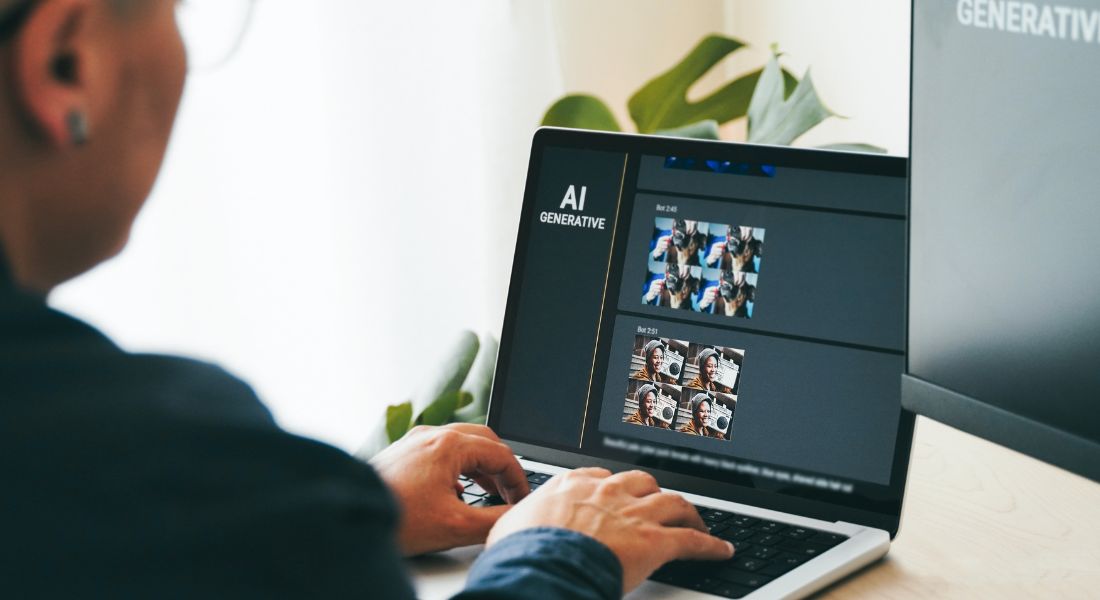
One of the most practical and widely used applications of AI in animation post-production is the upscaling of low-resolution frames. Whether you’re dealing with legacy animation content, limited source material, or compressed files, AI agents can help transform low-res visuals into crisp, high-definition images without the typical issues like blurring or pixelation that come with manual upscaling methods.
How It Works:
AI-based upscaling works by analysing each frame for patterns, textures, edges, and fine details. Instead of simply stretching the image, these tools use trained deep learning models to predict and reconstruct missing details in a natural, visually consistent way. The result is a high-resolution version of the original frame that looks sharper and more refined often better than what traditional interpolation techniques can achieve.
Many AI tools offer flexible scaling options, allowing you to upscale your animation frames by 2x, 4x, or even 8x the original size. Even when working with older footage or lower-quality renders, these tools can deliver significantly improved output that’s suitable for modern displays, platforms, or high-resolution exports.
Example Tools:
- Topaz Video Enhance AI – A powerful AI-driven video enhancer specifically designed for upscaling video and animation content. It preserves fine detail, reduces noise, and delivers a noticeable boost in clarity.
- Let’s Enhance – A user-friendly image enhancement platform that supports AI-based upscaling. It’s particularly useful for improving the resolution of individual frames or sequences from animated content.
Example Prompt:
“Upscale these animation frames from 1080p to 4K resolution while maintaining the visual details and sharpness.”
2. Noise Reduction and Sharpening
Visual noise is a common issue in animation, particularly when you’re working with compressed files, older renders, or footage captured under less-than-ideal conditions. This noise often shows up as random grain, pixelation, or flickering across frames, which can distract from the overall visual quality and disrupt the viewer’s immersion. Fortunately, AI-powered tools are now highly effective at removing these unwanted artefacts while preserving the key visual elements that make each frame pop.
How It Works:
AI tools designed for noise reduction work by scanning each frame pixel by pixel, distinguishing between actual image content and unwanted noise. Using trained models, they selectively smooth out grainy areas like skies, shadows, or flat colour regions without blurring edges or removing important textures.
In addition to cleaning up noisy frames, many of these tools also offer sharpening features. By enhancing contrast at edges and improving fine detail, they help give soft or slightly out-of-focus frames a more defined, polished appearance. This is especially useful for animation styles that rely on clean linework or high-contrast shading.
Whether you’re producing hand-drawn 2D animation or stylised 3D renders, this combination of denoising and sharpening can significantly enhance the clarity of your work with minimal manual effort.
Example Tools:
- Neat Video – A widely respected plugin for video editors that specialises in reducing noise in video and animation. It offers detailed control and delivers excellent results without degrading frame quality.
- Topaz Denoise AI – This AI-based tool from Topaz uses deep learning to intelligently remove digital noise from both still images and video. It also sharpens soft areas and restores detail lost during compression.
Example Prompt:
“Remove grainy noise from the animation frames, enhancing the texture and sharpness.”
3. Colour Grading and Correction
Colour grading plays a critical role in defining the emotional tone, atmosphere, and visual appeal of an animation. Whether you’re aiming for a vibrant, energetic palette or a muted, cinematic feel, the way colours are handled can significantly affect how your audience perceives the story and characters. Traditionally, this process involves manual adjustments to hue, saturation, contrast, and brightness frame by frame or scene by scene which can be both time-consuming and technically demanding.
AI-powered tools are making colour grading and correction far more accessible and efficient. These agents can analyse each frame in context and apply smart adjustments automatically, ensuring visual harmony throughout the sequence.
How It Works:
AI colour correction tools evaluate the lighting, colour balance, and tonal range of each frame, then make precise adjustments to improve visual coherence. They can modify key attributes such as brightness, contrast, saturation, white balance, and hue either across individual frames or uniformly across entire scenes.
In more advanced use cases, AI can apply predefined colour grading profiles that match specific moods or cinematic styles. For instance, you might want a cool, desaturated tone for a mysterious scene, or a warm, golden glow for a nostalgic flashback. AI agents make it easy to apply these stylistic choices consistently, even if your raw frames come from varied sources or lighting conditions.
This is especially valuable in animation, where small shifts in colour across frames can disrupt continuity and distract viewers. AI helps keep everything consistent without the need for endless manual tweaking.
Example Tools:
- DaVinci Resolve – A professional-grade colour grading suite that includes AI-powered features such as automatic colour matching and smart contrast correction, ideal for animation post-production.
- Adobe Premiere Pro (with Adobe Sensei AI) – Uses Adobe’s built-in AI engine to automatically adjust colours based on content and context. It can recommend or apply colour corrections aligned with your project’s tone and visual goals.
Example Prompt:
“Colour grade these animation frames to give them a warm, vintage feel with enhanced reds and oranges.”
4. Frame Refining for Smooth Animation
One of the biggest challenges in animation especially in traditional 2D or hand-drawn styles is achieving smooth, lifelike motion. Jerky or uneven transitions between frames can disrupt the flow of an animation and make character movements appear unnatural. AI agents can help solve this issue by refining frames and improving motion fluidity across sequences, all without the need for extensive manual adjustments.
How It Works:
AI-powered frame refinement works by analysing the movement between keyframes and intelligently generating or adjusting the in-between frames (also known as in-betweens or tweens). These tools detect inconsistencies in spacing, timing, and positioning, then automatically refine transitions to ensure smoother motion.
In 2D animation, this can involve cleaning up rough sketches, aligning elements frame-to-frame, and correcting irregularities in movement. In 3D animation, AI can adjust rig movements and smooth out jittery motion paths. This results in more natural and continuous motion, even when the original animation has slight timing flaws or abrupt shifts.
By improving motion continuity, AI helps create a more polished viewing experience making even simple animations feel more dynamic and professional.
Example Tools:
- DeepMotion – A powerful AI-driven motion capture and animation tool that refines character movement, making transitions more fluid and lifelike.
- Toon Boom Harmony – While known primarily as a professional 2D animation suite, Harmony includes AI-assisted features for frame cleanup and motion smoothing, particularly useful for frame-by-frame workflows.
Example Prompt:
“Refine the character’s movements by smoothing out the transitions between frames.”
5. Integrating AI Tools with Your Animation Software
A major advantage of using AI agents in animation production is their ability to integrate with the tools you already use. From industry-standard software like Adobe After Effects and Toon Boom to powerful 3D platforms like Blender and Maya, many AI tools are designed to slot easily into existing animation pipelines. This allows you to enhance frames with AI and then seamlessly move them back into your core editing or compositing environment without disrupting your workflow.
How It Works:
Most AI tools allow you to export enhanced frames or sequences in widely supported formats such as PNG, JPEG, TIFF, or video files like MP4 and MOV. Once processed, these files can be imported back into your preferred animation or editing software for further adjustments, compositing, effects, or final rendering.
Some AI solutions also offer direct plug-ins or native integrations, enabling you to use AI features without leaving your animation environment. For example, Adobe’s Sensei AI is built into After Effects and Premiere Pro, offering smart colour correction, scene detection, and noise reduction right within the timeline.
This level of compatibility ensures that AI-enhanced frames become a seamless part of your animation project rather than requiring separate tools and disconnected steps. Whether you’re refining character animation, upscaling for 4K delivery, or colour grading a full sequence, you can keep your workflow efficient and centralised.
Example Prompt:
“Use AI to enhance the animation frames and then import them into After Effects for final editing and effects.”
Tools for AI-Powered Frame Cleanup and Enhancement
Whether you’re refining 2D hand-drawn frames or polishing high-resolution 3D sequences, AI-powered tools can significantly improve the quality and consistency of your animation. Below are some of the most effective tools used by professionals for frame cleanup, enhancement, and post-production efficiency:
1. Topaz Video Enhance AI
This powerful tool uses deep learning models trained on thousands of video and animation samples to upscale footage while preserving fine details. It’s especially useful for turning low-resolution animation frames into crisp 4K or even 8K content. In addition to upscaling, it offers built-in noise reduction and sharpening features, making it a go-to solution for boosting frame quality without introducing artefacts.
2. Neat Video
Highly regarded in the post-production community, Neat Video is a dedicated noise reduction tool that delivers excellent results on both video and animation. It can clean up grainy, compressed, or low-light footage without blurring essential details. Its precise control over noise levels makes it particularly useful for animation workflows where maintaining visual clarity is critical.
3. DaVinci Resolve
Primarily known for its industry-grade colour grading capabilities, DaVinci Resolve also includes several AI-powered features for frame enhancement. These include smart colour matching, automatic exposure correction, and advanced noise reduction. It’s a comprehensive tool that works well for both colourists and animators looking to polish the visual tone of their projects.
4. DeepMotion
DeepMotion uses AI and motion capture data to refine character movement and animation flow. It’s particularly useful for creating smoother transitions and more natural motion, especially in character-based scenes. The tool can be used to fine-tune animation frames or even generate realistic movements from static designs or rough sketches.
5. Toon Boom Harmony
One of the most respected names in 2D animation, Toon Boom Harmony integrates AI features that assist with line cleanup, motion smoothing, and frame enhancement. It supports frame-by-frame workflows and is ideal for animators who want to blend traditional techniques with modern automation. Harmony is widely used in both television and film animation, making it a professional-grade solution for studios and freelancers alike.
Final Thought: Smarter Post-Production with AI
AI agents are transforming the post-production process for animators by automating tasks like noise reduction, colour grading, upscaling, and frame refinement. These tools can help you create higher-quality animations in less time, leaving you with more freedom to focus on creative aspects like storytelling and character development.
You can contact our animation company in London to take your video content to the next level. Whether you’re working on 2D or 3D animation, we can help you streamline the post-production process with AI-powered tools for enhanced results.
