


Planning a video series can feel overwhelming especially when you’re juggling tight deadlines, audience expectations, and the need for original content. Whether you’re a YouTuber launching a new playlist, an educator creating online lessons, or a content marketer building a brand presence, there’s a lot to think about. You need fresh, engaging ideas. You need a clear structure that makes sense from one episode to the next. And you need to maintain a consistent tone and message throughout the entire series.
That’s a tall order for one person or even a small team. But what if you didn’t have to do it all on your own?
Enter ChatGPT.
This AI tool isn’t just for writing text it can actually help you think creatively, organise your content, and build out a full-fledged video series from scratch. You can use it to brainstorm unique video topics, draft outlines for each episode, script introductions and transitions, and even fine-tune your overall content strategy to keep things on track.
In this guide, we’ll walk you through exactly how to use ChatGPT to plan your video series like a pro. From ideation to execution, we’ll show you how to turn your vision into a solid plan with the help of an always-available creative collaborator. Whether you’re just starting out or looking to streamline your existing process, this could be the extra support you didn’t know you needed.
1. Brainstorm Video Series Themes with ChatGPT
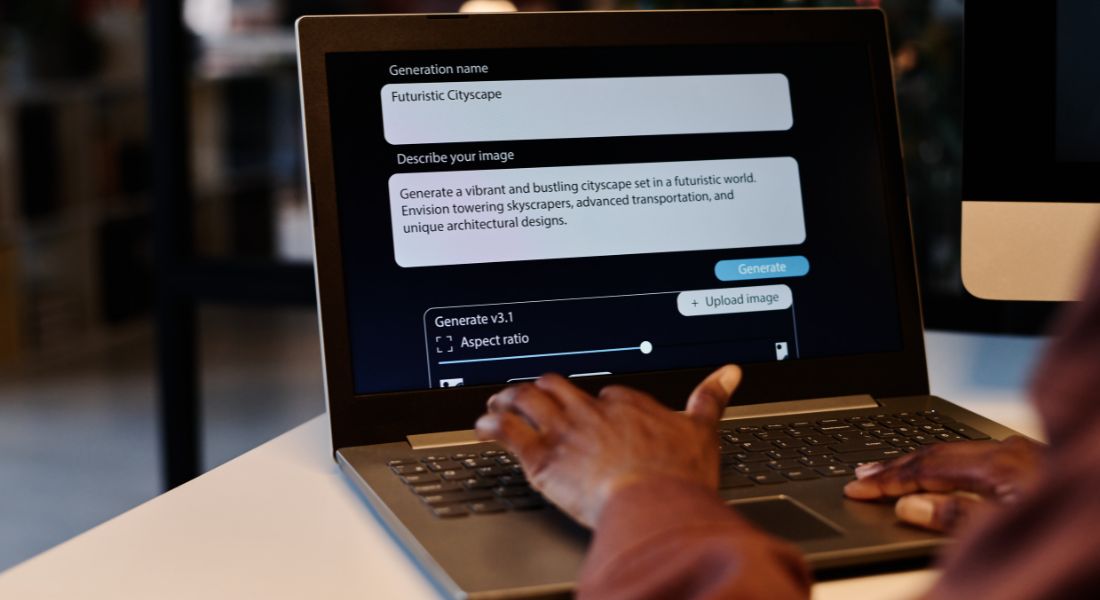
Every great video series starts with a strong central theme. It’s the foundation that guides your content, keeps your episodes focused, and gives your audience a reason to keep coming back. But coming up with the right theme one that aligns with your niche, engages your target audience, and fits your brand voice can be easier said than done.
That’s where ChatGPT can be a game-changer.
With the right prompt, ChatGPT can instantly generate multiple video series theme ideas tailored to your goals. Whether you’re targeting a specific audience segment, exploring a new content format, or refining your brand message, ChatGPT helps you move from a blank page to a bank of creative possibilities in seconds.
Example prompt:
“Give me 10 video series ideas for a fitness channel targeting beginners.”
In response, ChatGPT might suggest:
- Beginner’s Weekly Workout Plan – A guided journey with one workout video each week, progressing in intensity.
- Nutrition Simplified – Bite-sized videos breaking down the basics of healthy eating, perfect for newcomers.
- Fitness Myths Debunked – Episodes focused on exposing common misconceptions in the health and fitness world.
- Home Workouts with No Equipment – A practical series for viewers who want results without a gym.
- Stretch and Recover – A calming, mobility-focused series to pair with workout days.
- Get Fit in 5 Minutes – Quick daily routines for people short on time.
- From Couch to 5K – A beginner-friendly running program that builds gradually.
- Fitness FAQ Fridays – Weekly Q&A episodes answering common beginner questions.
- Meal Prep 101 – Step-by-step guides to planning and preparing healthy meals.
- Motivation Mondays – Short, uplifting videos to kick off the week with energy and focus.
And that’s just the beginning.
You can quickly iterate by asking for more variations. Want a more educational tone? ChatGPT can reframe the ideas with a focus on learning. Prefer a more entertaining or inspirational approach? Just adjust your prompt. You can even ask it to blend genres like combining comedy with fitness tips or storytelling with personal development to find a fresh angle.
By refining your inputs, you can build a list of potential series themes that not only match your creative vision but also resonate with your audience.
2. Create a Structured Episode Outline

Once you’ve locked in your core video series theme, the next step is to break it down into manageable, engaging episodes. A great series doesn’t just rely on a single strong idea it unfolds that idea across a logical sequence that builds momentum and delivers value episode by episode.
This is where ChatGPT can really shine as your content planner.
With a clear prompt, ChatGPT can help you outline your entire series structure from episode titles to content focus, pacing, and even calls-to-action (CTAs). Whether your series has 3 episodes or 30, this process ensures each one plays a unique role in the overall journey, keeping your audience engaged and encouraging them to stick around for more.
Example prompt:
“Create an 8-episode outline for a video series on personal branding for professionals.”
ChatGPT might return something like:
- Episode 1: What Is Personal Branding and Why It Matters
Introduce the concept and set the stage for the series.
CTA: Encourage viewers to define their current brand image. - Episode 2: Identifying Your Core Values and Strengths
Guide viewers through self-reflection exercises to uncover their unique qualities.
CTA: Download a personal branding worksheet. - Episode 3: Crafting a Compelling Personal Brand Statement
Help professionals create a concise, memorable statement that reflects who they are.
CTA: Share your statement in the comments for feedback. - Episode 4: Visual Identity How to Show Up Consistently
Discuss logos, colour palettes, photos, and presentation style.
CTA: Audit your LinkedIn or website visuals. - Episode 5: Optimising Your LinkedIn Profile
A practical walk-through to make your profile more searchable and impactful.
CTA: Update your headline and About section. - Episode 6: Thought Leadership Through Content
Share tips for blogging, podcasting, or posting to build credibility.
CTA: Plan your first content piece using the downloadable checklist. - Episode 7: Growing Your Network Authentically
How to connect with the right people and build meaningful relationships.
CTA: Reach out to 3 new people this week. - Episode 8: Managing and Evolving Your Brand Over Time
Tips on maintaining consistency and adapting as you grow professionally.
CTA: Reflect on what your brand should look like in 2 years.
This kind of structured outline doesn’t just make production easier it ensures every episode builds toward a bigger picture. It also gives you clarity on scripting, filming order, and promotional planning.
Want to tweak the episode flow? Just tell ChatGPT what to shift maybe you’d like a more motivational tone, more visuals, or want to flip the order for better storytelling. It can regenerate the outline with your adjustments in seconds.
With this approach, you’re never starting from scratch and you’re always planning with purpose.
3. Refine Your Content Strategy

When producing a video series, consistency is what sets professional content apart from one-off uploads. Whether you’re aiming to educate, entertain, or convert, every video needs to feel like part of a coherent journey. That means your tone, message, visual style, and calls to action must align across episodes. ChatGPT can play a powerful role in helping you maintain this alignment even as your ideas evolve or your team changes.
At its core, refining your content strategy with ChatGPT means having a smart assistant that can reflect your brand voice, keep your messaging on track, and ensure that your content goals are clearly represented across formats and platforms. You can use it not just for ideation, but to develop a structured, repeatable approach to each episode.
Here’s how ChatGPT can help you sharpen your series:
- Define your series tone: Want a confident expert tone for B2B audiences, or a laid-back and friendly vibe for a lifestyle YouTube channel? ChatGPT can help you lock that down and replicate it reliably in intros, scripts, and captions.
- Suggest content formats: Depending on your topic and platform, ChatGPT can recommend the best-fit formats whether it’s a talking-head video with minimal editing, a polished screencast with voiceover, animation with a professional narrator, or a hybrid of all three.
- Draft opening and closing scripts: Struggling with intros that hook or outros that convert? Provide a brief and let ChatGPT suggest multiple versions of branded opening lines, closing CTAs, and even sign-offs that create continuity across your episodes.
- Propose engagement tactics: If you’re building a community, ChatGPT can suggest strategic ways to boost viewer interaction. These could include tailored Q&A prompts, viewer challenges, on-screen polls, or “comment below” questions designed to spark discussion.
For example, if you’re running a weekly series on small business finance tips, ChatGPT could help you keep each episode’s messaging tight, ensure the visual structure and tone stay consistent, and suggest ideas for drawing your audience in each week like running a “tip of the week” challenge or inviting viewers to submit questions for the next video.
The result? A more polished, engaging, and purpose-driven video series without needing a full-time strategist on staff.
4. Generate Script Outlines or Full Drafts
When you’re racing against the clock, getting a solid script together can feel like the biggest hurdle. Whether you’re producing content in-house or working with an agency, time spent on scripting is time not spent shooting or editing. This is where ChatGPT can become your secret weapon.
With just a clear, well-structured prompt, you can ask ChatGPT to generate either a high-level script outline or a full episode draft depending on how much help you need. The results are surprisingly effective, especially when it comes to structuring content logically and maintaining a natural flow. From the opening hook to transitions between scenes, and even suggested calls to action (CTAs), ChatGPT understands what makes a video script work.
It’s also smart enough to tailor the tone and style based on the platform. For example, a YouTube explainer video might start with a bold hook and move quickly into visuals, while a LinkedIn video could favour a slightly more formal, value-led approach with subtle branding baked in. You can even ask for visual cues like text overlays, cutaway suggestions, or animation prompts.
Here’s a sample prompt you could try:
“Write a script outline for an explainer video on blockchain for beginners. The video should be around 2 minutes long, use simple language, and include analogies where helpful. It’s for YouTube, so keep the tone friendly and engaging.”
ChatGPT will then return a structured response, which might include:
- Intro (Hook): A quick analogy (“Think of blockchain like a digital notebook everyone can see but no one can erase.”)
- Body: Key points explained in simple steps (what blockchain is, how it works, real-life uses)
- CTA: “Want to learn more about blockchain in business? Subscribe for weekly explainers!”
- Visual Notes: Suggestions like “Cut to animation showing a chain of blocks,” or “Use split-screen to compare traditional vs. blockchain systems.”
This approach not only saves precious scripting hours, but also gives your production team a clear framework to work with especially useful for same-day turnarounds or batch filming days. Whether you’re creating explainer videos, testimonials, or social snippets, having a draft in front of you makes it far easier to hit the ground running.
5. Keep Your Content Calendar Organised
In video marketing, consistency often outperforms one-hit wonders. A steady flow of high-quality content builds trust, keeps your audience engaged, and supports long-term goals like brand awareness, SEO, or lead generation. But keeping that rhythm going especially with multiple team members, platforms, and deadlines is no small task. That’s where ChatGPT can help streamline your entire publishing workflow.
Once you’ve mapped out your video series, you can ask ChatGPT to convert your plan into a well-structured content calendar. This calendar can serve as a single source of truth for your team, helping everyone from scriptwriters to editors to social media managers stay aligned on what’s going live, when, and where.
Here’s what you can include in your AI-powered content schedule:
- Episode release dates: Set a realistic publishing cadence weekly, bi-weekly, monthly and ChatGPT will fill in target dates across your calendar. It can even build in buffer time for reviews or post-production.
- Social promo copy: For each episode, ChatGPT can generate short, platform-optimised promotional text tailored for LinkedIn, YouTube community posts, Instagram, or X (Twitter). You can also request captions, hashtags, and custom CTAs to suit your audience.
- Cross-posting strategy: If you’re repurposing your video content (which you should be), ChatGPT can help develop a distribution plan. Think YouTube + short-form snippets for TikTok, or full video on LinkedIn + teaser clip in your newsletter.
- Topic clusters to link episodes: Keeping your series internally connected is great for watch time and engagement. Ask ChatGPT to group your topics into clusters and suggest logical links such as which video should reference or build on a previous one.
For example, if you’re producing a 10-part series on “AI in Marketing,” ChatGPT can create a full 10-week release plan, complete with suggested publish dates, social blurbs, internal links like “Watch Part 3 to dive deeper into AI for email campaigns,” and guidance on reusing clips across platforms.
This kind of structure removes the guesswork and helps everyone on the team stay focused, especially when multiple departments or clients are involved. Instead of scrambling to remember what’s next, you’ll have a clear roadmap that keeps your production process and audience engagement on track.
6. Collaborate Smarter, Not Harder
Video production often involves a mix of creatives, strategists, clients, and marketers all with different priorities and timelines. Miscommunication and last-minute changes can derail even the best ideas. That’s why smart collaboration tools and workflows are essential. ChatGPT won’t replace your team’s creative input, but it can significantly reduce friction and help everyone work better together.
Think of it as a fast, reliable assistant that can generate first drafts, surface key insights, and fill in the blanks when you’re short on time or brainpower. Whether you’re briefing a client, updating stakeholders, or handing off content to your marketing team, ChatGPT helps you stay sharp and keep everyone aligned.
Here’s how you can use it to streamline collaboration:
- Summarise research for meetings: Need to prep for a content strategy meeting or creative brainstorm? Feed ChatGPT a few links or notes, and ask it to generate a digestible summary. It can pull out trends, surface key data points, or suggest takeaways perfect for internal decks or pre-meeting emails.
- Draft client-facing pitches for the series: Save time on initial proposals by using ChatGPT to draft a structured pitch for your video series. It can include the series concept, episode outline, intended audience, and value proposition making it easier to get client sign-off or feedback early.
- Create alternative formats: Once your script is ready, ask ChatGPT to repurpose it into blog posts, email teasers, or podcast talking points. This allows your content to stretch further across channels without extra heavy lifting.
- Repurpose scripts into social media captions: Turn your long-form video content into short-form copy for Instagram, LinkedIn, X (Twitter), or TikTok. Whether it’s pull quotes, behind-the-scenes snippets, or key stats, ChatGPT can generate multiple versions based on platform character limits and tone preferences.
And here’s the key takeaway: ChatGPT doesn’t stifle your creativity it frees it up. Instead of spending hours rewriting content into different formats or prepping for every internal conversation from scratch, you can focus on shaping ideas, directing vision, and building content that actually connects.
It’s not about replacing your team’s talent it’s about giving them the breathing room to do their best work.
Final Thought: Smarter Video Series Planning Starts Here
Planning a video series is no longer a siloed or time-consuming task. With ChatGPT, you can speed up brainstorming, structure your episodes with confidence, and keep your messaging sharp from start to finish. Whether you’re working solo or leading a full production team, tools like ChatGPT can transform your workflow and free up more time for storytelling, strategy, and creativity.
You can contact our video production company in London to take your video content to the next level whether you need help executing your ideas or refining a concept with a creative team.
