


Ever clicked on a demo video, only to switch off halfway through because it felt too long, too slow, or just plain confusing? You’re definitely not alone. In a world where attention spans are shrinking and distractions are everywhere, it takes more than just showing your product to keep viewers engaged. If your demo video doesn’t grab your audience in the first few seconds and guide them with clarity and purpose, chances are, they’ll tune out before they even understand what you’re offering.
A well-structured demo video can make all the difference. It’s not just about showing off features it’s about telling a clear, engaging story that connects with your audience and walks them smoothly through the value you provide. Whether you’re introducing a new app, platform, product, or service, you need to lead viewers from curiosity to clarity and finally, to conversion.
In this guide, we’ll walk you through exactly how to structure your demo video so it captures attention from the very first frame and keeps viewers watching until the end. You’ll learn how to hook your audience early, highlight key features without overwhelming them, and end with a strong, action-focused message. With the right approach, your demo video won’t just be watched it will be remembered, shared, and acted upon.
Hook the Viewer in the First 5 Seconds

Start strong or risk losing your audience altogether. The first five seconds of your demo video are critical. They determine whether a viewer keeps watching or clicks away. In those precious moments, you need to answer one unspoken question: “Why should I care?”
Here’s how to do it effectively:
- Lead with a relatable problem or question. Think about your audience’s daily struggles and speak directly to them. For example, “Tired of wasting time on manual reports?” or “Still switching between five tools to get one job done?”
- Show the product in action immediately. Visuals matter. Don’t start with abstract concepts or long-winded intros show your solution at work from the get-go. This not only sparks curiosity but instantly communicates value.
- Skip the fluff. Avoid leading with long brand intros, animated logos, or background music montages. Those can come later (or better yet, not at all). Your viewer didn’t click to watch a movie they clicked to see how you can help them.
- Deliver quick value. If your tool can solve a problem or perform a task in seconds, show that right away. Nothing hooks attention like immediate usefulness.
Remember, your goal isn’t to impress with style it’s to connect with clarity. A clear, compelling hook sets the tone for the rest of the demo and invites viewers to stick around for the full story.
Set Up the Problem Briefly
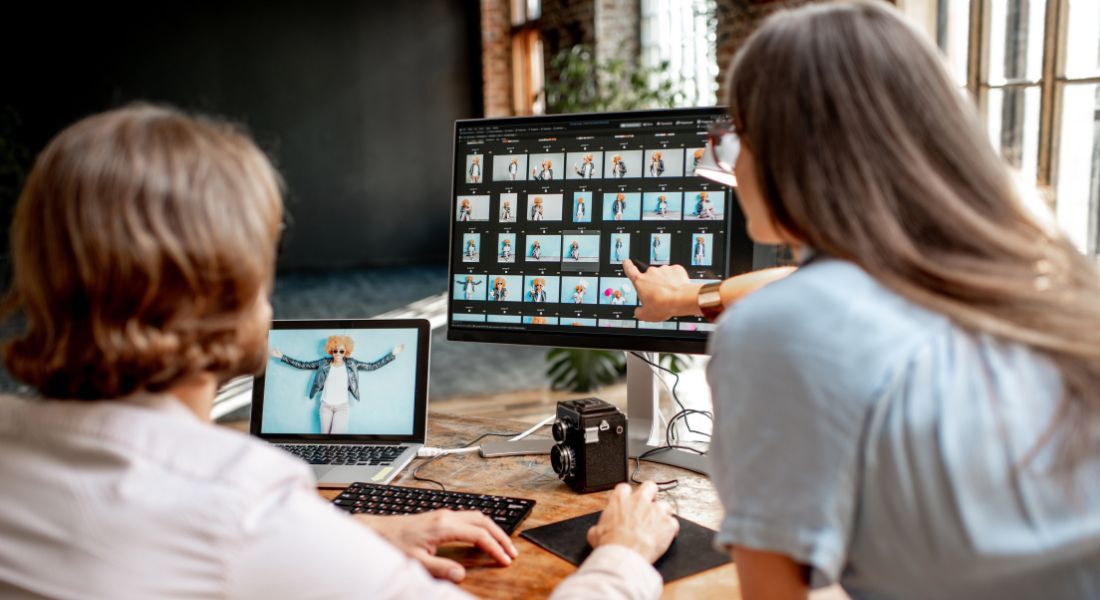
Once you’ve captured your viewer’s attention with a strong hook, the next step is to build context and fast. You need to clearly define the problem your product or service solves. But here’s the key: keep it brief, relatable, and emotionally resonant.
Your audience should feel like you understand their struggle. This isn’t the time to overwhelm them with stats, technical language, or industry buzzwords. Instead, focus on the pain points they face in their everyday life or workflow something they instantly recognise and connect with.
Here’s how to do it well:
- Keep it human and simple. Say it the way your customer would. For instance, instead of “manual data consolidation is inefficient,” say “spending hours copying data from one tool to another is exhausting.”
- Show, don’t just tell. Use quick, visual cues to demonstrate the problem in real life. A split screen showing a clunky manual process vs. a frustrated user can convey more than a paragraph of explanation.
- Avoid going too broad. You’re not trying to fix everything just the one key problem that your product solves best. Zero in on that specific pain point.
- Make it emotionally relevant. Whether it’s frustration, wasted time, or lost revenue, tapping into the emotional impact of the problem helps viewers connect on a deeper level and makes them more invested in the solution you’re about to reveal.
By briefly setting up the problem in a way that feels familiar and real, you’re giving your viewer a reason to care and paving the way for your product to become the obvious hero of the story.
Introduce Your Product with Clarity

Now that your viewer understands the problem, it’s time to introduce the solution your product. This is where you shift from identifying pain to demonstrating value. But clarity is everything here. You want your audience to immediately see how your product works and, more importantly, why it matters.
Don’t overwhelm them with every feature. Start with the core benefit the one thing your product does best that directly solves the problem you’ve just presented. Lead with that strength, then build from there.
Here’s how to do it effectively:
- Put the benefit front and centre. Before diving into technical details, clearly state (or show) what makes your product valuable. For example, “In just two clicks, generate reports that used to take hours.”
- Use clean, real-world visuals. Screen recordings, product walkthroughs, or live footage help viewers visualise how the solution works in context. Use smooth transitions and avoid clutter focus only on what supports your core message.
- Keep your narration tight. Whether it’s voiceover or on-screen text, keep the language simple, benefit-driven, and free from jargon. Every word should help the viewer understand what they’re seeing and why it’s useful.
- Be ruthless with relevance. Not everything needs to make the cut. If a clip, feature, or stat doesn’t clearly support the solution you’re demonstrating, trim it. The goal is not to impress with quantity it’s to persuade with clarity.
At this stage, your viewer is asking, “Can this actually help me?” Your job is to make the answer obvious, undeniable, and easy to grasp.
Show Features Through Real Use Cases
Now that you’ve introduced your product and its core benefit, it’s time to bring it to life by showing what it actually does through realistic, relatable use cases. Instead of rattling off a laundry list of technical specifications or isolated features, demonstrate how those features solve real problems in real scenarios. This helps your audience visualise themselves using your product and builds credibility at the same time.
Here’s how to make that happen:
- Use a natural, conversational tone. Imagine you’re guiding a friend through how the product works. Ditch robotic explanations in favour of friendly, human language that feels authentic and easy to follow.
- Walk through a real task. Choose a specific, common scenario your target audience faces. For example, if you’re selling project management software, show how a marketing manager creates a campaign calendar and assigns tasks to teammates in just a few clicks.
- Break it into digestible chunks. Don’t try to show every feature at once that’s a quick path to cognitive overload. Focus on a few key actions or moments that illustrate value clearly and keep the flow moving.
- Show process, not just outcome. Instead of simply showing the end result (“Here’s the finished report”), walk the viewer through how it got done step-by-step. This makes the product feel more accessible and user-friendly.
- Use visual emphasis wisely. Highlight buttons, zoom into specific parts of the screen, or use callouts to guide the viewer’s eye. But keep the effects subtle you want them to support the story, not distract from it.
By grounding your feature demonstration in real-world usage, you make your video feel relevant and actionable. More importantly, you help the viewer imagine using your product in their own context which is what ultimately drives conversions.
Maintain Pacing and Visual Flow
Even the most informative demo video can lose its impact if it drags or looks flat. Viewers expect a polished, engaging experience not just in terms of what you say, but in how you present it. That’s why maintaining strong pacing and visual flow is just as important as delivering a clear message.
Think of your demo video as a visual story it needs rhythm, variation, and energy. If every shot looks the same or lingers too long, attention quickly starts to drop. A well-paced video feels smooth, dynamic, and easy to watch all the way through.
Here’s how to keep things visually compelling:
- Mix up your visuals. Alternate between screen recordings, real-life product usage, talking head segments, motion graphics, or simple text overlays. This variety keeps the video from feeling repetitive and holds the viewer’s attention longer.
- Use seamless transitions. Transitions aren’t just decorative they’re directional. They help guide the viewer’s eye and create a sense of flow from one section to the next. Whether it’s a subtle crossfade or a snappy swipe, use them thoughtfully to connect ideas.
- Keep shots short and purposeful. Don’t let any one clip overstay its welcome. Shorter cuts maintain momentum and make the video feel more energetic. Cutting on movement (for example, switching scenes just as a mouse clicks or a hand gestures) creates natural visual interest and prevents awkward pauses.
- Align visuals with narration. The images on screen should always reinforce what’s being said. If you’re talking about speed, show speed. If you’re highlighting ease-of-use, show a simple, satisfying user action.
- Trim the fat. If a clip, shot, or section doesn’t add value or feels slow, cut it. Good pacing is about keeping only what helps move the story forward.
Remember, viewers don’t just absorb content they experience it. A video that flows well, moves with energy, and presents visuals that evolve naturally from scene to scene is far more likely to keep attention than one that’s static or too slow, even if the message is great.
Insert Micro-CTAs Throughout
Most demo videos end with a call to action but that’s not enough. If you wait until the final few seconds to encourage your viewer to take the next step, you’re missing out on multiple chances to drive engagement and build momentum earlier on. Instead, use micro-CTAs small, subtle prompts placed strategically throughout the video to gently guide the viewer toward action.
Think of micro-CTAs as nudges, not hard sells. They help reinforce what the viewer is seeing while planting the seed that action is both easy and worthwhile.
Here’s how to use them effectively:
- Use on-screen text prompts. As you demonstrate a specific feature or benefit, overlay simple text like “Start your free trial,” “Book a live demo,” or “See how it works.” Keep it brief, visually non-intrusive, and aligned with the moment you’re highlighting.
- Ask questions mid-way. When showing a powerful solution, ask the viewer something like, “Want to simplify this process too?” or “Imagine saving 5 hours a week what would you do with that time?” Questions like these create a mental pause and make the viewer reflect on how your product fits their needs.
- Reinforce benefits in real time. Don’t just say what the product does remind viewers why it matters. For instance, while showing a time-saving feature, you could include a line like “Save hours each week without changing your workflow.” These reinforcing messages subtly move the viewer closer to conversion.
- Keep them contextual. Micro-CTAs should feel like a natural part of the video, not interruptions. Time them to coincide with moments of impact right after a problem is solved or a benefit is made clear.
By weaving in micro-CTAs throughout your demo video, you keep your audience connected to the idea of taking action, rather than saving all the persuasion for the end. It creates a rhythm of engagement, which leads to higher conversions and better viewer retention.
End with a Clear, Compelling CTA
After you’ve delivered value, demonstrated your product in action, and kept the viewer engaged throughout, it’s time to close with purpose. A strong, clear call to action (CTA) is what turns interest into intent and intent into action.
Your ending should not only summarise what the viewer just experienced, but also guide them seamlessly to the next step. Whether it’s signing up, starting a free trial, booking a demo, or exploring pricing plans, your CTA should be both explicit and easy to follow.
Here’s how to craft a compelling CTA that sticks:
- Recap the benefit. Before you ask the viewer to act, remind them why it’s worth it. For example: “You’ve just seen how our platform can save you hours each week now it’s your turn to try it.”
- Be direct and specific. Don’t leave the viewer guessing. Say exactly what they should do next: “Sign up in seconds,” “Book your free demo today,” or “Try it free no credit card required.” Vague instructions lead to indecision.
- Make it visual and vocal. Use both on-screen text and voiceover (if applicable) to reinforce the message. This dual approach increases clarity and accessibility. Pair your CTA with a button, pop-up, or end-screen link that viewers can click immediately.
- End on a confident, upbeat note. Your final message should leave the viewer feeling informed, empowered, and excited not unsure or overwhelmed. Avoid clutter or last-minute over-explaining.
A CTA isn’t just a marketing formality it’s the payoff to the entire story you’ve told. If your demo video has done its job well, the viewer should be ready to act. Your role is to make that next step as obvious, simple, and rewarding as possible.
Frequently Asked Questions
1. How long should a demo video be?
Ideally, a demo video should be between 60 to 120 seconds. Keep it short and focused. Only go longer if your audience expects in-depth detail just be sure to maintain strong pacing throughout.
2. Do I need a professional voiceover for my demo video?
Not necessarily. While a professional voiceover can elevate the quality, a clear, natural, and confident tone even from someone on your team can be just as effective, especially if it feels authentic and relatable.
3. Should I use animation or real product footage?
It depends on your product and audience. Real product footage is best for software and physical products, while animation works well for abstract solutions or explaining complex processes. A mix of both often delivers the best results.
4. Can I reuse my demo video on social media or ads?
Absolutely. Consider creating shorter cutdowns or teaser clips from your main video. These can grab attention on platforms like LinkedIn, YouTube, or Instagram and drive traffic to the full demo.
5. What’s the difference between a demo video and a product explainer?
A demo video shows how the product works step-by-step, often using live footage or screen recordings. A product explainer focuses on the “why” it’s higher-level, often animated, and aimed at sparking interest rather than showing direct usage.
6. When should I use micro-CTAs in a demo video?
Insert micro-CTAs during moments of value right after showing a key benefit or solving a problem. They should feel like a natural next step, not a hard sell. Text like “Start your free trial” or “See pricing” works well when shown briefly on screen.
Final Thoughts: Partner with Our Demo Video Company to Boost Engagement and Conversions
A well-structured demo video guides your viewer with purpose from start to finish. Keep it focused, concise, and visually engaging. The result? More viewers who stick around and more who convert. You can contact our demo video company to take your video content to the next level.
