

If you’ve ever struggled to explain how your product or service works, you’ll understand the power of a good demo video. Unlike text or static images, a video lets you show people exactly what they’ll get, how it works, and why it matters.
But creating a demo video isn’t as simple as hitting record. To make one that truly engages your audience and persuades them to take action, you need to plan, script, film, edit, and optimise carefully.
In this guide, I’ll walk you through the entire process of making a demo video step by step. Whether you’re a business owner, marketer, or entrepreneur, by the end you’ll know how to create a demo that not only looks professional but also converts viewers into customers.
Why Make a Demo Video?

Before you even start thinking about creating a demo video, it’s worth taking a moment to understand why they’re so powerful. If you’ve ever wondered whether it’s worth the effort, here’s the deal: demo videos are more than just a flashy way to show off your product they’re a smart tool that can help you connect with your audience on a deeper level.
First, demo videos build trust. Think about it: when someone can actually see your product in action, it feels real. You’re not just telling people what it can do you’re showing them. That’s a huge difference. It’s much easier for your audience to believe you when they can see results with their own eyes rather than just reading claims on a page.
Second, they simplify explanations. Let’s be honest: long blocks of text can be exhausting. You know how quickly your attention wanders when a product description goes on for too long. A short, well-crafted demo video can take information that might otherwise take several pages to explain and make it instantly clear. You can show processes, highlight features, and answer questions in a way that feels effortless for the viewer.
Third, demo videos increase conversions. If your goal is to get people to take action whether that’s signing up, making a purchase, or requesting a quote adding a demo video to your landing page or sales funnel can make a real difference. People are more likely to engage and buy when they feel confident about what they’re getting, and seeing your product in action is a fast track to that confidence.
Finally, they work across platforms. Whether you’re posting on your website, sharing on social media, including it in a presentation, or sending it in an email, demo videos are versatile. You can reach people wherever they are, and your message stays consistent and engaging.
In today’s digital-first world, demo videos aren’t just a nice-to-have; they’re becoming essential. If you want your audience to understand your product, trust your brand, and take action, a demo video is one of the smartest tools you can use. And the best part? Once you create one, you can use it in multiple ways, making it a real workhorse for your marketing efforts.
Step 1: Define Your Goal
The very first step in creating a demo video is figuring out exactly what you want it to achieve. Before you start thinking about cameras, scripts, or editing, take a moment to ask yourself some key questions:
- Are you trying to educate new users and help them understand how your product works?
- Do you want to persuade potential customers to take action, like making a purchase or signing up?
- Or is your goal to showcase a new feature or update that your audience needs to see in action?
Being clear about your goal isn’t just a nice idea it’s essential. The purpose you choose will guide every decision you make, from the tone of your script to the pacing of your video and even the style of your editing. When you know what outcome you’re aiming for, you can create a video that truly resonates with your audience, rather than just throwing information at them.
Think of this step as laying the foundation for your entire demo. If your goal is solid, everything else the visuals, the narration, the call-to-action will fall into place much more easily.
Step 2: Know Your Audience
Once you’ve nailed down your goal, the next step is all about understanding who you’re talking to. Your demo video should feel like it’s speaking directly to your viewer not at them. The more you know about your audience, the easier it will be to make a video that grabs their attention and keeps them engaged.
Start by asking yourself some key questions:
- Who are they? Are you speaking to potential customers, investors, or your own team? Knowing this will help you decide what to focus on in your video.
- What problem do they want solved? Your audience isn’t just interested in your product; they want to see how it can make their life easier or their work smoother. Think about their pain points and how your product addresses them.
- What tone of voice will resonate with them? Should your video feel professional, casual, or even playful? Matching your tone to your audience makes your message feel personal rather than generic.
The more specific you get about your viewers, the more engaging your demo will be. When you speak directly to their needs and interests, it stops feeling like a sales pitch and starts feeling like a helpful, tailored experience just for them.
Step 3: Write a Strong Script
A great demo video doesn’t just show your product it guides your viewer from start to finish in a way that feels clear, engaging, and easy to follow. Think of your script as the roadmap for your video. If your words are off, no amount of visuals or editing can save it.
Here’s a simple structure you can follow to make your script shine:
- Hook: Start by highlighting the problem your product solves. You want to grab attention right away, so your viewers know, “Yes! This is exactly what I need.”
- Introduction: Quickly present your product or service. Keep it short and snappy no long-winded descriptions.
- Demo: Show the key features step by step. This is your chance to let people see your product in action, so make it visual and easy to understand.
- Benefits: Don’t just show what it does explain why it matters for your viewer. How will it make their life easier, save them time, or solve their problem?
- Call-to-action (CTA): End with a clear next step. Whether you want them to sign up, purchase, or learn more, tell them exactly what to do next.
When you’re writing, keep your sentences short, conversational, and natural. Imagine you’re explaining your product to a friend who knows nothing about it that’s the kind of clarity and friendliness that makes viewers stay engaged and remember your message.
Step 4: Storyboard Your Demo
Once your script is ready, the next step is to storyboard your demo video. Think of a storyboard as a visual version of your script a map that shows exactly what will appear on screen at each moment. Don’t worry, it doesn’t have to be a work of art. Simple sketches, slides, or even stick figures can do the trick. The goal is to plan your visuals before you start filming.
Storyboarding helps you figure out several important things:
- Which visuals match each line of your script: This keeps your video cohesive, so your audience can easily follow along.
- Where to include text overlays or animations: Want to highlight a feature, show a statistic, or emphasise a key point? Storyboarding helps you place these elements in the right spots.
- What shots you actually need to record: This prevents wasted time and ensures you don’t forget anything crucial when you’re filming.
By taking the time to storyboard, you’re setting yourself up for a smoother filming process. You’ll know exactly what to shoot, which angles to use, and how everything fits together. In short, a good storyboard makes your video more professional, engaging, and easier to create.
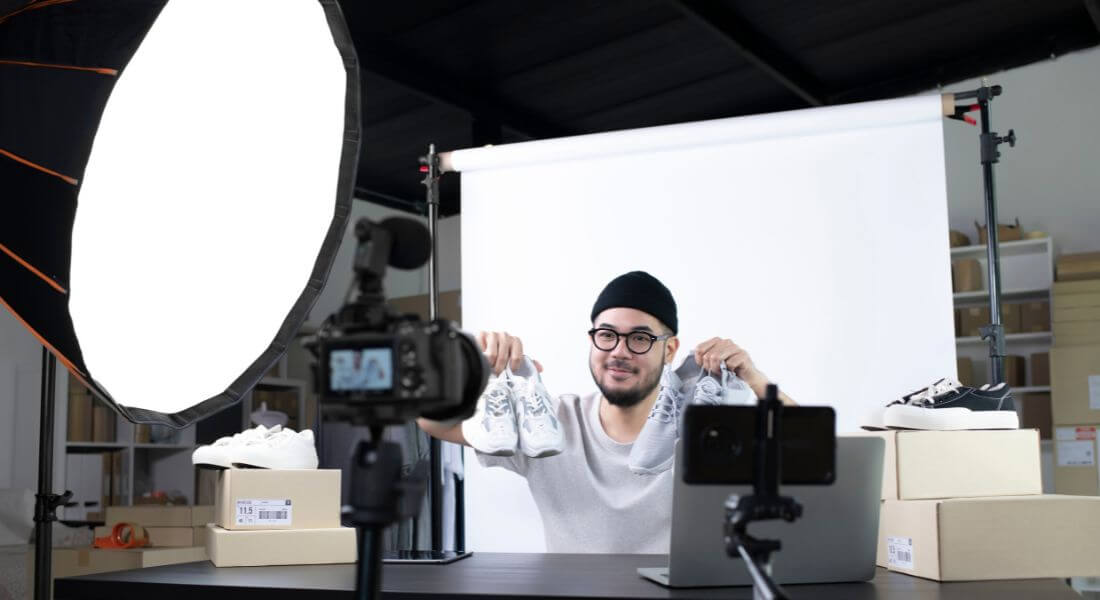
Step 5: Prepare Your Setup
The quality of your demo video depends on your setup. Consider:
- Lighting: Natural light works well, but ring lights or softboxes create a polished look.
- Camera: You can use a DSLR, mirrorless camera, or even a modern smartphone.
- Audio: Invest in a decent microphone poor audio can ruin a good video.
- Background: Keep it clean and distraction-free.
For software demos, screen recording tools like Loom, OBS Studio, or Camtasia are essential.
Step 6: Film Your Demo
When filming, keep these tips in mind:
- Keep it steady: Use a tripod or stabiliser.
- Show close-ups: Highlight important features clearly.
- Stay concise: Don’t overload the viewer with unnecessary detail.
- Record extra takes: It’s always better to have too much footage than too little.
Remember, the star of your video is the product or service make sure it’s always in focus.
Step 7: Edit for Clarity and Impact

Editing is where your demo comes to life.
Key editing tips:
- Cut ruthlessly: Remove any filler or pauses.
- Add text overlays: Highlight features, instructions, or key benefits.
- Use annotations: Arrows or circles can draw attention to details.
- Add background music: Keep it subtle so it doesn’t distract.
- Include branding: Logo placement reinforces your identity.
Editing software like Adobe Premiere Pro, Final Cut Pro, or beginner-friendly tools like iMovie can all work.
Step 8: Add a Strong Call-to-Action
Your demo isn’t just about showing it’s about inspiring action. End your video with a clear CTA such as:
- “Sign up today.”
- “Download the app.”
- “Contact us for a free demo.”
Make sure the CTA is visually highlighted and easy to follow.
Step 9: Optimise for Different Platforms
Your demo video will likely be used across multiple platforms. Optimise it for each one:
- Website: Embed the video on your homepage or product pages.
- YouTube: Add keywords in the title, description, and tags for SEO.
- Social media: Create shorter, platform-friendly versions (e.g., 30–60 seconds).
- Email campaigns: Keep it lightweight so it loads quickly.
This ensures your demo reaches your audience wherever they are.
Step 10: Test and Improve
Once your demo video is live, track its performance. Look at:
- View count.
- Engagement rate (likes, comments, shares).
- Conversion rate (sign-ups, purchases).
If it’s not performing well, consider shortening it, changing the CTA, or making the visuals more dynamic.
Tips for Making Your Demo Videos Engaging
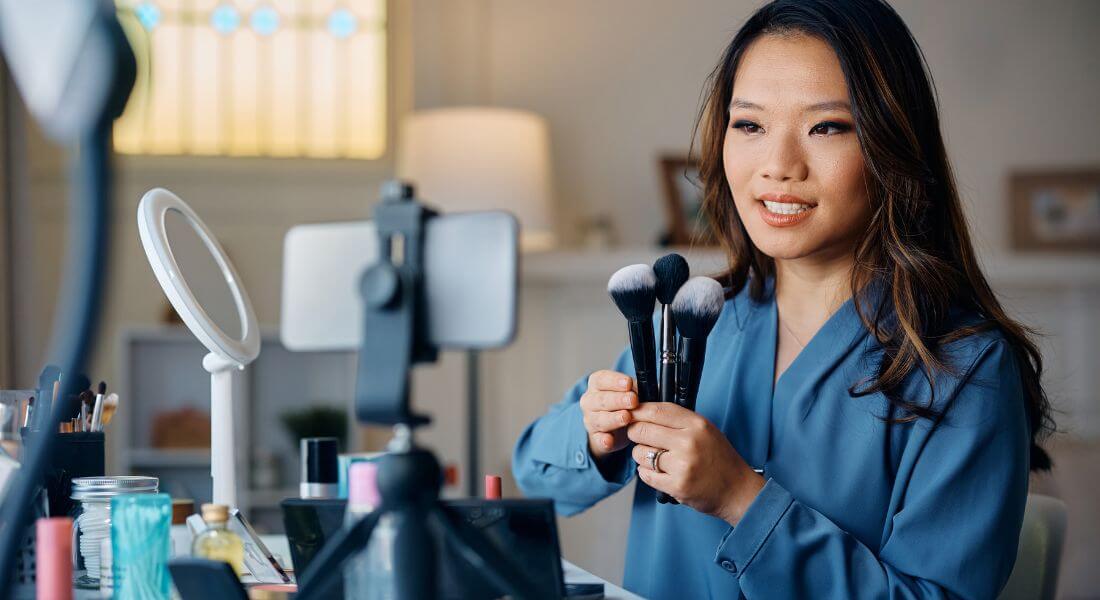
Creating a demo video is one thing, but making sure it actually keeps your viewers’ attention is a whole other challenge. Here are some practical tips to help you make your demo both engaging and effective:
- Focus on benefits, not just features: It’s easy to get caught up in showing off every feature your product has. But what really matters to your audience is how it will make their life easier, solve their problem, or save them time. Always tie features back to real benefits.
- Keep it short and snappy: Attention spans are short, so aim for 2 to 3 minutes if possible. That’s enough time to convey value without losing your viewer halfway through.
- Use real people whenever you can: People connect with people. Featuring actual users, team members, or customers adds authenticity and trust. Animations can be helpful, but they shouldn’t replace human connection entirely.
- Anticipate questions and answer them: Put yourself in your viewer’s shoes. What doubts or questions might they have while watching? Addressing these in your demo shows that you understand their needs and helps prevent them from leaving confused or hesitant.
- Prioritise clarity over cleverness: Fancy effects or complicated jargon might look cool, but if your audience can’t follow what you’re showing, it defeats the purpose. Keep your explanations simple, clear, and easy to follow.
By keeping these tips in mind, you’ll make a demo video that not only demonstrates your product but also connects with your audience and drives action.
When to Get Professional Help
While creating your own demo video can be rewarding, there are times when DIY just isn’t enough. If you want a polished, persuasive video that truly wows your audience, but you don’t have the right skills, equipment, or time, it might be worth bringing in a professional.
Working with a professional demo video company can make a huge difference. They know how to craft a compelling script, capture high-quality footage, add seamless edits, and even help with distribution so your video reaches the right people. Basically, they handle all the technical and creative details, so you can focus on what you do best running your business.
Getting professional help doesn’t mean giving up control. You’ll still guide the vision and key messaging, but with experts handling the execution, your demo will look more polished, professional, and effective giving you the best chance to impress your audience and achieve your goals.
FAQs About Creating Demo Videos
1. How long should my demo video be?
You want your demo to be concise but informative. Most viewers have short attention spans, so aim for 2–3 minutes for a general demo. If your product is complex, you can make a slightly longer video, but break it into sections to keep it digestible. Clarity and engagement are more important than length.
2. Do I need a professional camera to make a demo video?
Not necessarily. Many modern smartphones shoot high-quality video that is perfectly suitable for a demo. What matters more is steady footage, good lighting, and clear audio. A DSLR or mirrorless camera can give a more polished look, but it is not mandatory for an effective video.
3. Should I use real people or animations in my demo?
Both approaches can work. Using real people adds authenticity and builds trust because viewers connect with human faces. Animations are useful for explaining complex concepts visually, but they should not replace the human connection entirely. Combining real people with animations often creates the strongest impact.
4. How do I make sure my demo video converts viewers into customers?
Conversion happens when viewers understand your product, trust your brand, and know what to do next. Focus on showing how your product solves a real problem. Keep visuals, narration, and on-screen text easy to follow. End with a clear call-to-action such as “Sign up today,” “Book a demo,” or “Download now.” Testing different approaches can help you see what resonates best with your audience.
5. Can I create a demo video on my own, or do I need professional help?
You can absolutely create a demo video yourself, especially if the content is straightforward. However, if you want a polished, professional feel or your product is complex, hiring a demo video company can save time and improve quality. Professionals handle scripting, filming, editing, and distribution while you guide the vision and messaging.
6. What’s the best way to structure a demo video script?
A clear structure keeps viewers engaged. Start with a hook that highlights the problem your product solves, introduce your product briefly, show key features step by step, explain why those features matter, and finish with a strong call-to-action. Short, conversational sentences work best because they make your message feel natural and easy to follow.
7. How should I prepare my filming setup?
Focus on lighting, camera, audio, and background. Natural light or softboxes create a polished look. A smartphone or DSLR can capture quality video. A decent microphone ensures viewers can hear everything clearly. Keep the background clean and distraction-free. For software demos, screen recording tools like Loom, OBS Studio, or Camtasia are very useful.
8. How do I make my demo video visually engaging?
Use storyboards to plan what appears on screen at each moment. Include text overlays or annotations to highlight important details. Show close-ups of key features and use subtle background music to enhance the experience. Keep visuals simple and clear so your audience understands the message without distraction.
9. Should I optimise my demo video for different platforms?
Yes. Each platform has its own requirements. Embed videos on your website for visitors to see immediately. Use relevant keywords in your YouTube title, description, and tags for SEO. Create shorter, platform-friendly versions for social media, ideally 30–60 seconds long. Keep email versions lightweight so they load quickly. Optimisation ensures your demo reaches the right audience effectively.
10. How can I measure the success of my demo video?
Track how many people watch your video, how they engage with it through likes, comments, and shares, and how many take the desired action. If performance is not meeting expectations, consider shortening the video, improving visuals, or changing the call-to-action. Continuous testing and refinement help your demo become more effective over time.
Final Thoughts: Creating Demo Videos That Convert
Creating a demo video is one of the most effective ways to showcase your product or service, build trust with your audience, and drive conversions. From planning and scripting to filming and editing, every step matters in making a video that is engaging, clear, and persuasive. While you can produce a demo on your own, working with professionals can save time, ensure high-quality results, and maximise the impact of your content. You can contact our demo videos company to take your video content to the next level and create demos that truly resonate with your audience.
